Mealie (Recipe Manager) on Rocky Linux 9
Mealie is a modern, open-source self-hosted recipe manager and meal-planning platform built to organize recipes, plan meals, generate shopping lists, and collaborate with family or teams. It supports recipe imports from popular cooking websites, Markdown-based editing, nutrition calculations, and multi-user access, making it a strong alternative to cloud-based cooking and meal-planning apps.
Unlike SaaS platforms, Mealie keeps all your data on your own infrastructure. Recipes, images, meal plans, and user accounts never leave your server, which makes Mealie an excellent choice for privacy-conscious users, families, and self-hosting enthusiasts.
Running Mealie on Rocky Linux 9, a RHEL-compatible, enterprise-grade Linux distribution, delivers long-term stability, predictable updates, and strong security defaults. When combined with Docker, PostgreSQL, Nginx, and HTTPS (SSL), Rocky Linux 9 provides a production-ready, secure, and maintainable recipe management stack.
Architecture Overview
| Layer | Component | Role |
|---|---|---|
| OS | Rocky Linux 9 | Enterprise-grade, RHEL-compatible Linux base |
| Container Runtime | Docker / Docker Compose | Runs Mealie and supporting services |
| Application | Mealie (Python + FastAPI) | Recipe management, meal planning, REST API |
| Database | PostgreSQL | Stores recipes, users, meal plans, metadata |
| Reverse Proxy | Nginx | HTTPS termination, routing, compression |
| TLS | Let’s Encrypt / PKI | Secure encrypted access to the web interface |
Mealie’s containerized architecture makes it easy to deploy, upgrade, migrate, and back up, even on small VPS instances or home-lab servers.
Why Use Mealie?
- Self-hosted recipe manager – full ownership of your cooking data
- Recipe importers – save recipes directly from supported websites
- Meal planning & calendars – plan meals days or weeks ahead
- Automatic shopping lists – generated from meal plans
- Multi-user support – perfect for families or shared kitchens
- Nutrition data & unit conversions – helpful for diet tracking
- Clean, modern UI – responsive and mobile-friendly
- Open-source & actively developed – transparent and extensible
Mealie is designed for users who want organization, automation, and privacy in their kitchen workflow.
Mealie vs Other Recipe Platforms
| Feature / Capability | Mealie | Paprika | Yummly | Tandoor |
|---|---|---|---|---|
| Hosting | Self-hosted | App-based | Cloud only | Self-hosted |
| Meal planning | ✅ Yes | ✅ Yes | ❌ Limited | ✅ Yes |
| Shopping lists | ✅ Yes | ✅ Yes | ❌ Limited | ✅ Yes |
| Multi-user | ✅ Yes | ❌ No | ❌ No | ✅ Yes |
| Privacy | Full control | App-dependent | Cloud-based | Full control |
| Cost | Free, open-source | Paid app | Free / Paid | Free |
Mealie offers an excellent balance between ease of use, collaboration, and self-hosting.
Security & Best Practices on Rocky Linux 9
- Run Mealie behind Nginx with HTTPS enabled.
- Keep Mealie and PostgreSQL restricted to internal Docker networks.
- Store secrets (database passwords, JWT secrets) using environment variables.
- Enable SELinux enforcing mode and apply proper Docker volume labels.
- Configure firewalld to allow only ports 80 and 443.
- Automate SSL certificate renewal using Certbot or another ACME client.
- Regularly update Rocky Linux, Docker, and Mealie images.
- Back up:
- PostgreSQL database
- Mealie configuration
- Uploaded images and assets
- Create separate user accounts and restrict admin access.
- Disable public registration if Mealie is used privately.
Typical Use Cases
- Personal recipe collections – replace cloud cooking apps
- Family meal planning – shared recipes and shopping lists
- Home-lab lifestyle tools – private, self-hosted daily utilities
- Diet & nutrition tracking – structured meals and portions
- Content creators – manage and organize large recipe libraries
- Small communities – collaborative cooking platforms
Deploying Mealie on Rocky Linux 9 with Docker and SSL gives you a secure, private, and feature-rich recipe management platform — combining modern meal-planning tools with full data ownership and enterprise-grade Linux reliability.
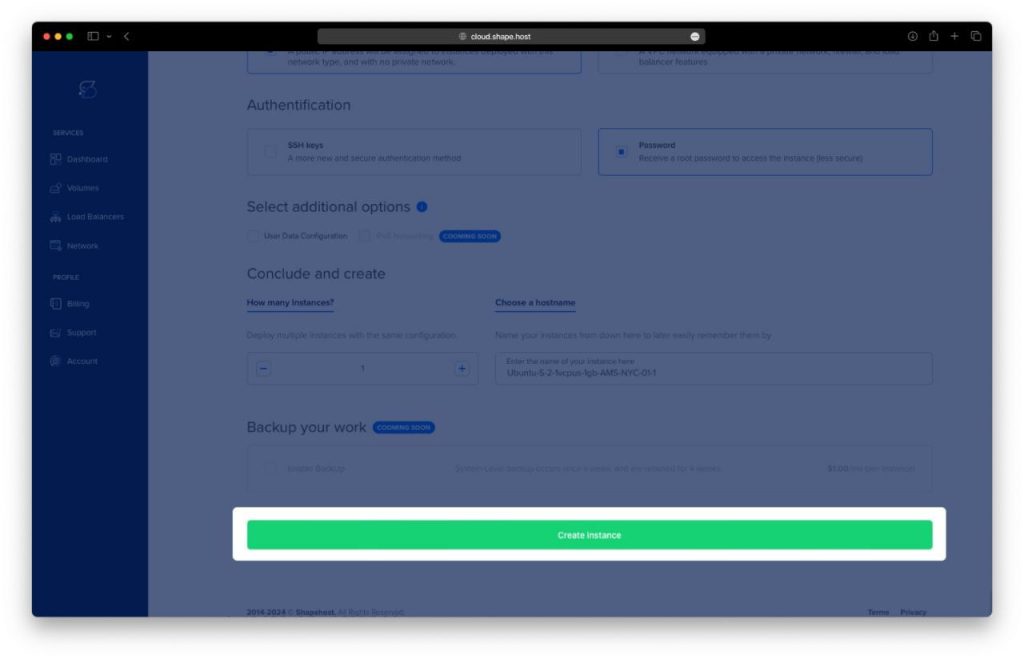
Step 1: Create a Server Instance on Shape.Host
Before installing Mealie, you need a VPS.
Log in to your Shape.Host account at https://shape.host.
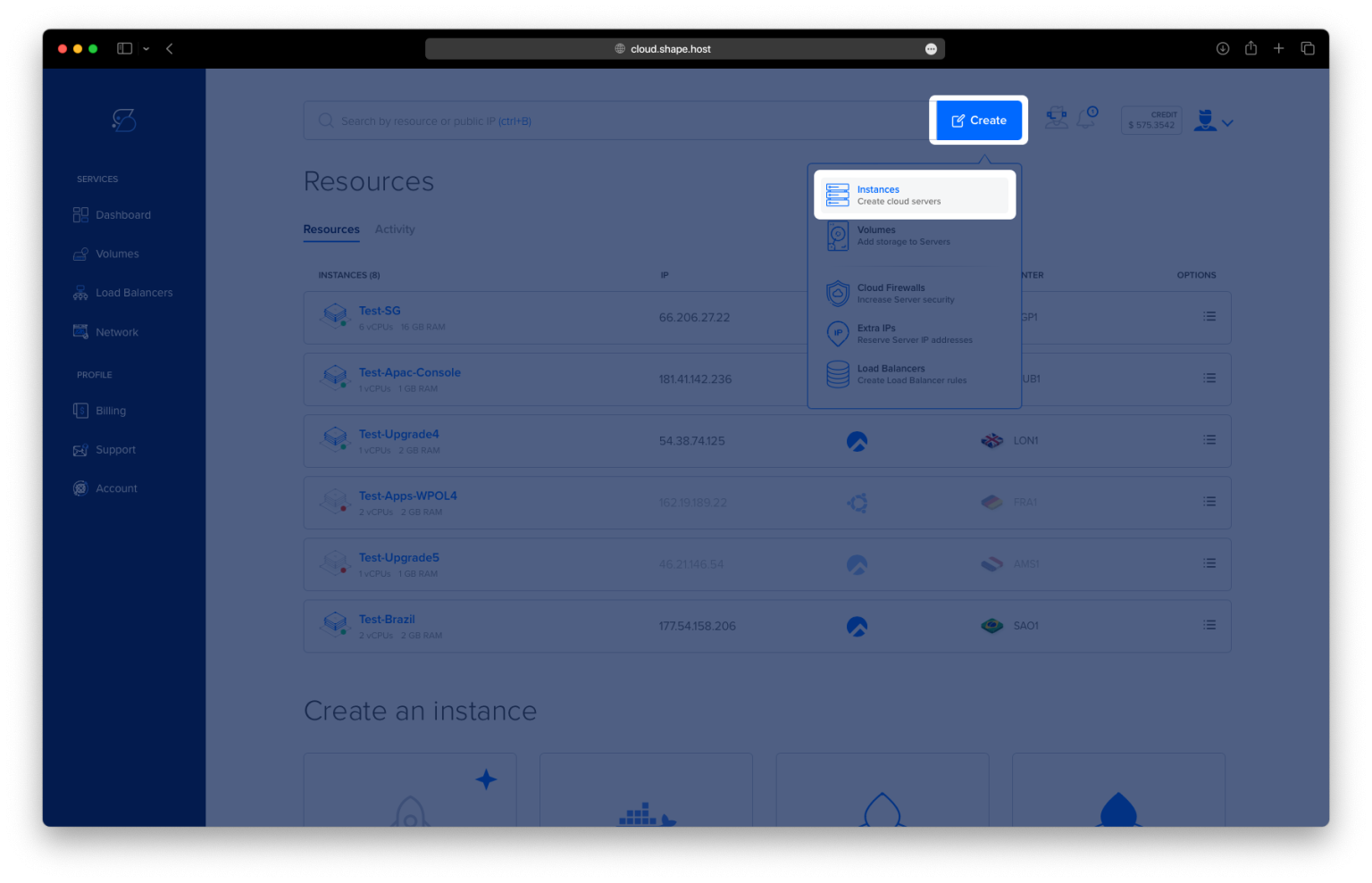
From the dashboard, click Create and select Instance.
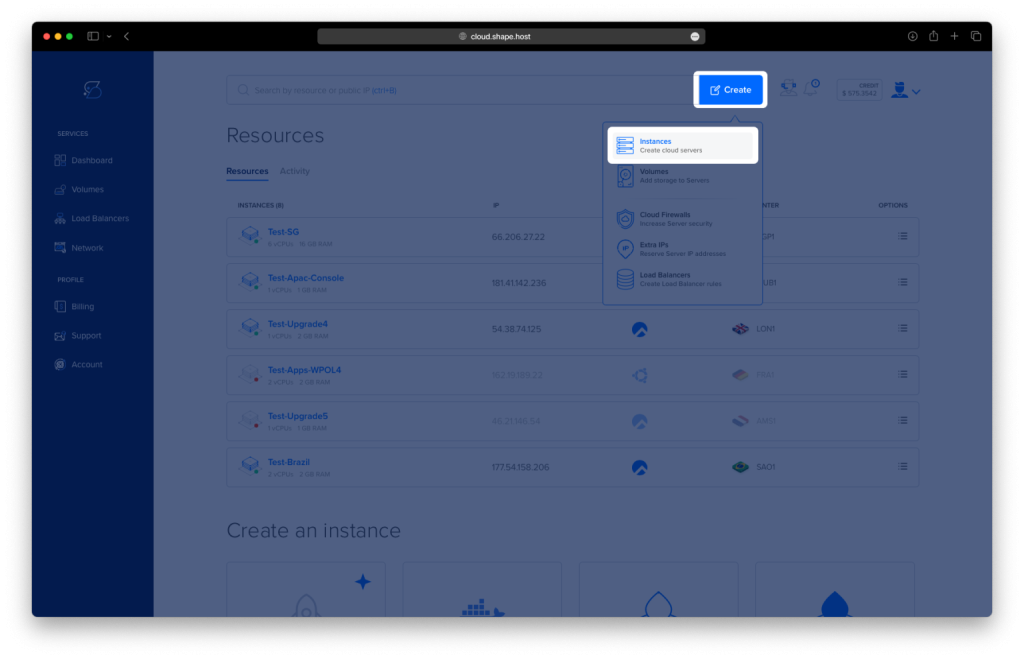
Choose a data center location close to your users.
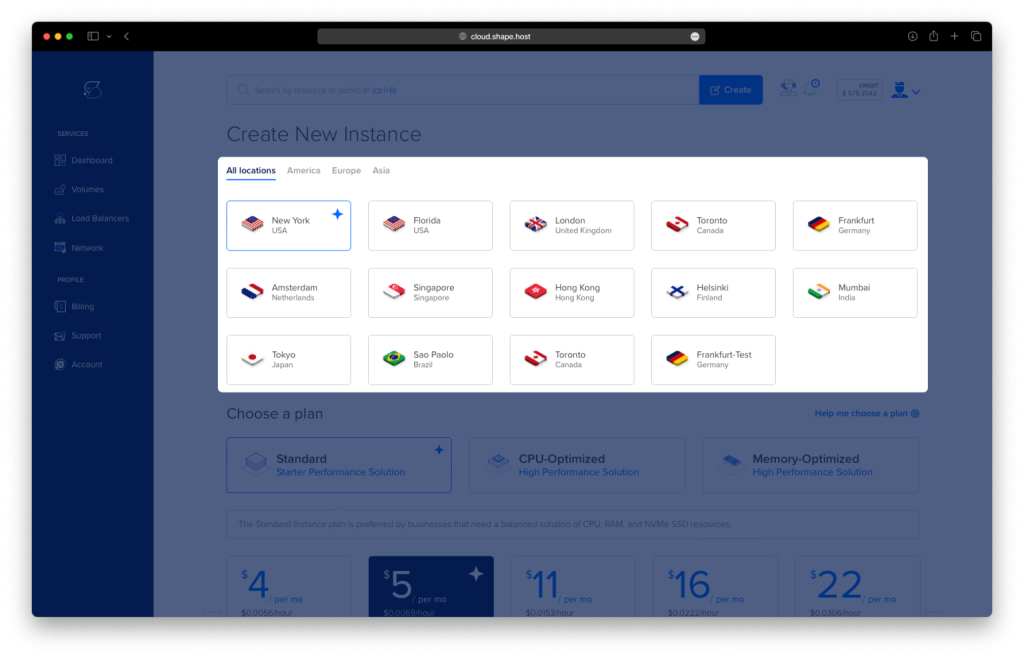
Select a VPS plan with at least:
2 CPU cores
4 GB RAM
30 GB SSD storage
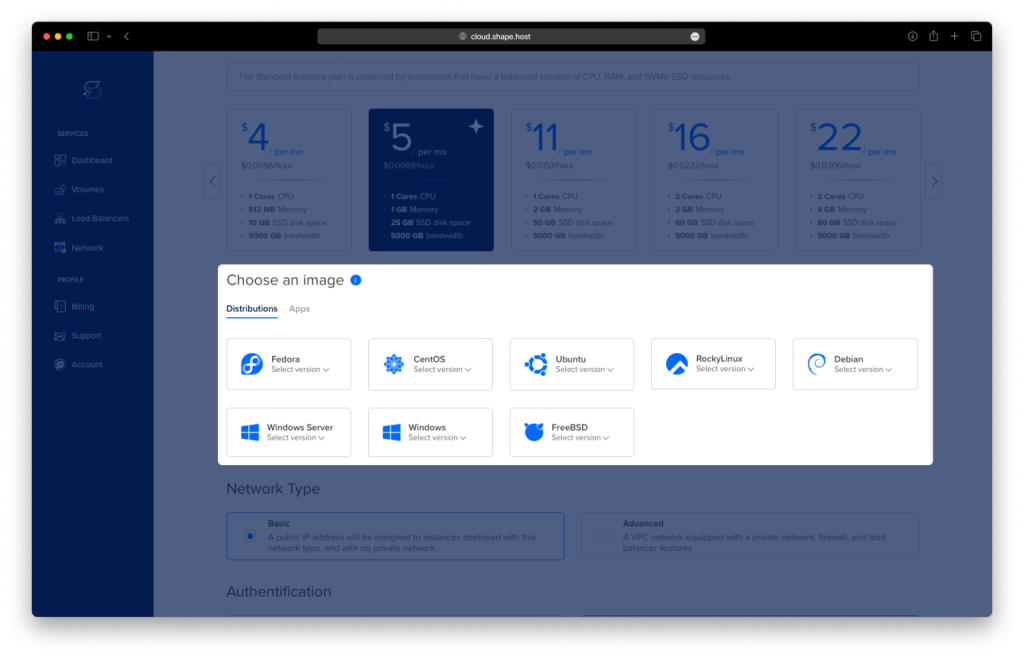
Choose Rocky Linux 9 (64-bit) as the operating system.
Create the instance and wait for provisioning to complete.
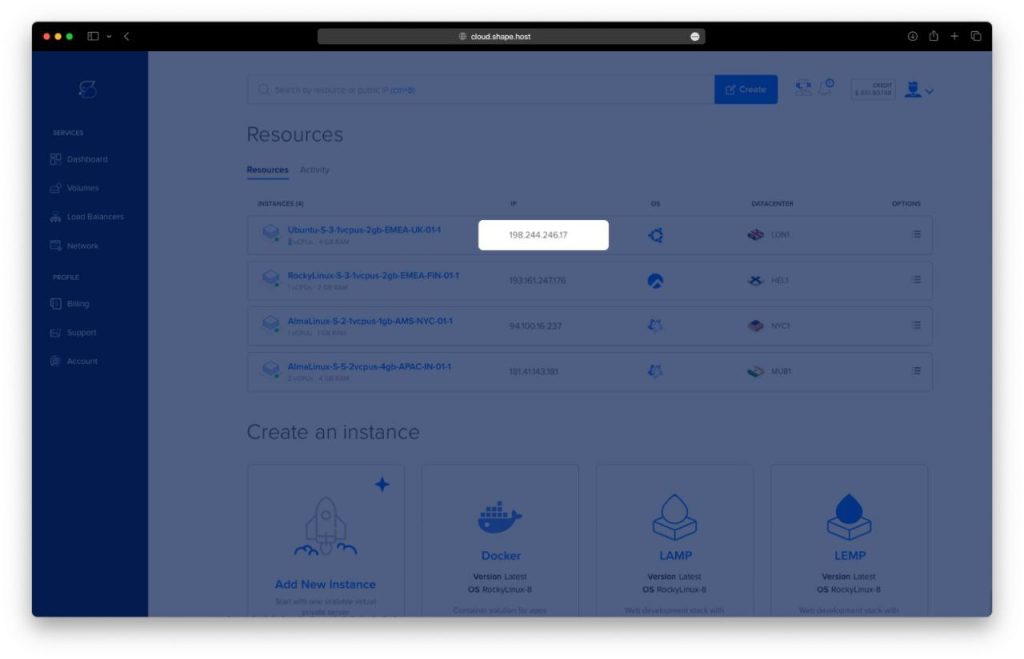
Copy the public IP address of your server.
Step 2: Connect to the Rocky Linux 9 Server
Linux / macOS
ssh root@YOUR_SERVER_IP
Windows
Use PowerShell, Windows Terminal, or PuTTY:
ssh root@YOUR_SERVER_IP
Once connected, you should be logged in as root.
Step 3: Install Docker and Docker Compose
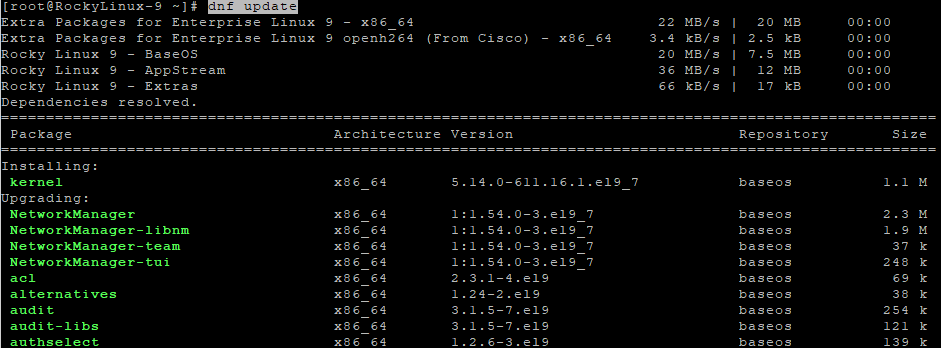
3.1 Update the System
dnf update
Updates all system packages to their latest versions.
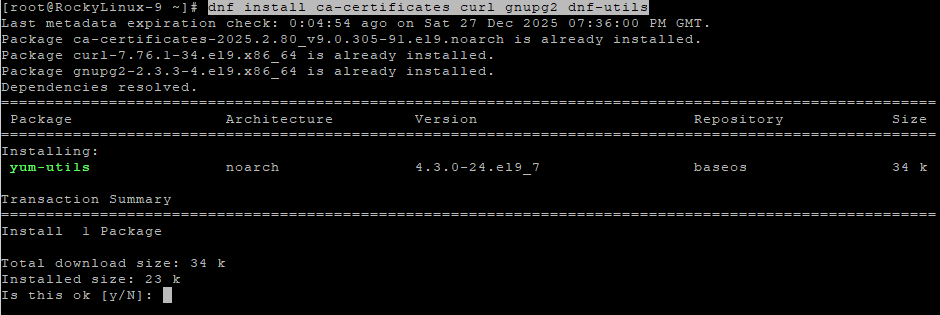
3.2 Install Required Dependencies
dnf install ca-certificates curl gnupg2 dnf-utils
Installs tools required to manage repositories securely.
3.3 Add Docker Repository
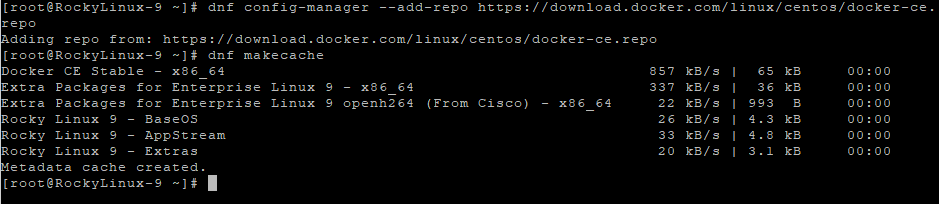
dnf config-manager --add-repo https://download.docker.com/linux/centos/docker-ce.repo
Adds the official Docker repository compatible with Rocky Linux 9.
dnf makecache
Refreshes repository metadata.
3.4 Install Docker Engine and Docker Compose
dnf install docker-ce docker-ce-cli containerd.io docker-buildx-plugin docker-compose-plugin
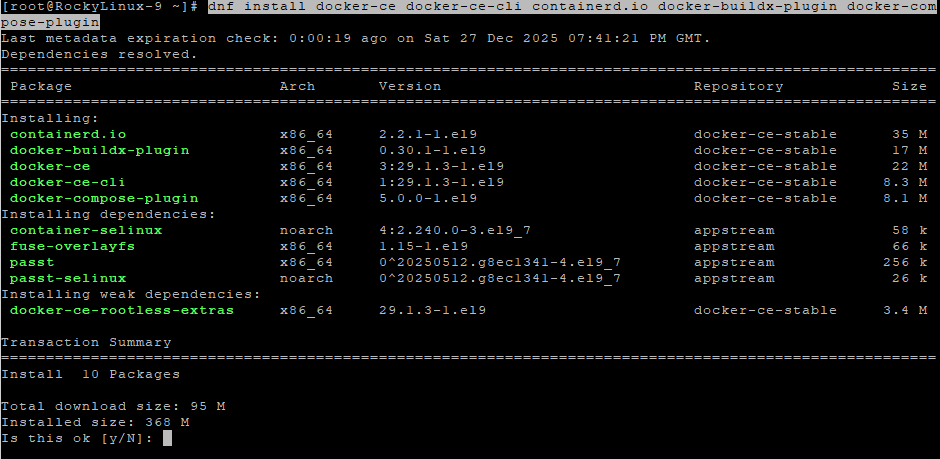
Installs Docker Engine and Docker Compose plugin.
systemctl enable docker
Enables Docker at boot.
systemctl start docker
Starts the Docker service.
docker --version
Verifies Docker installation.
docker compose version
Verifies Docker Compose availability.
Step 4: Configure Mealie with Docker Compose
4.1 Create Project Directory
mkdir -p /opt/mealie
cd /opt/mealie

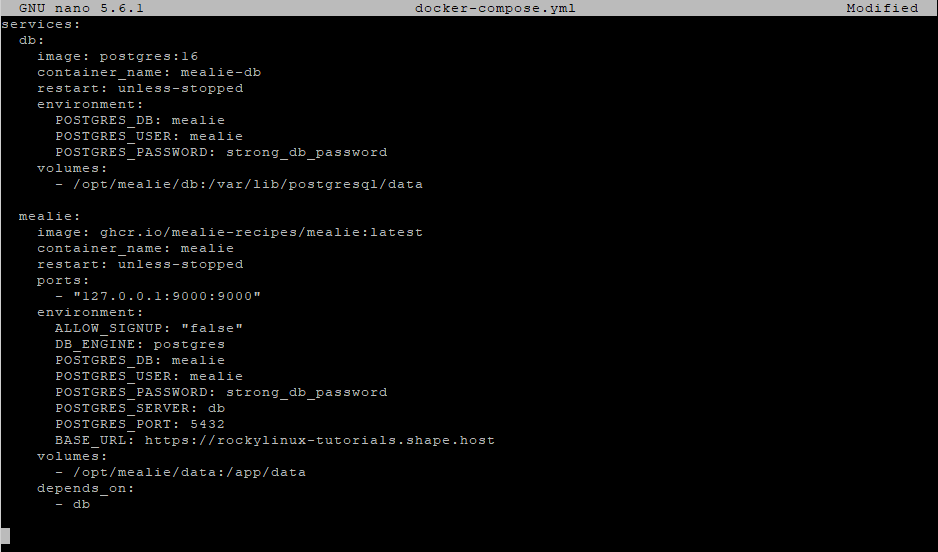
4.2 Create Docker Compose File
nano docker-compose.yml
Paste the following configuration:
services:
  db:
    image: postgres:16
    container_name: mealie-db
    restart: unless-stopped
    environment:
      POSTGRES_DB: mealie
      POSTGRES_USER: mealie
      POSTGRES_PASSWORD: strong_db_password
    volumes:
      - /opt/mealie/db:/var/lib/postgresql/data

  mealie:
    image: ghcr.io/mealie-recipes/mealie:latest
    container_name: mealie
    restart: unless-stopped
    ports:
      - "127.0.0.1:9000:9000"
    environment:
      ALLOW_SIGNUP: "false"
      DB_ENGINE: postgres
      POSTGRES_DB: mealie
      POSTGRES_USER: mealie
      POSTGRES_PASSWORD: strong_db_password
      POSTGRES_SERVER: db
      POSTGRES_PORT: 5432
      BASE_URL: https://mealie.example.com
    volumes:
      - /opt/mealie/data:/app/data
    depends_on:
      - db
This configuration:
- Uses PostgreSQL 16 as the database backend
- Restricts Mealie access to localhost
- Prepares the application for reverse proxy and HTTPS
4.3 Create Persistent Storage Directories
mkdir -p /opt/mealie/db
mkdir -p /opt/mealie/data

4.4 Start Mealie
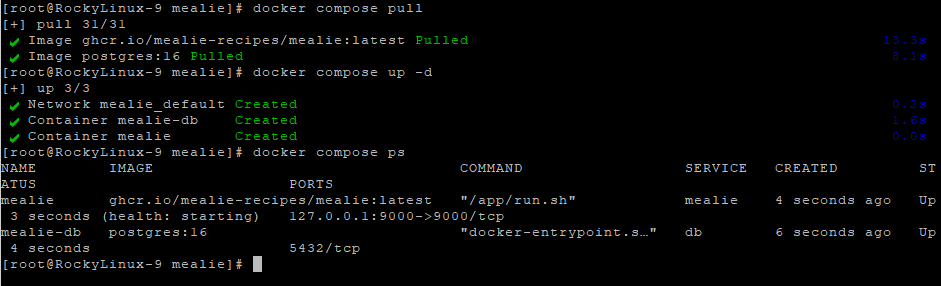
docker compose pull
Downloads the latest Mealie and PostgreSQL images.
docker compose up -d
Starts the containers in detached mode.
docker compose ps
Confirms that the containers are running.
Step 5: Configure Nginx Reverse Proxy
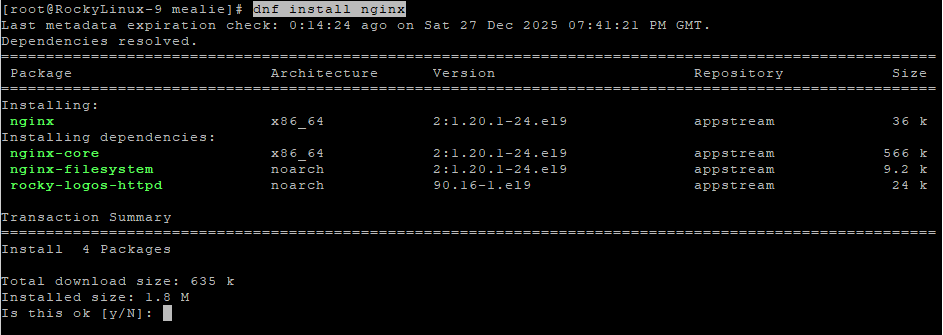
5.1 Install and Enable Nginx
dnf install nginx
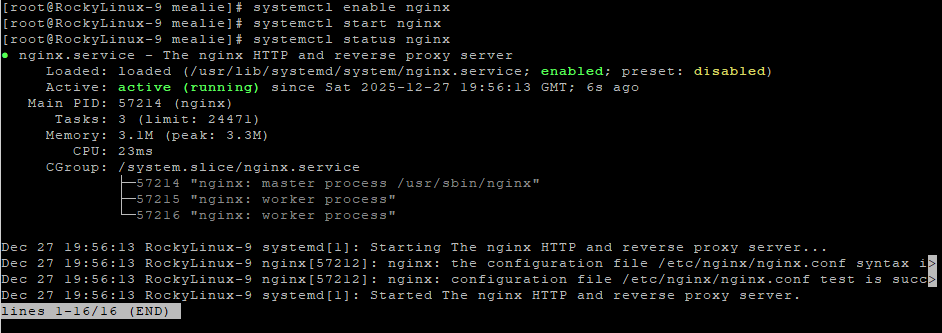
systemctl enable nginx
systemctl start nginx
systemctl status nginx
5.2 Create Nginx Configuration for Mealie
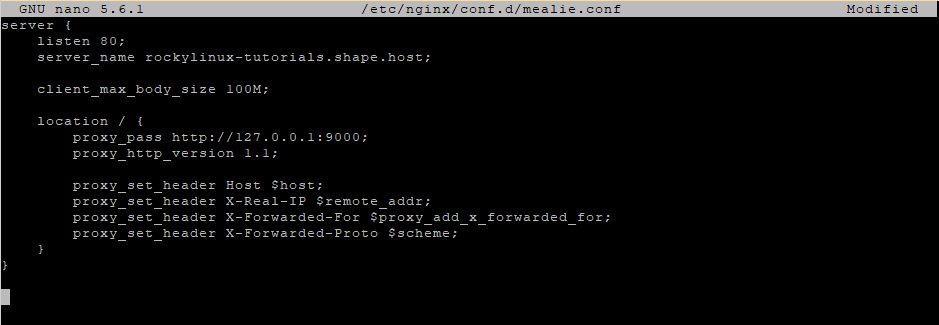
nano /etc/nginx/conf.d/mealie.conf
Paste:
server {
    listen 80;
    server_name mealie.example.com;

    client_max_body_size 100M;

    location / {
        proxy_pass http://127.0.0.1:9000;
        proxy_http_version 1.1;

        proxy_set_header Host $host;
        proxy_set_header X-Real-IP $remote_addr;
        proxy_set_header X-Forwarded-For $proxy_add_x_forwarded_for;
        proxy_set_header X-Forwarded-Proto $scheme;
    }
}
5.3 Test and Reload Nginx
nginx -t
systemctl reload nginx

Step 6: Enable SSL with Let’s Encrypt
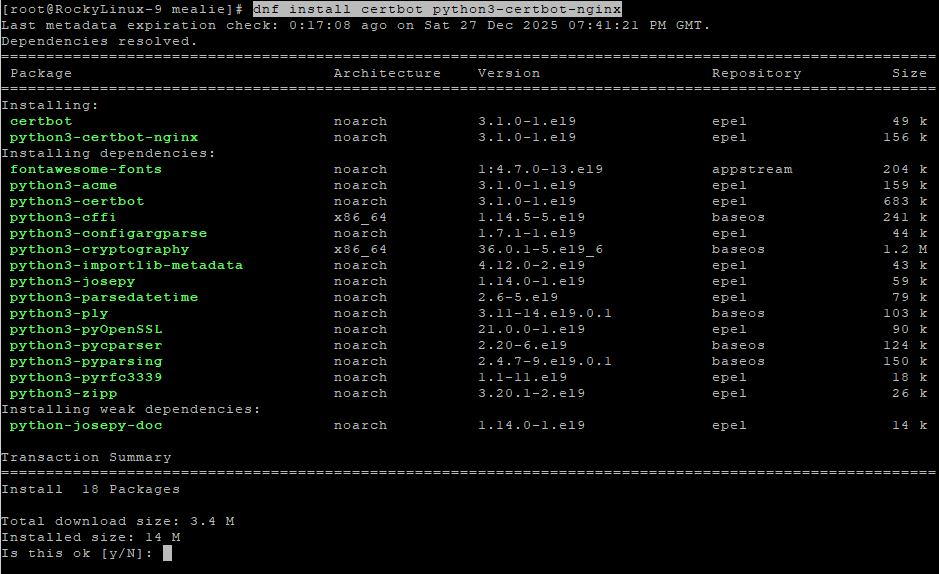
6.1 Install Certbot
dnf install epel-release
dnf install certbot python3-certbot-nginx

6.2 Obtain SSL Certificate
certbot --nginx -d rockylinux-tutorials.shape.host
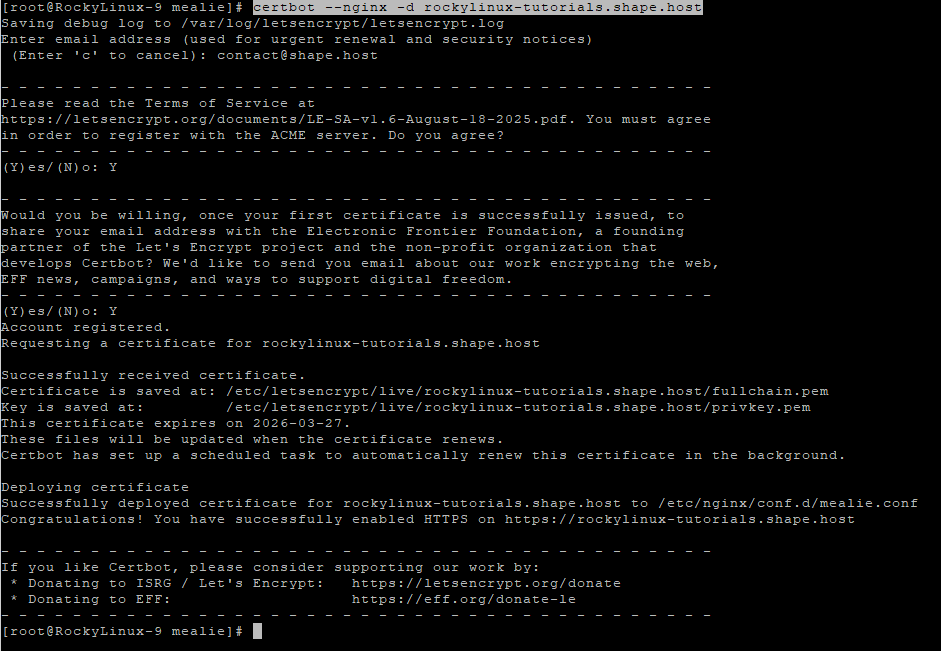
Replace with your real domain if needed:
yourdomain.com
Certbot will automatically:
- Issue a free SSL certificate
- Configure Nginx for HTTPS
- Enable automatic certificate renewal
Step 7: Verify the Installation
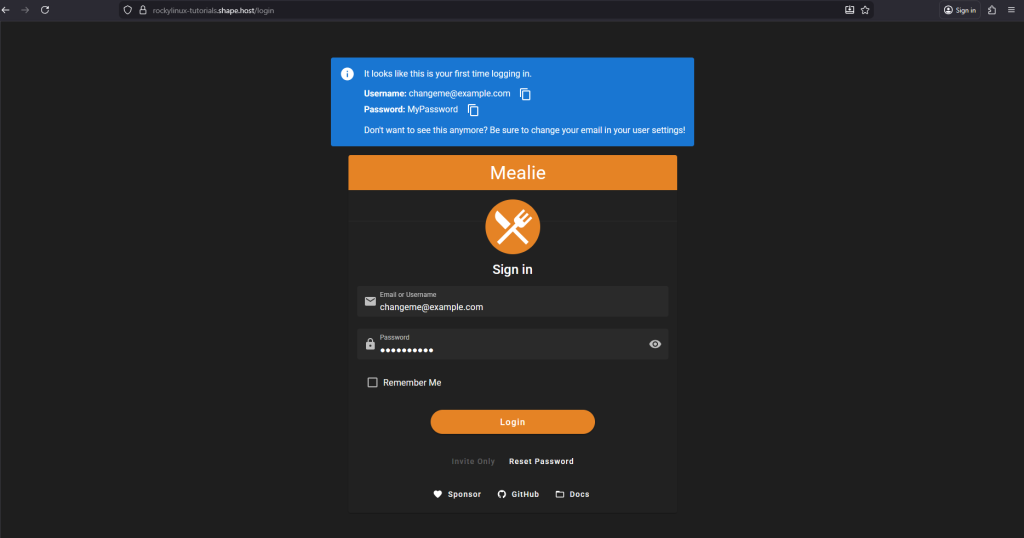
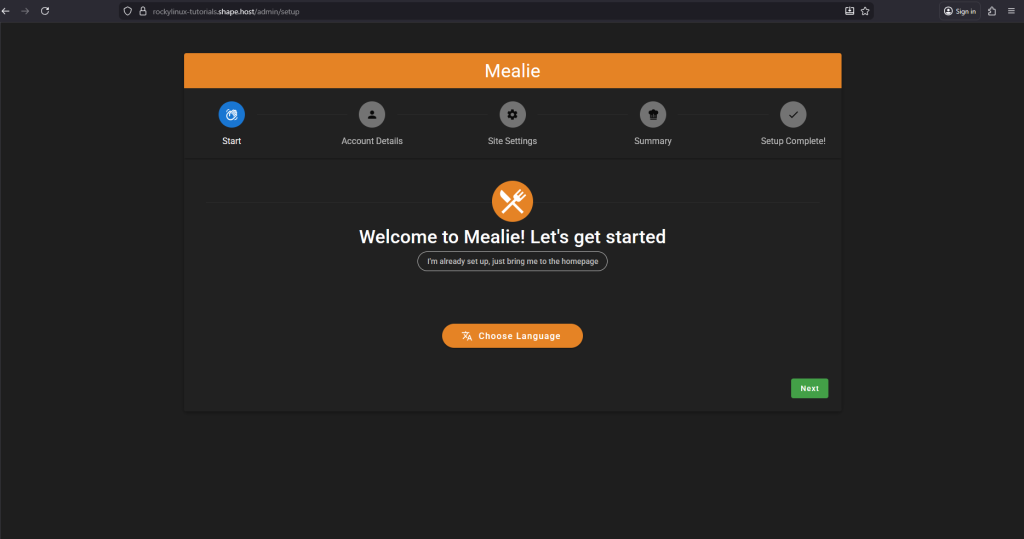
Open your browser: https://mealie.example.com
Check container status:
docker compose ps
- Verify Nginx status:
systemctl status nginx
If Mealie loads correctly over HTTPS, the installation is complete.
You installed Mealie on Rocky Linux 9 using Docker Compose, connected it to a PostgreSQL database, exposed it via Nginx, and secured it with Let’s Encrypt SSL. This setup is stable, secure, and well-suited for personal or family recipe management.
For hosting self-hosted applications like Mealie with high performance, scalability, and full root access, Shape.Host Linux SSD VPS is a reliable solution for modern server workloads.