Focalboard on Ubuntu 24.04 (PostgreSQL + Nginx + SSL)
Focalboard is an open-source project management and collaboration platform that helps teams organize tasks, workflows, and projects. Comparable to tools like Trello, Asana, or Notion, it provides kanban boards, task lists, calendars, and database views — all in a self-hosted solution that gives you complete control over your data. It can be used by individuals, small teams, or scaled to enterprise environments.
Running Focalboard on Ubuntu 24.04 LTS (Noble Numbat) ensures long-term stability, performance, and security. Ubuntu 24.04 ships with systemd 255, OpenSSL 3, and up-to-date PostgreSQL and Node.js packages, making it a reliable foundation for deploying Focalboard behind Nginx with SSL termination.
Architecture Overview
| Layer | Component | Role |
|---|---|---|
| OS | Ubuntu 24.04 LTS | Stable, secure Linux base with long-term support |
| Database | PostgreSQL 15/16 | Stores projects, tasks, and metadata |
| Application | Focalboard Server | Provides web interface and APIs for project management |
| Runtime | Node.js (LTS) | Executes the Focalboard backend application |
| Process Manager | systemd / PM2 | Keeps Focalboard running, manages logs and uptime |
| Reverse Proxy | Nginx | TLS termination, request routing, compression, caching |
| TLS | Let’s Encrypt / PKI | Provides secure HTTPS access to the Focalboard UI |
Why Use Focalboard?
- Self-hosted alternative to Trello, Notion, and Asana.
- Task and project management – kanban boards, lists, and calendar views.
- Data sovereignty – you own your data and infrastructure.
- Collaboration-friendly – built for individuals, teams, and organizations.
- Open-source – no vendor lock-in or recurring licensing fees.
Focalboard vs Other Tools
| Feature/Capability | Focalboard (Self-hosted) | Trello (Cloud) | Asana (Cloud) | Notion (Cloud) |
|---|---|---|---|---|
| Hosting | Self-hosted | SaaS only | SaaS only | SaaS only |
| Data ownership | Full (your server) | Vendor-owned | Vendor-owned | Vendor-owned |
| Cost | Free, open-source | Subscription-based | Subscription-based | Subscription-based |
| Features | Kanban, tasks, boards | Kanban only | Project mgmt + tasks | Notes + tasks |
Focalboard is the best choice when you want a free, self-hosted project management tool with no dependency on external SaaS providers.
Security & Best Practices
- Deploy behind Nginx with SSL enabled.
- Store PostgreSQL data securely with automated backups.
- Run Focalboard under a non-root system user.
- Keep Node.js, PostgreSQL, and Focalboard updated.
- Apply Nginx security headers (HSTS, CSP, Referrer-Policy).
- Use a firewall (UFW) to restrict access to ports 80/443 only.
Typical Use Cases
- Small teams replacing Trello or Asana with a free, self-hosted option.
- Organizations that require project management under data sovereignty policies.
- Freelancers managing projects and tasks securely.
- Education and NGOs looking for low-cost collaboration platforms.
- Enterprises needing scalable task management integrated into internal systems.
Running Focalboard on Ubuntu 24.04 with PostgreSQL, Nginx, and SSL gives you a secure, scalable, and feature-rich project management platform that keeps you in full control of your data.
Step 1: Create a Server Instance on Shape.Host
To get started, deploy a fresh Ubuntu 24.04 server. On Shape.Host:
Log in to your Shape.Host dashboard.
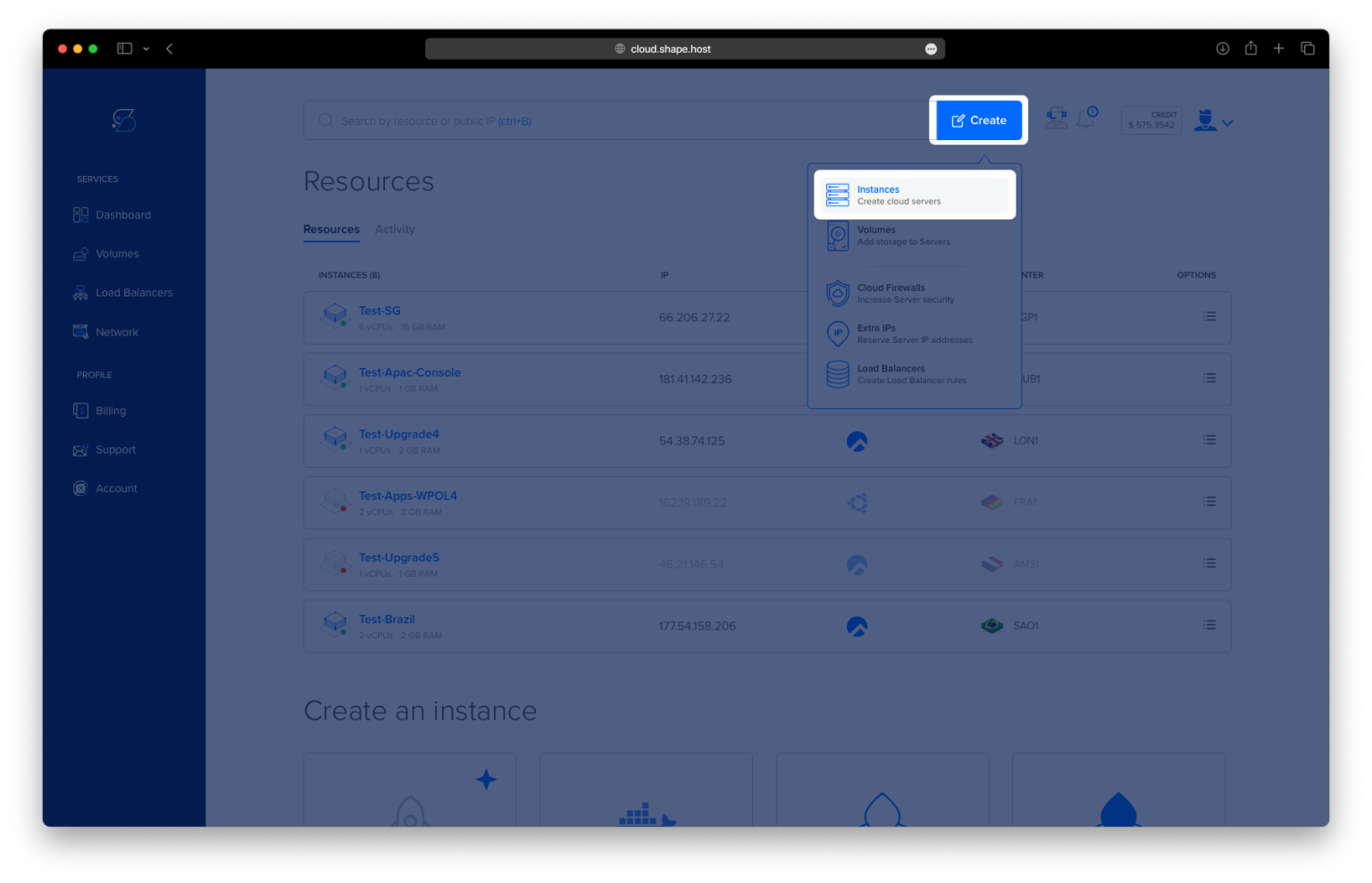
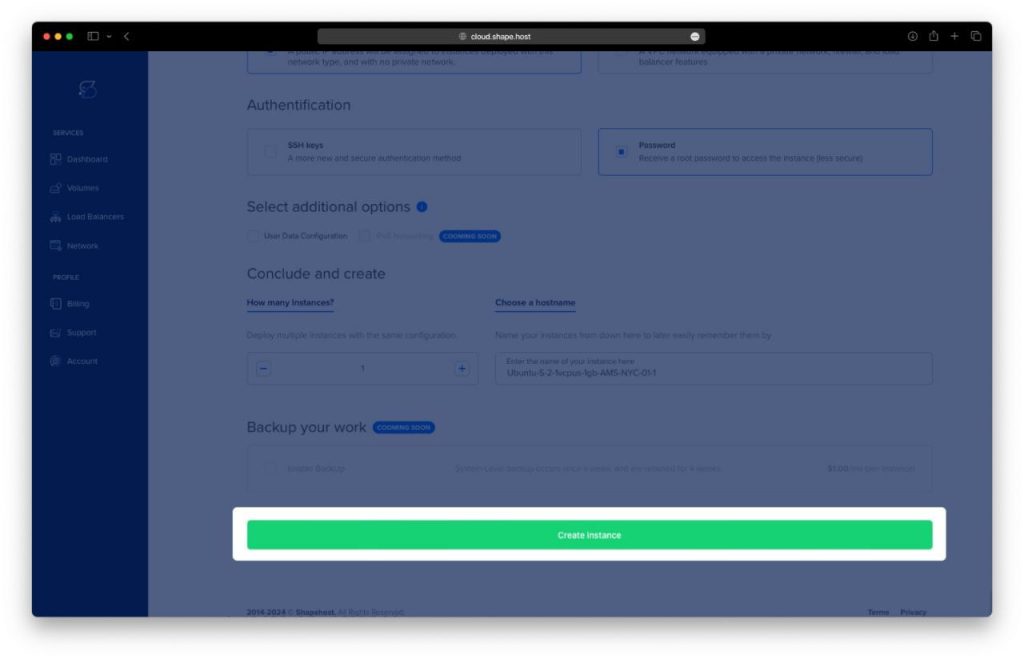
Click Create → Instance.
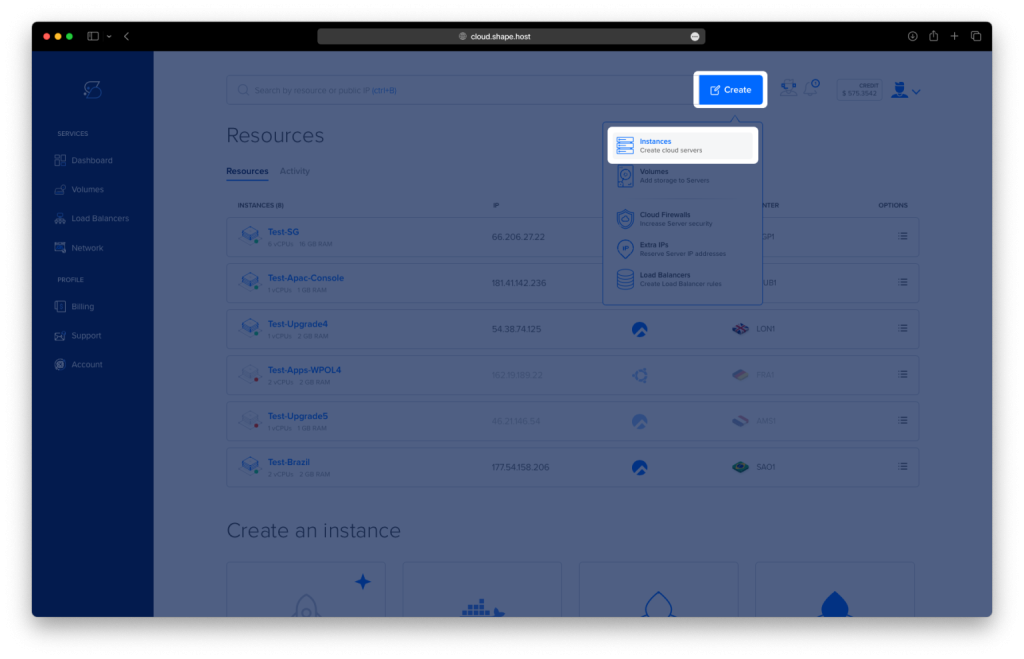
Select a data center location close to your users.
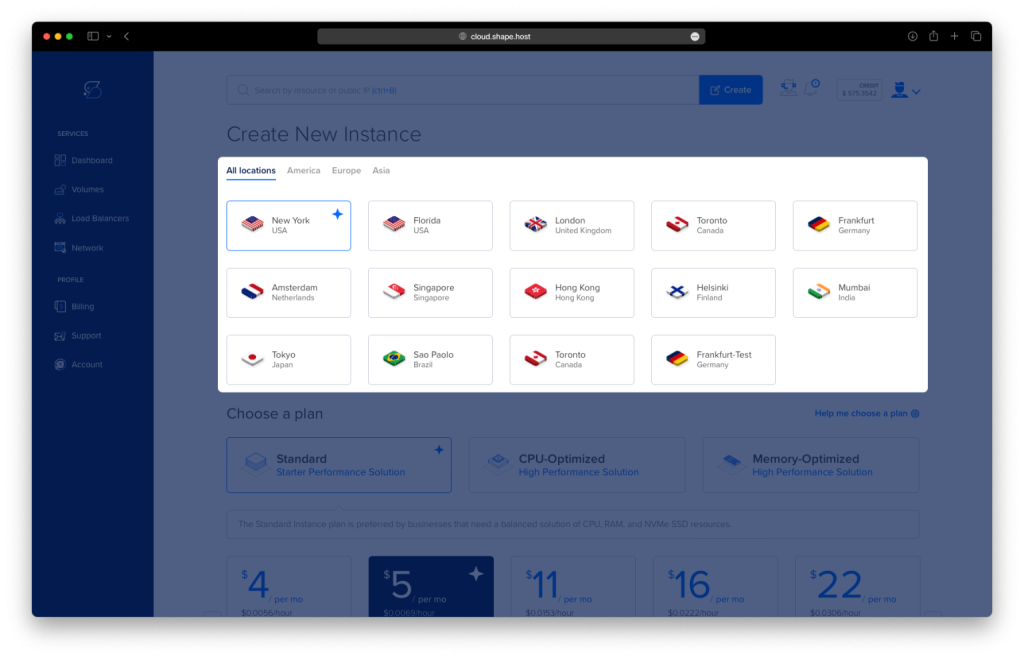
Choose a plan with at least 2 CPUs, 4 GB RAM, and 20 GB SSD.
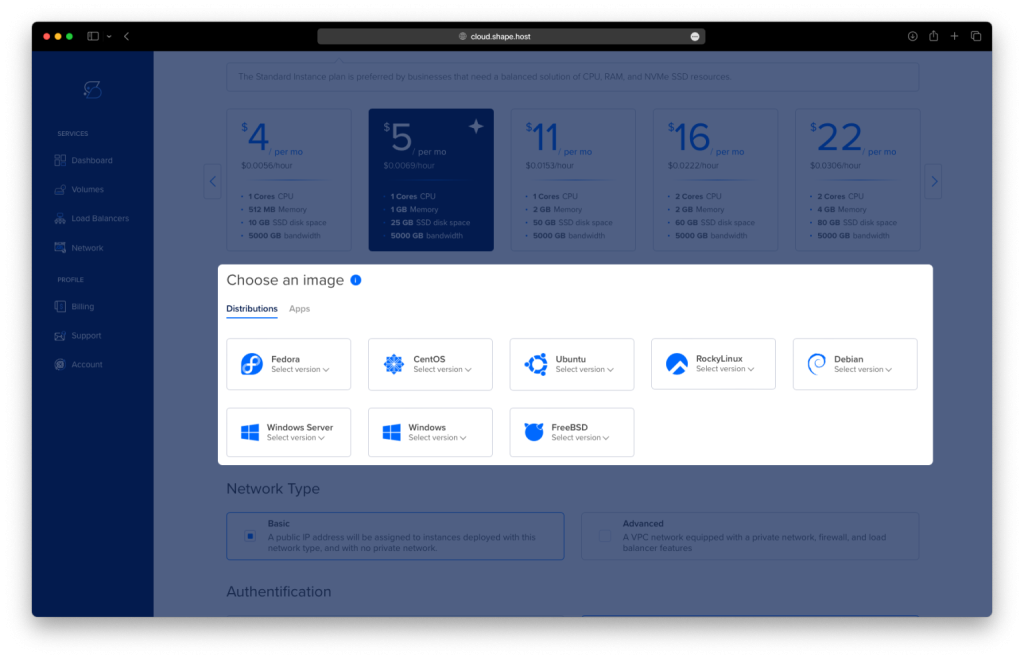
Select Ubuntu 24.04 (64-bit) as the OS.
Click Create Instance.
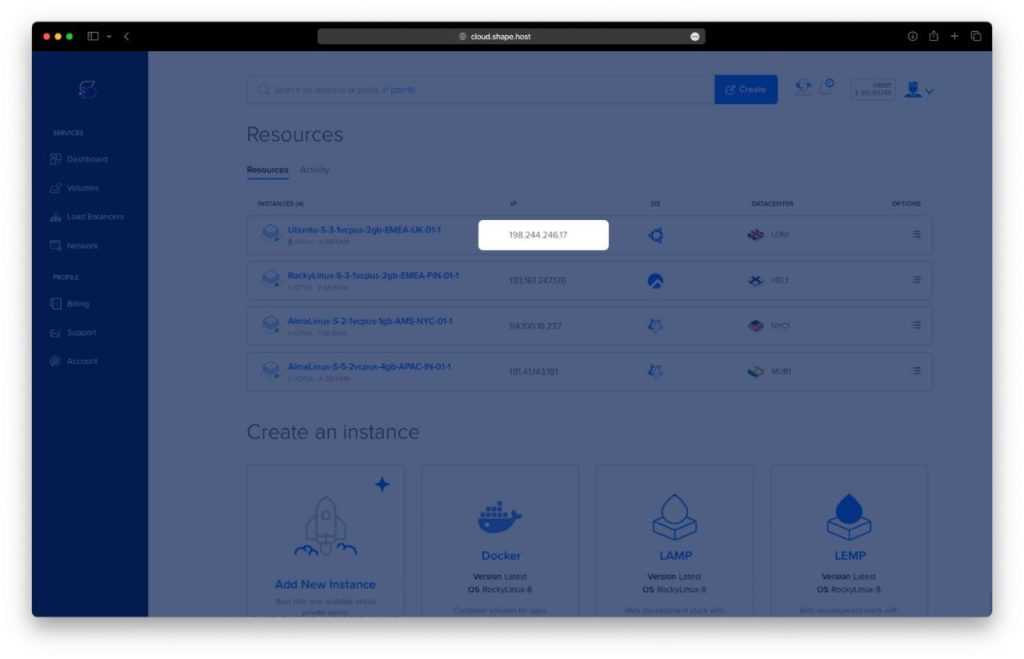
Copy the instance’s IP address from the Resources section.
Step 2: Connect to Your Server
- Linux/macOS:
ssh root@your_server_ip - Windows (PuTTY):
Enter the server’s IP, select SSH, and log in with the Shape.Host root credentials.
Step 3: Install Required Packages
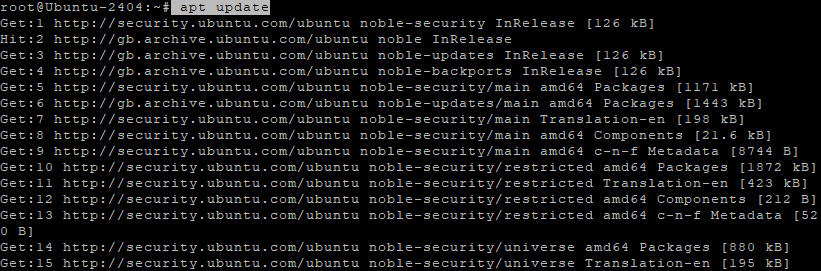
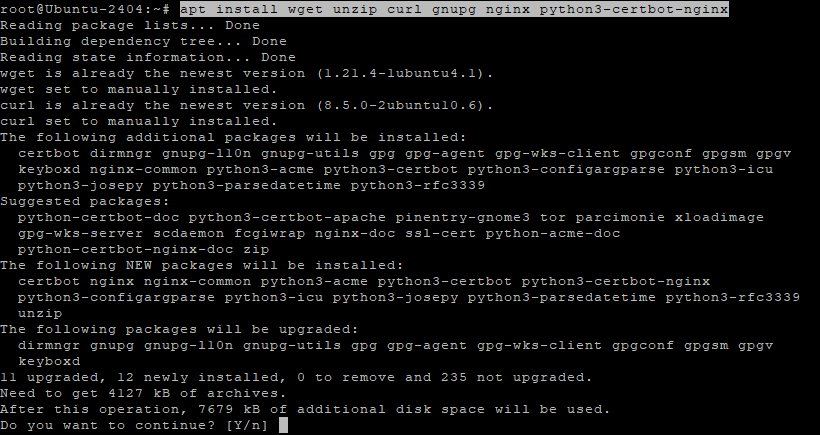
Update system and install dependencies:
apt update
apt install wget unzip curl gnupg nginx python3-certbot-nginx
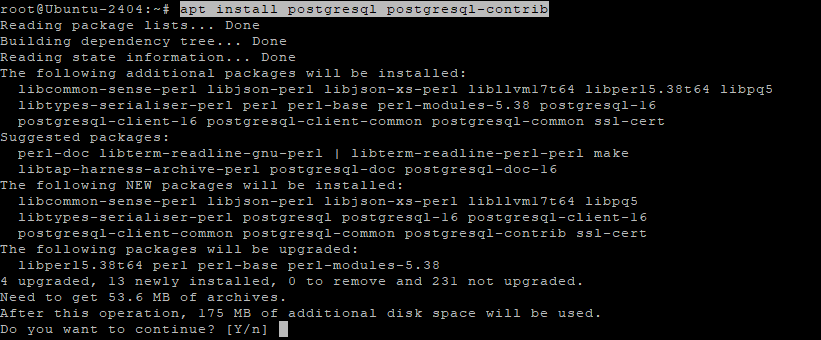
Install PostgreSQL database:
apt install postgresql postgresql-contrib
Step 4: Configure PostgreSQL for Focalboard
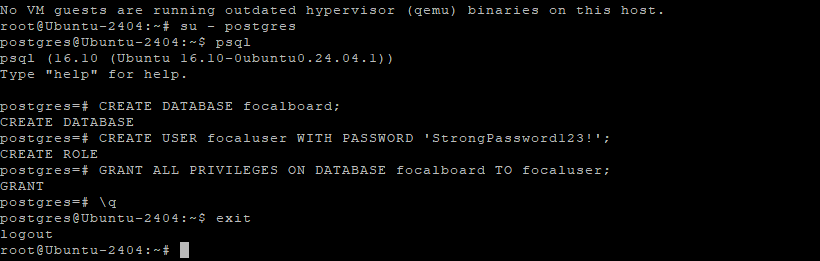
Switch to the postgres user and open PostgreSQL shell:
su - postgres
psql
Inside psql, create database and user:
CREATE DATABASE focalboard;
CREATE USER focaluser WITH PASSWORD 'StrongPassword123!';
GRANT ALL PRIVILEGES ON DATABASE focalboard TO focaluser;
\q
Exit the postgres user:
exit
Step 5: Download and Extract Focalboard
Create installation directory:
mkdir -p /opt/focalboard
cd /opt/focalboard

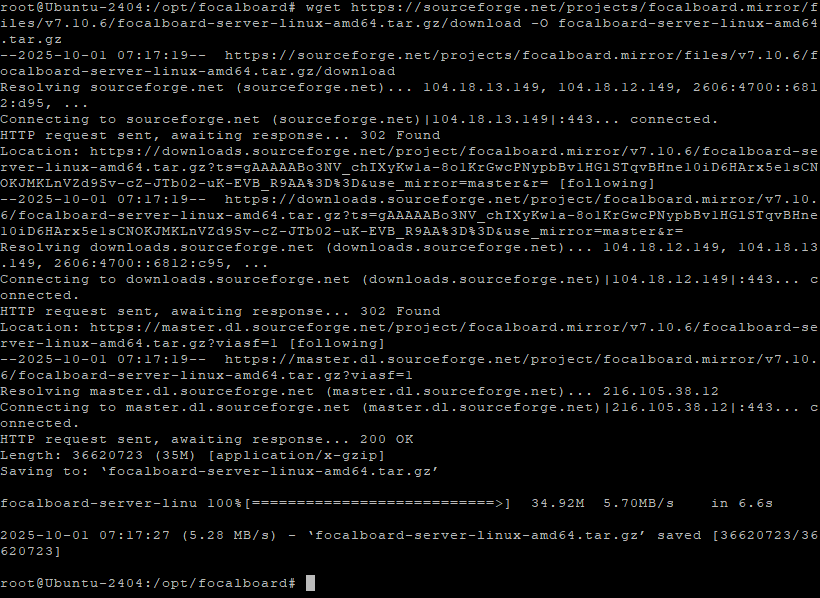
Download the latest release:
wget https://sourceforge.net/projects/focalboard.mirror/files/v7.10.6/focalboard-server-linux-amd64.tar.gz/download -O focalboard-server-linux-amd64.tar.gz
Extract archive:
tar -xzf focalboard-server-linux-amd64.tar.gz
Remove unused archive:
rm focalboard.tar.gz

Step 6: Configure Focalboard
Edit the config file:
nano /opt/focalboard/config.json
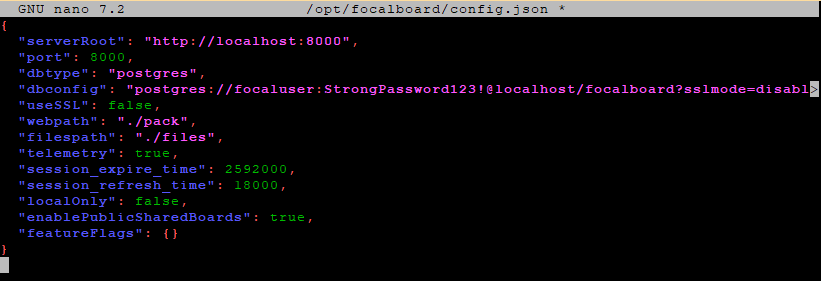
Use this configuration (adjust password and domain as needed):
{
  "serverRoot": "http://localhost:8000",
  "port": 8000,
  "dbtype": "postgres",
  "dbconfig": "postgres://focaluser:StrongPassword123!@localhost/focalboard?sslmode=disable&connect_timeout=10",
  "useSSL": false,
  "webpath": "./pack",
  "filespath": "./files",
  "telemetry": true,
  "session_expire_time": 2592000,
  "session_refresh_time": 18000,
  "localOnly": false,
  "enablePublicSharedBoards": true,
  "featureFlags": {}
}
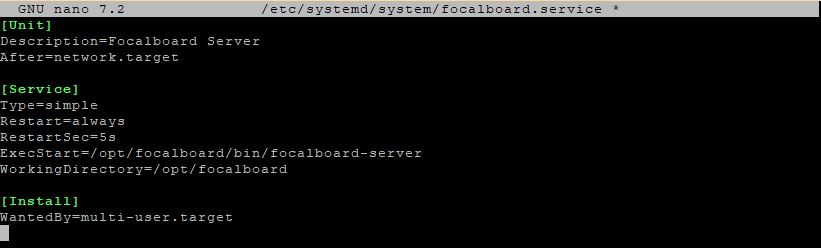
Step 7: Create systemd Service for Focalboard
nano /etc/systemd/system/focalboard.service
Paste the following:
[Unit]
Description=Focalboard Server
After=network.target

[Service]
Type=simple
Restart=always
RestartSec=5s
ExecStart=/opt/focalboard/focalboard/bin/focalboard-server
WorkingDirectory=/opt/focalboard/focalboard

[Install]
WantedBy=multi-user.target
Reload and start service:
systemctl daemon-reload
systemctl enable focalboard
systemctl start focalboard

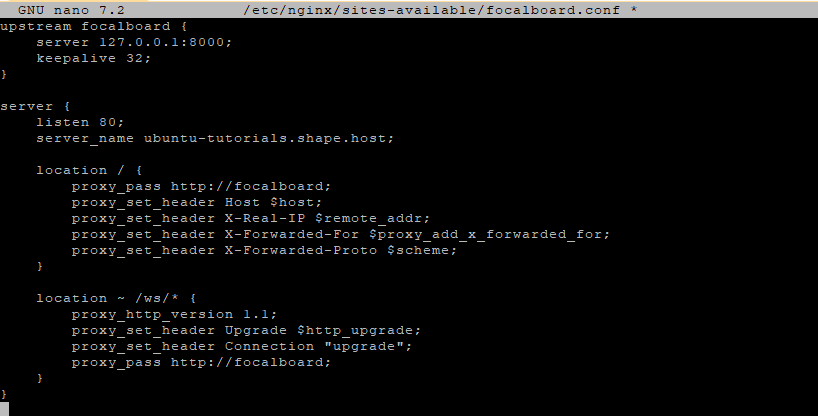
Step 8: Configure Nginx Reverse Proxy
nano /etc/nginx/sites-available/focalboard.conf
Add the following:
upstream focalboard {
    server 127.0.0.1:8000;
    keepalive 32;
}

server {
    listen 80;
    server_name yourdomain.com;

    location / {
        proxy_pass http://focalboard;
        proxy_set_header Host $host;
        proxy_set_header X-Real-IP $remote_addr;
        proxy_set_header X-Forwarded-For $proxy_add_x_forwarded_for;
        proxy_set_header X-Forwarded-Proto $scheme;
    }

    location ~ /ws/* {
        proxy_http_version 1.1;
        proxy_set_header Upgrade $http_upgrade;
        proxy_set_header Connection "upgrade";
        proxy_pass http://focalboard;
    }
}
Enable site and reload Nginx:
ln -s /etc/nginx/sites-available/focalboard.conf /etc/nginx/sites-enabled/
rm /etc/nginx/sites-enabled/default
nginx -t
systemctl reload nginx

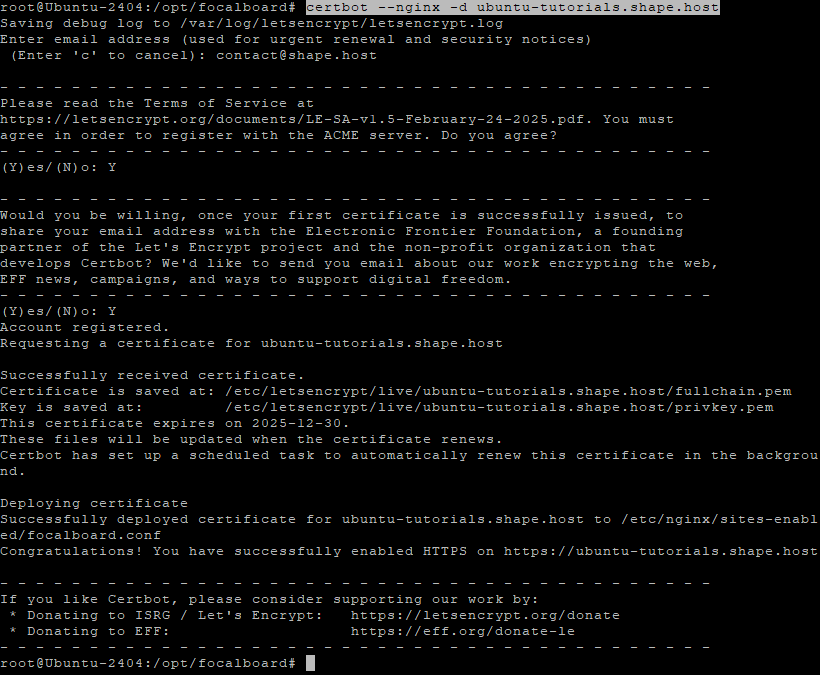
Step 9: Enable SSL with Let’s Encrypt
certbot --nginx -d ubuntu-tutorials.shape.host
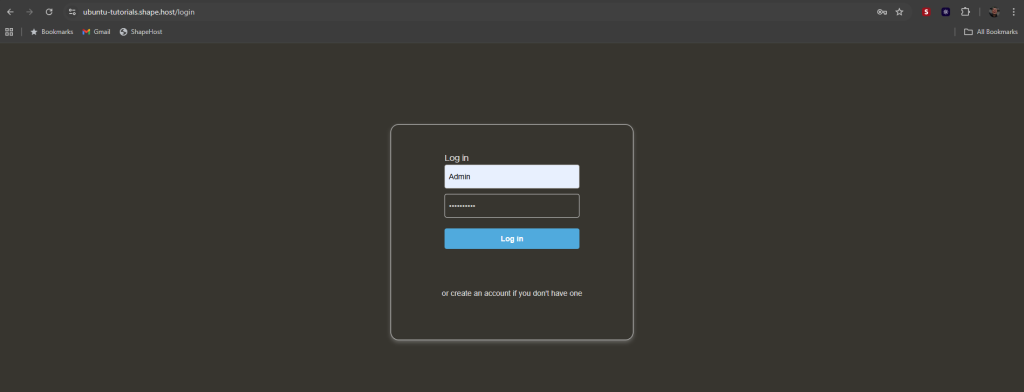
Once complete, access:
https://ubuntu-tutorials.shape.host
You should see Focalboard running successfully.
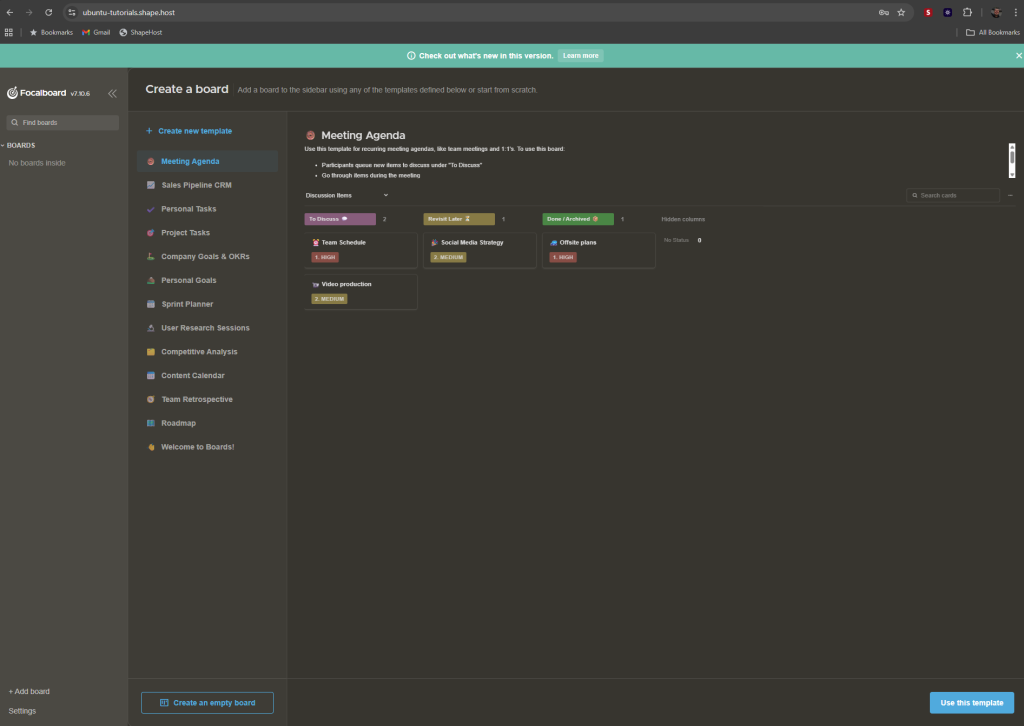
You’ve installed Focalboard on Ubuntu 24.04 with PostgreSQL, systemd, and Nginx + SSL. This gives you a production-ready setup for managing projects and collaborating securely.
For best performance, reliability, and scalability, host your apps on Shape.Host Linux SSD VPS — optimized for modern applications like Focalboard.