Paperless-ngx on Ubuntu 24.04 (Docker Compose + Redis + PostgreSQL + Nginx + SSL)
Paperless-ngx is an open-source document management system (DMS) that helps you scan, organize, tag, and search digital documents efficiently. It automatically processes PDFs and images using OCR (Optical Character Recognition) to make all your content fully searchable. Paperless-ngx provides a modern web interface, supports multiple users, and integrates with scanners, email imports, and cloud storage systems — making it a complete paperless office solution.
Running Paperless-ngx on Ubuntu 24.04 LTS (Noble Numbat) ensures a modern, secure, and long-term supported base for your document management environment. With Docker Compose, Redis, PostgreSQL, Nginx, and SSL encryption, you can build a robust, scalable, and privacy-respecting DMS that works reliably for both individuals and teams.
Architecture Overview
| Layer | Component | Role |
|---|---|---|
| OS | Ubuntu 24.04 LTS | Stable, long-term supported Linux foundation |
| Container Runtime | Docker Engine + Compose | Orchestrates Paperless-ngx and its dependencies |
| Application | Paperless-ngx (Python/Django) | Core web interface and document management logic |
| Database | PostgreSQL 15/16 | Stores metadata, users, tags, and document references |
| Cache/Queue | Redis | Handles background tasks and async operations |
| Reverse Proxy | Nginx | Manages HTTPS termination, routing, and compression |
| TLS | Let’s Encrypt / PKI | Provides HTTPS encryption for secure document access |
Why Use Paperless-ngx?
- Automated document processing – OCR and text extraction for fast full-text search.
- Smart tagging and filtering – automatically categorize files with custom rules.
- Multi-user support – organize documents across teams or departments.
- Document import options – via email, web upload, or watched folders.
- Modern web UI – intuitive interface with responsive design.
- Extensive integrations – support for scanners, S3, WebDAV, Nextcloud, and more.
- Self-hosted and private – complete control over your documents and metadata.
Paperless-ngx vs Other Document Management Systems
| Feature/Capability | Paperless-ngx (Self-hosted) | Mayan EDMS | Nextcloud Files | Zoho WorkDrive |
|---|---|---|---|---|
| Hosting | Self-hosted / Docker | Self-hosted | Cloud / Self-hosted | Cloud only |
| OCR Support | ✅ Yes | ✅ Yes | ❌ No | ❌ No |
| Auto Tagging | ✅ Yes | ✅ Limited | ❌ No | ✅ Partial |
| Web Interface | ✅ Modern, fast | ✅ Basic | ✅ Yes | ✅ Yes |
| Privacy | 100% local control | 100% local | Cloud hybrid | Cloud only |
| Cost | Free, open-source | Free | Free/Paid | Paid |
Paperless-ngx provides enterprise-grade features with the flexibility of open source, making it the leading choice for individuals, small businesses, and organizations that want a secure and private DMS without cloud lock-in.
Security & Best Practices
- Deploy behind Nginx with HTTPS (Let’s Encrypt or custom certificate).
- Store database and Redis credentials securely in
.envor Docker secrets. - Restrict PostgreSQL and Redis access to internal Docker networks.
- Use UFW to allow only ports 80 and 443.
- Keep Docker and Paperless-ngx images updated regularly.
- Automate SSL renewals with Certbot or Traefik ACME integration.
- Configure daily backups for PostgreSQL and
mediavolumes. - Set appropriate file permissions for uploads and scanned directories.
- Enable strong authentication and role-based permissions for users.
Typical Use Cases
- Personal document management – organize invoices, receipts, and forms.
- Small businesses – digitize paper archives and invoices.
- Law firms and accountants – maintain secure, searchable client files.
- Educational institutions – manage student or research documentation.
- Government and NGOs – archive and index internal records securely.
- Remote teams – centralize document access while keeping data private.
Deploying Paperless-ngx on Ubuntu 24.04 with Docker Compose, PostgreSQL, Redis, and Nginx delivers a powerful, private, and fully searchable document management system — transforming how you store and access documents while ensuring security, efficiency, and long-term data control.
Create Your Server Instance on Shape.Host
Before installing Paperless-ngx, you need a fresh Ubuntu 24.04 server.
Here is the exact process to create one using Shape.Host Cloud VPS:
Visit https://shape.host and log in to your dashboard.
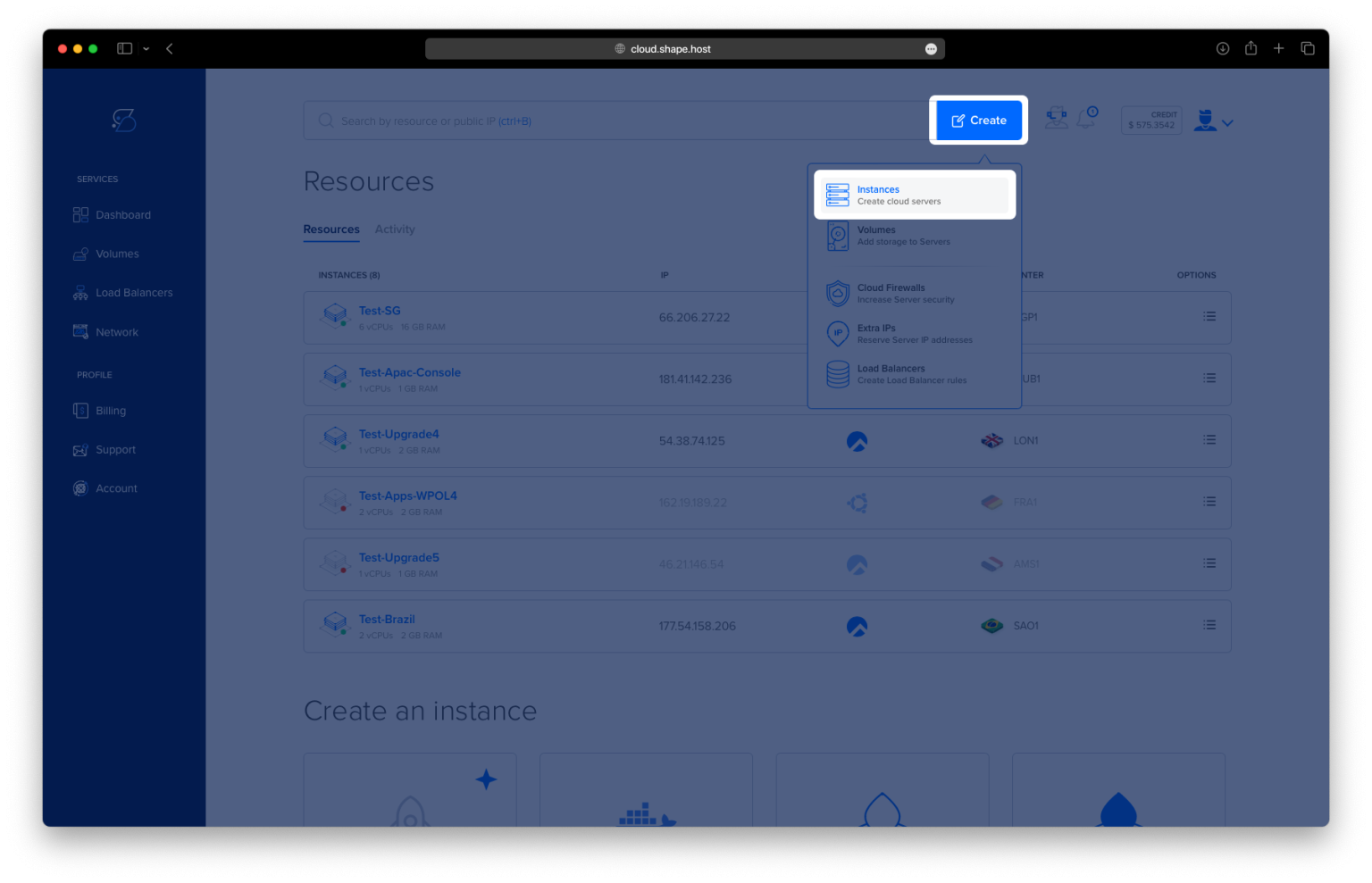
Click the “Create” button in the upper-right corner.
Select “Instance.”
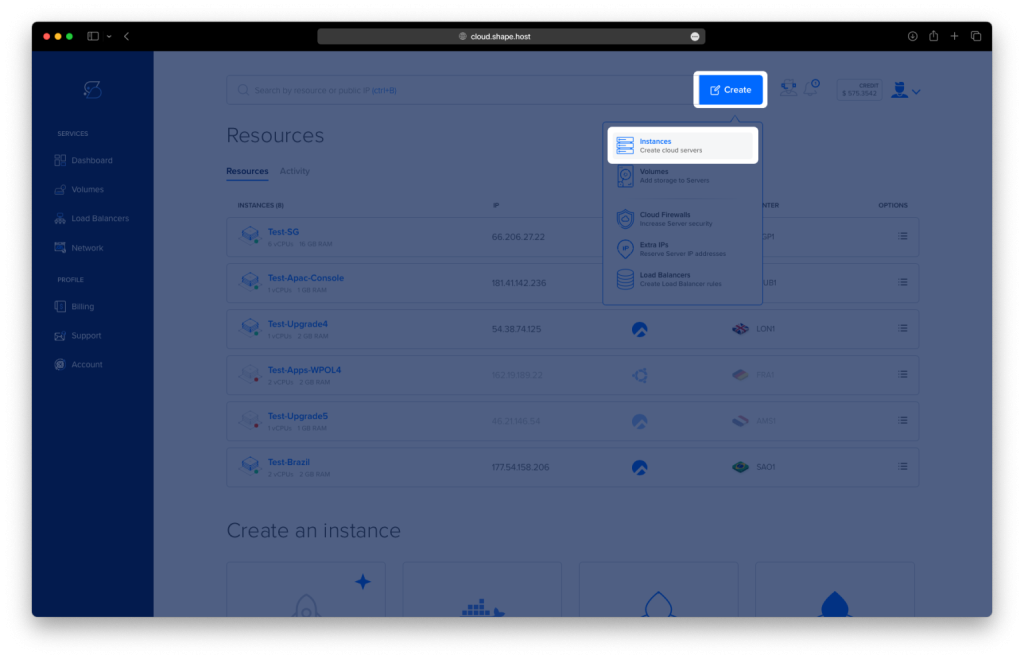
Choose the server location closest to you or your users.
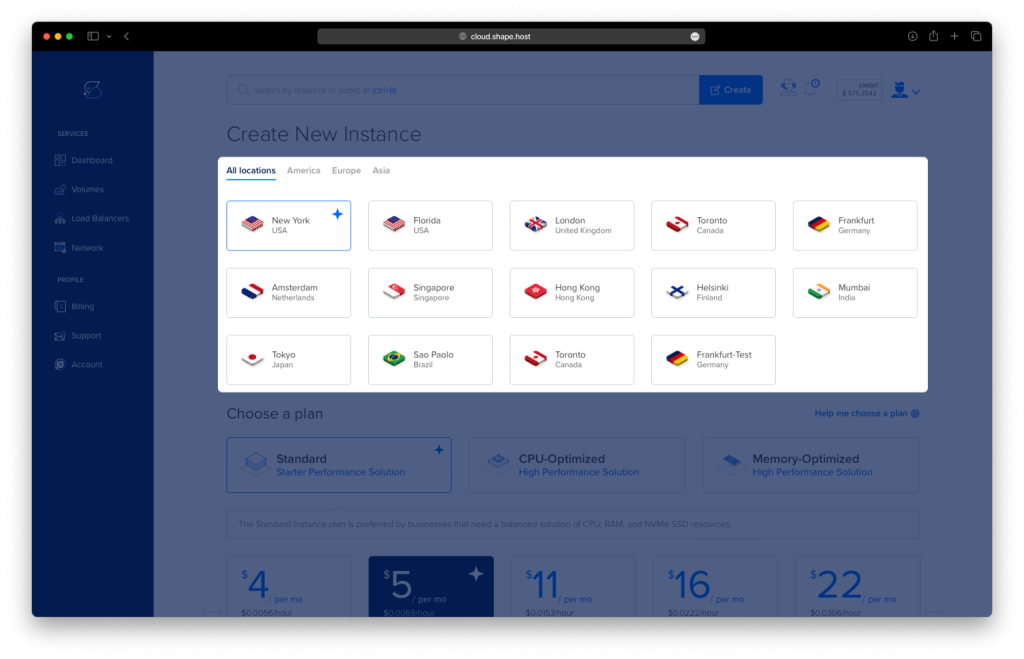
Under Operating System, select Ubuntu 24.04 (64-bit).
Choose a server plan — minimum recommended:
2 vCPUs
4 GB RAM
20 GB SSD/NVMe
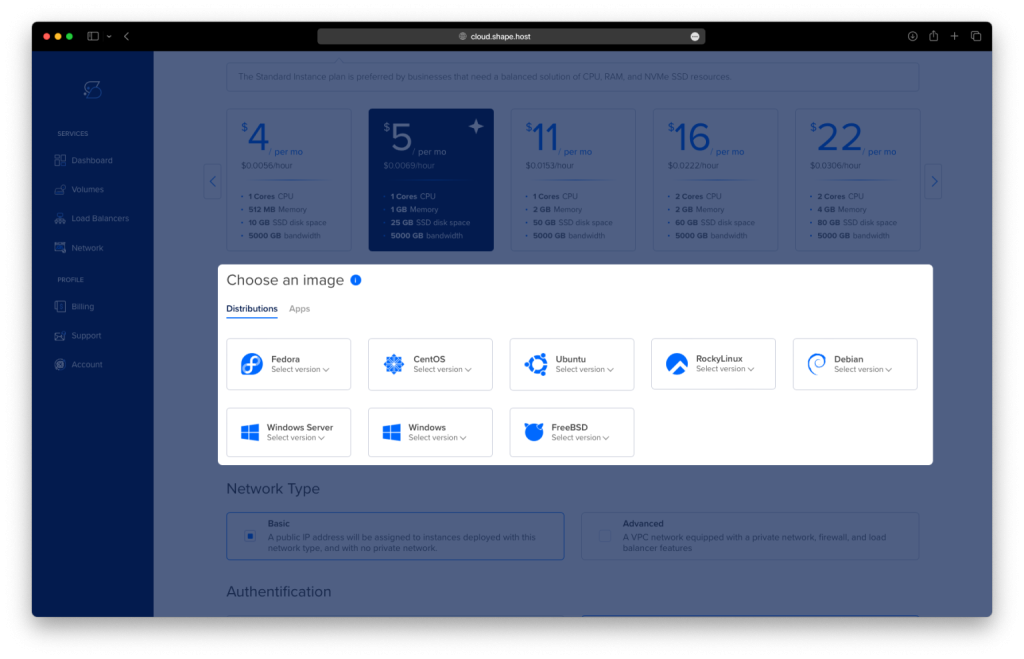
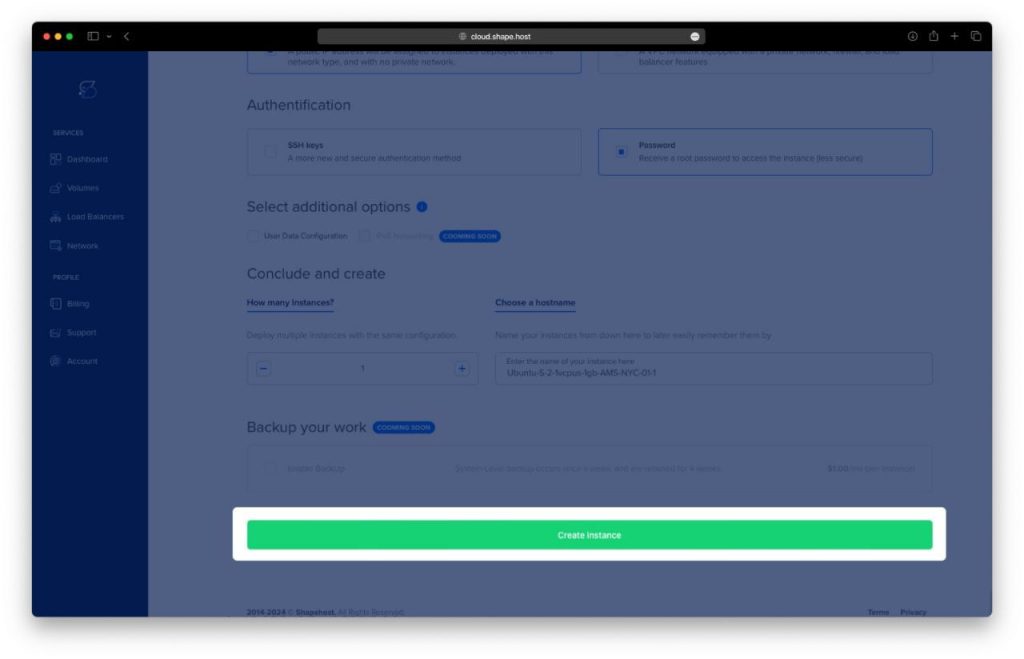
Click Create Instance to deploy your server.
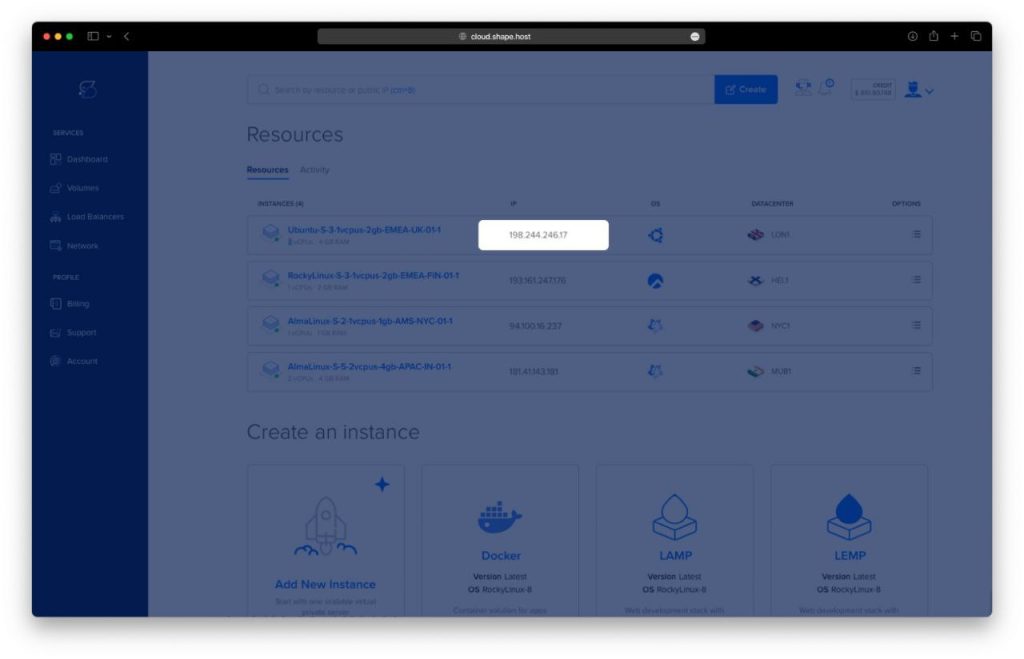
Copy the server’s public IP address from the “Resources” section.
Now you can connect to it via SSH.
Connect to Your Server
Linux/macOS
ssh root@your_server_ip
This logs you into the remote server.
Windows
Use PuTTY and connect as root.
Step 1: Update Your System
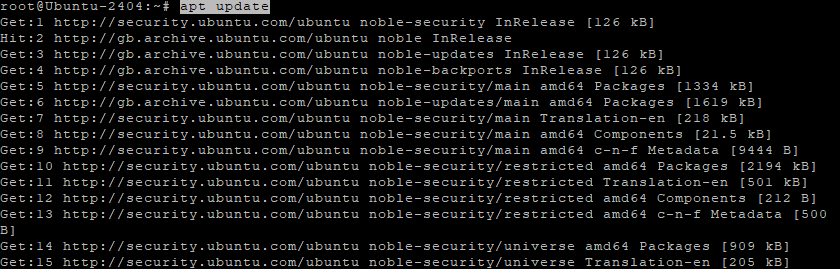
apt update
This command refreshes Ubuntu’s package index, ensuring you install the latest versions of packages.
Step 2: Install Required Tools
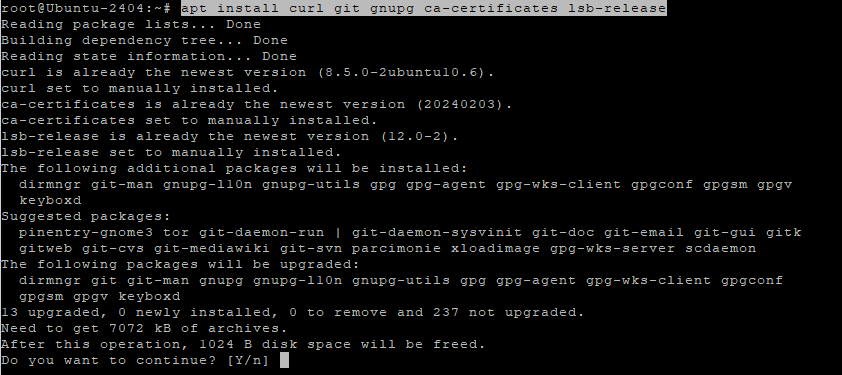
apt install curl git gnupg ca-certificates lsb-release
These packages allow your system to:
- curl → download files
- git → clone repositories
- gnupg → verify package signatures
- ca-certificates → trust HTTPS connections
- lsb-release → detect Ubuntu version code name
Step 3: Add Docker’s Official Repository
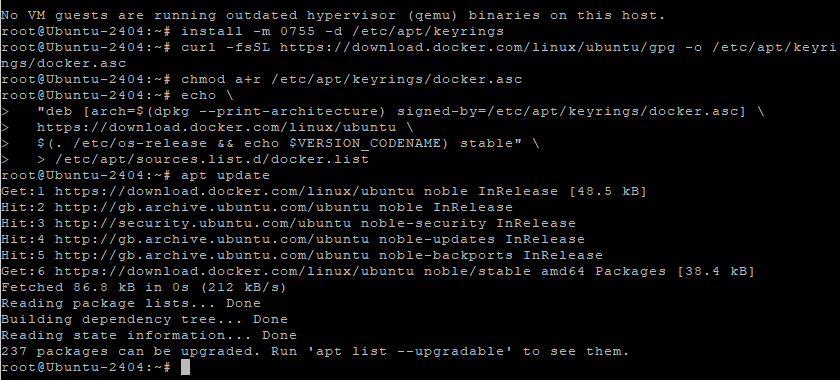
Download Docker’s GPG key
curl -fsSL https://download.docker.com/linux/ubuntu/gpg -o /etc/apt/keyrings/docker.asc
Fix permissions
chmod a+r /etc/apt/keyrings/docker.asc
Create keyring folder (if missing)
install -m 0755 -d /etc/apt/keyrings
Download key again (from your history)
curl -fsSL https://download.docker.com/linux/ubuntu/gpg -o /etc/apt/keyrings/docker.asc
Fix permissions again
chmod a+r /etc/apt/keyrings/docker.asc
Add the Docker repo
echo   "deb [arch=$(dpkg --print-architecture) signed-by=/etc/apt/keyrings/docker.asc] \
  https://download.docker.com/linux/ubuntu \
  $(. /etc/os-release && echo $VERSION_CODENAME) stable"   > /etc/apt/sources.list.d/docker.list
This ensures that Ubuntu installs Docker from the official Docker source, not from Ubuntu’s outdated repository.
Step 4: Install Docker Engine + Docker Compose
apt update
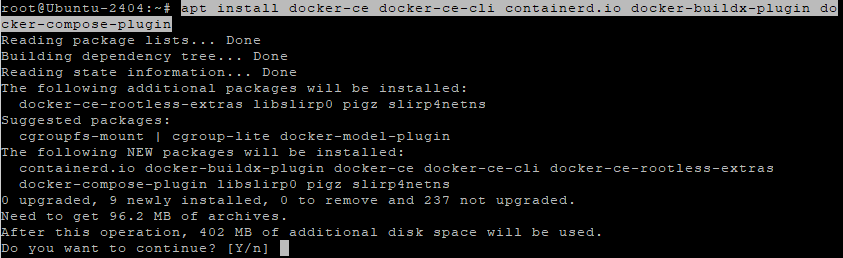
apt install docker-ce docker-ce-cli containerd.io docker-buildx-plugin docker-compose-plugin
This installs:
- Docker Engine
- Docker CLI tools
- containerd runtime
- Buildx
- Docker Compose v2
Step 5: Enable and Start Docker
systemctl enable docker
systemctl start docker
enable = starts Docker automatically on system boot.start = initializes Docker right now.
Step 6: Verify Docker Compose
docker compose version
If you see a version number, Docker Compose v2 is installed correctly.

Step 7: Create the Paperless-ngx Directory
mkdir -p /opt/paperless
cd /opt/paperless
This creates a dedicated folder for the application and switches to it.
Step 8: Generate a Secret Key
openssl rand -base64 32
This generates a secure random SECRET_KEY for Paperless-ngx.
Copy and save it — you will paste it into the environment variables.

Step 9: Create the Docker Compose File
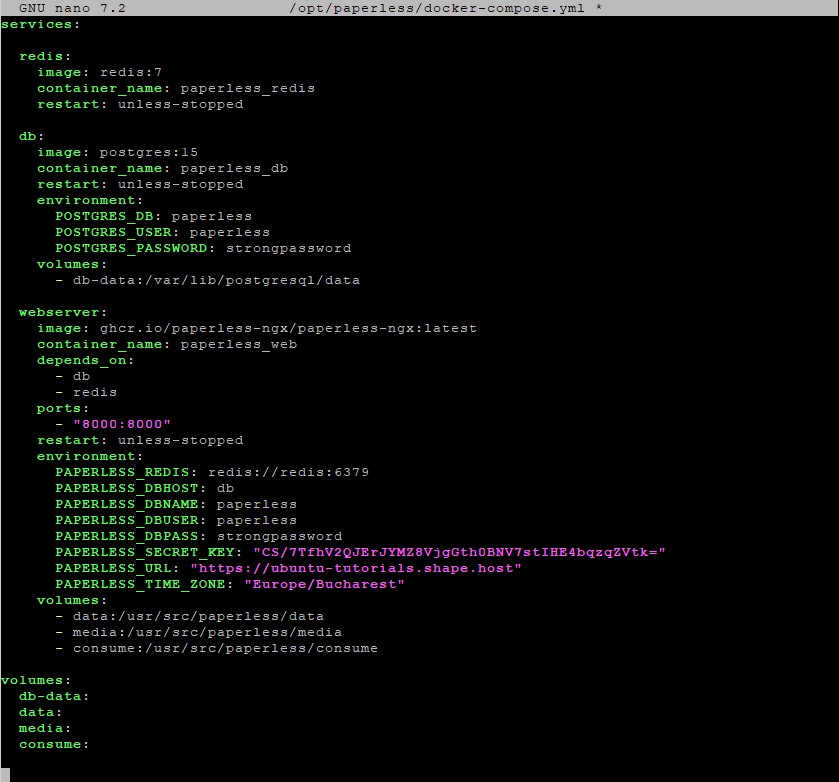
nano /opt/paperless/docker-compose.yml
Paste your exact configuration:
services:

  redis:
    image: redis:7
    container_name: paperless_redis
    restart: unless-stopped

  db:
    image: postgres:15
    container_name: paperless_db
    restart: unless-stopped
    environment:
      POSTGRES_DB: paperless
      POSTGRES_USER: paperless
      POSTGRES_PASSWORD: strongpassword
    volumes:
      - db-data:/var/lib/postgresql/data

  webserver:
    image: ghcr.io/paperless-ngx/paperless-ngx:latest
    container_name: paperless_web
    depends_on:
      - db
      - redis
    ports:
      - "8000:8000"
    restart: unless-stopped
    environment:
      PAPERLESS_REDIS: redis://redis:6379
      PAPERLESS_DBHOST: db
      PAPERLESS_DBNAME: paperless
      PAPERLESS_DBUSER: paperless
      PAPERLESS_DBPASS: strongpassword
      PAPERLESS_SECRET_KEY: "PASTE_YOUR_SECRET_KEY_HERE"
      PAPERLESS_URL: "https://your-domain.com"
      PAPERLESS_TIME_ZONE: "Europe/Bucharest"
    volumes:
      - data:/usr/src/paperless/data
      - media:/usr/src/paperless/media
      - consume:/usr/src/paperless/consume

volumes:
  db-data:
  data:
  media:
  consume:
What each service does:
- redis → queue engine used by Paperless
- db → PostgreSQL database
- webserver → the actual Paperless-ngx app
- volumes → persistent storage so nothing is lost
Save file:
CTRL+O → ENTER → CTRL+X
Step 10: Start Paperless-ngx
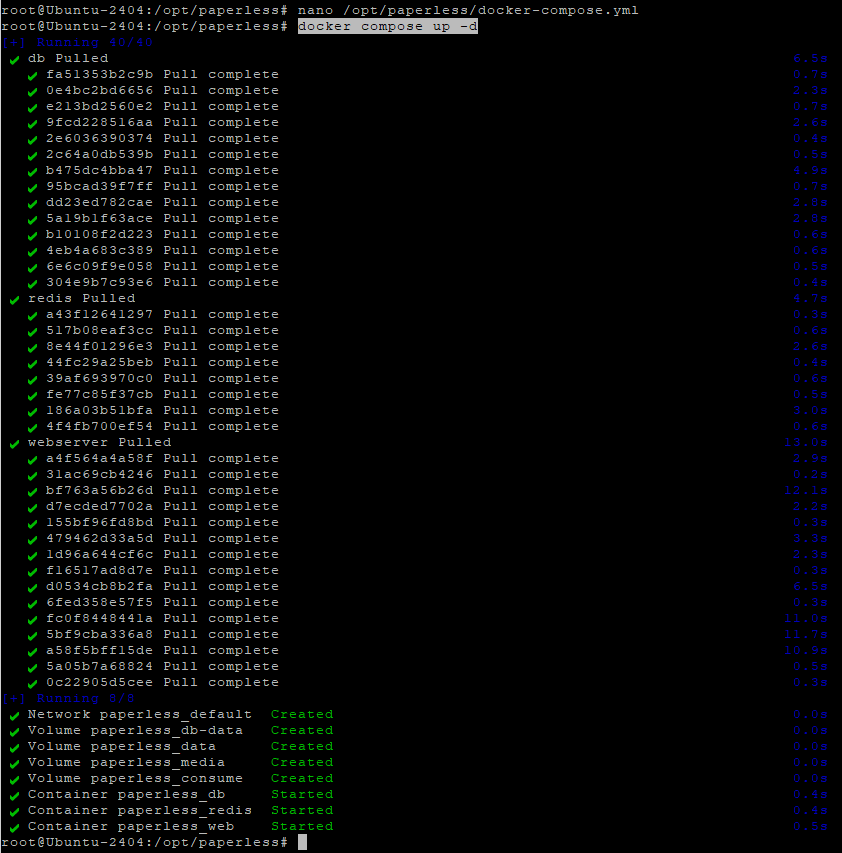
docker compose up -d
-d runs containers in the background.
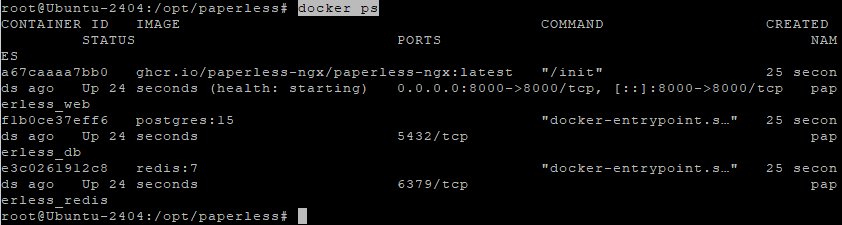
Step 11: Verify Containers
docker ps
You should see:
- paperless_web
- paperless_db
- paperless_redis
all running.
Step 12: Access the Web Interface
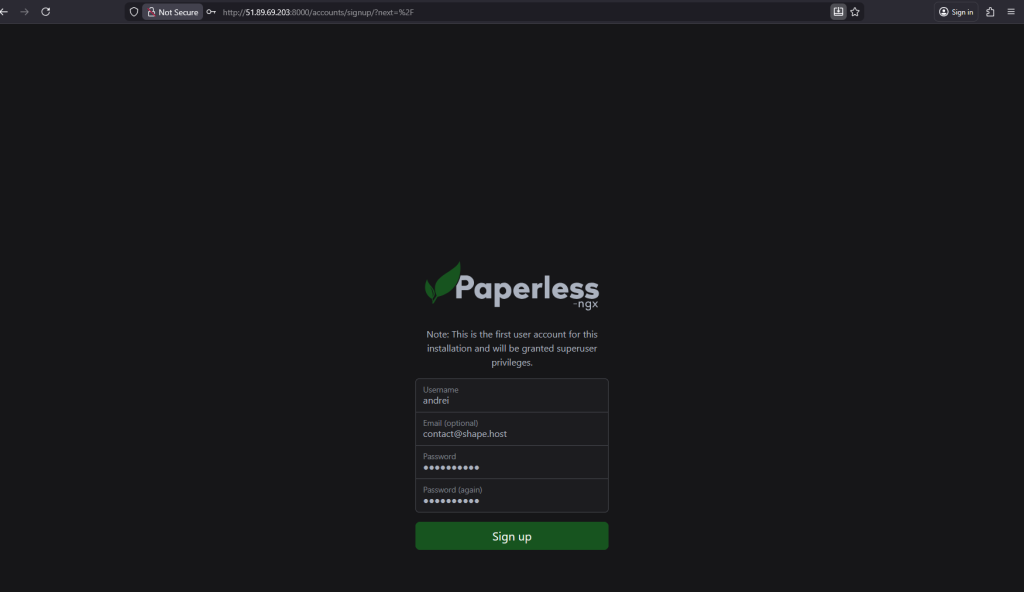
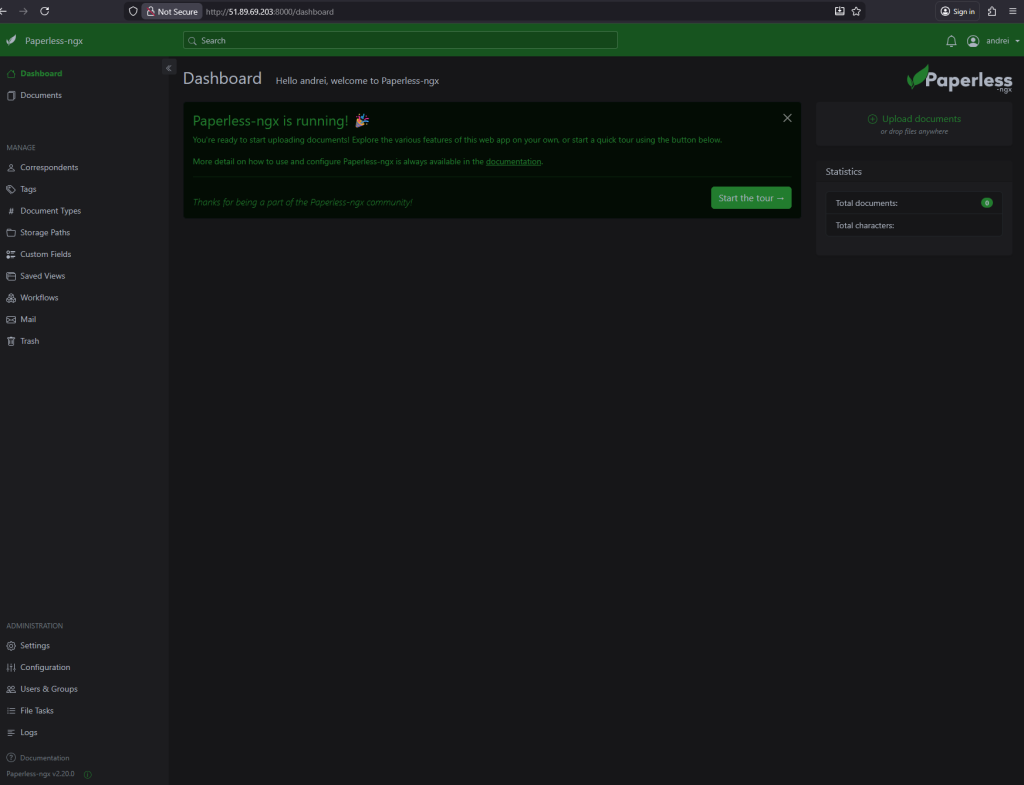
Open your browser and visit:
http://YOUR_SERVER_IP:8000
Paperless-ngx is fully running!
For stable long-term hosting, high performance, and simple scaling, consider running Paperless-ngx on a Shape.Host Linux SSD VPS.
Shape.Host provides:
- Fast NVMe storage
- High availability cloud infrastructure
- Easy instance creation
- Reliable performance for Docker workloads
- Flexible pricing for both small and large deployments
Whether you’re self-hosting document management, automation services, or business applications, Shape.Host offers the perfect environment for production-grade Docker deployments.