 Christian Wells
Akaunting on Debian 12
(PHP 8.2/8.3 + MySQL/MariaDB + Nginx or Apache + SSL)
Akaunting is a modern, open-source accounting and business management platform built for small businesses, freelancers, and startups. It covers the essentials of day-to-day accounting, including invoicing, expenses, bank accounts, payments, taxes, financial reports, and multi-currency support, all through a clean, web-based interface.
Unlike proprietary accounting SaaS tools, Akaunting can be fully self-hosted, which means you keep complete ownership of your financial data, avoid recurring license fees, and can customize or extend the platform using apps and integrations as your business grows.
Running Akaunting on Debian 12 (Bookworm) provides a stable, security-focused, and long-term supported operating system. Debian 12 ships with OpenSSL 3, systemd 252, and a mature PHP ecosystem, making it an excellent foundation for a reliable, production-grade accounting system.
Architecture Overview
| Layer | Component | Role |
|---|---|---|
| OS | Debian 12 (Bookworm) | Stable, long-term supported Linux base |
| Web Server | Nginx or Apache | Serves the Akaunting web application |
| Runtime | PHP 8.2 / 8.3 (PHP-FPM) | Executes Akaunting backend logic |
| Database | MySQL / MariaDB | Stores accounting data and settings |
| Application | Akaunting (Laravel) | Accounting, invoicing, reporting |
| TLS | Let’s Encrypt / PKI | Encrypted HTTPS access |
| Extensions | Akaunting Apps | Add payroll, CRM, POS, and more |
Akaunting is built on Laravel, ensuring clean architecture, strong security practices, and long-term maintainability.
Why Use Akaunting?
- Free & open-source accounting software
- Self-hosted – full control over financial data
- Invoices & bills – manage income and expenses easily
- Multi-currency & tax support – suitable for international businesses
- Bank accounts & transactions – track balances and cash flow
- Professional reports – profit & loss, balance sheet, taxes
- App marketplace – extend functionality as needed
- Modern, user-friendly UI – accessible even for non-accountants
Akaunting is ideal for businesses that want simple accounting without SaaS lock-in.
Akaunting vs Other Accounting Platforms
| Feature / Capability | Akaunting | QuickBooks | Xero | Odoo Accounting |
|---|---|---|---|---|
| Hosting | Self-hosted | Cloud only | Cloud only | Self / Cloud |
| Open-source | ✅ Yes | ❌ No | ❌ No | ✅ Partial |
| Data ownership | Full control | Vendor-controlled | Vendor-controlled | Partial |
| Invoicing | ✅ Yes | ✅ Yes | ✅ Yes | ✅ Yes |
| Multi-currency | ✅ Yes | ✅ Yes | ✅ Yes | ✅ Yes |
| Cost | Free (self-hosted) | Paid | Paid | Free / Paid |
Akaunting stands out for simplicity, transparency, and cost efficiency.
Security & Best Practices on Debian 12
- Serve Akaunting only over HTTPS.
- Use PHP-FPM with Nginx or Apache for better isolation.
- Restrict database access to localhost only.
- Store sensitive data (DB credentials, app keys) in
.env. - Set correct file permissions for
storage/andbootstrap/cache/. - Use UFW or nftables and allow only ports 80 and 443.
- Configure cron jobs for recurring tasks and reports.
- Regularly update:
- Debian system packages
- PHP extensions
- Akaunting core and apps
- Back up:
- Database
.envfile- Uploaded documents and invoices
- Restrict admin access and enforce strong passwords.
Typical Use Cases
- Small businesses handling daily accounting
- Freelancers & consultants issuing invoices and tracking expenses
- Startups needing a lightweight but reliable accounting system
- International companies working with multiple currencies
- Self-hosted business stacks combined with CRM or ERP tools
- Accountants managing multiple small clients
Deploying Akaunting on Debian 12 gives you a secure, stable, and fully self-hosted accounting solution — combining essential financial tools with full data ownership and Debian’s well-known reliability.
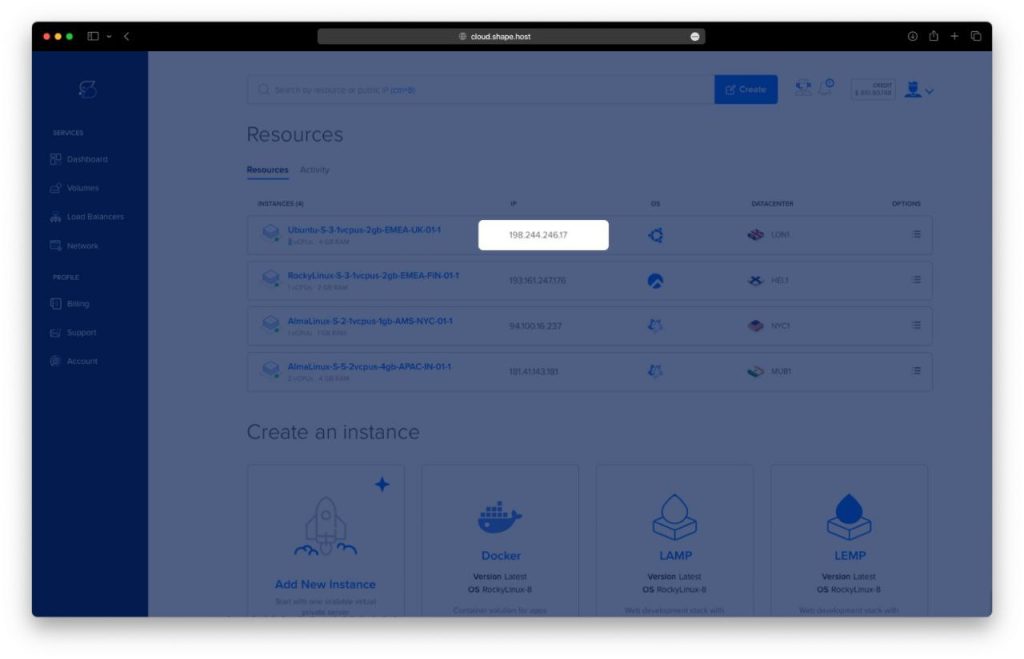
Step 1: Create a Server Instance on Shape.Host
Before installing Akaunting, you need a VPS with root access.
Log in to https://shape.host
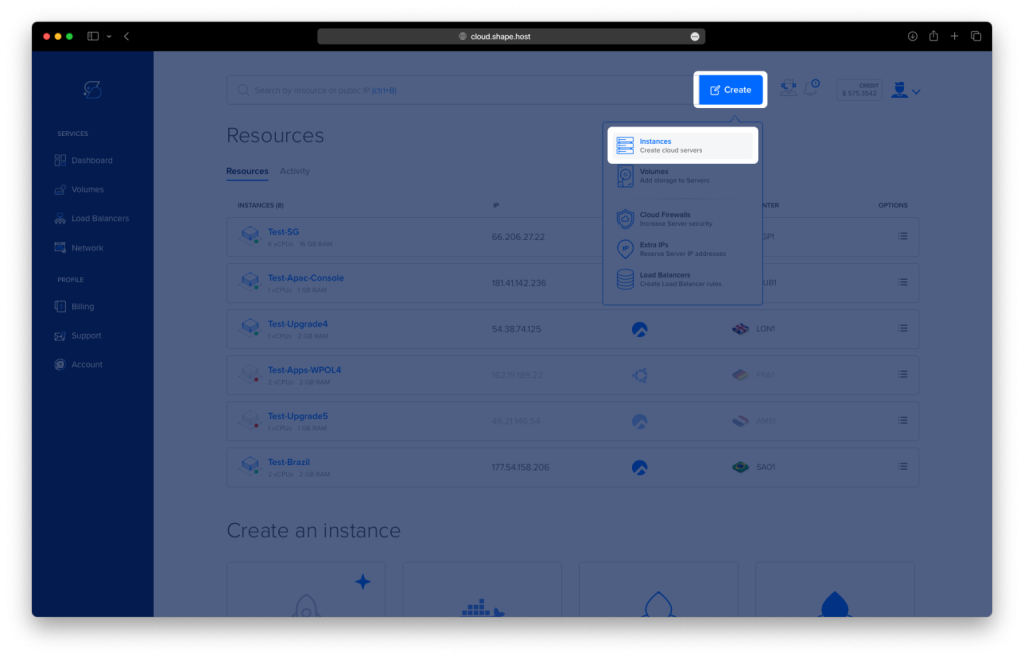
Click Create → Instance
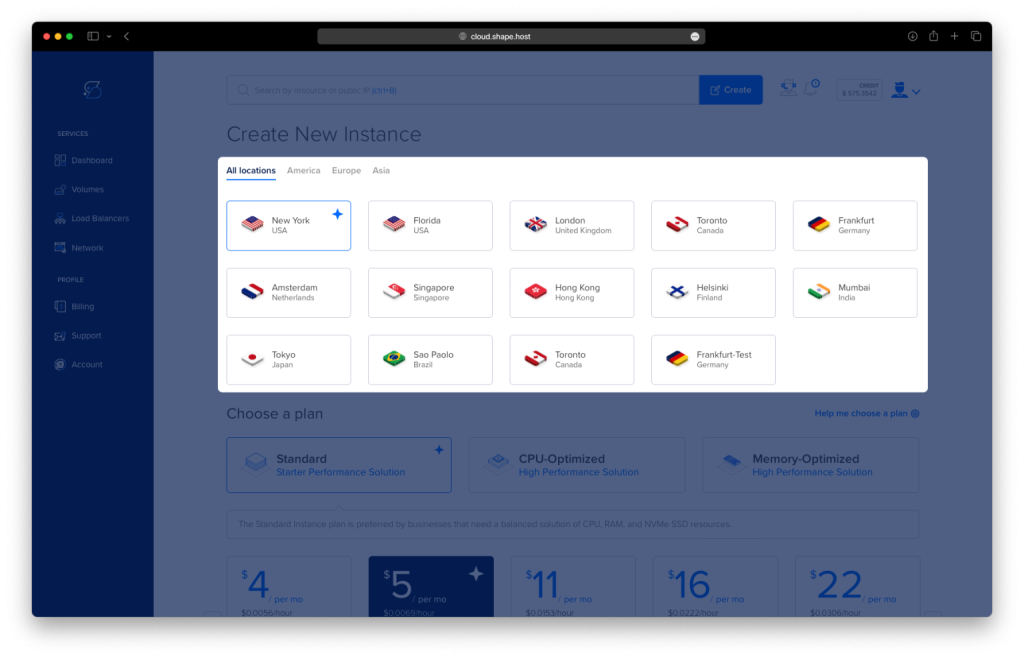
Choose a data center location close to your users
Select a VPS plan with at least:
2 CPU cores
4 GB RAM
40 GB SSD storage
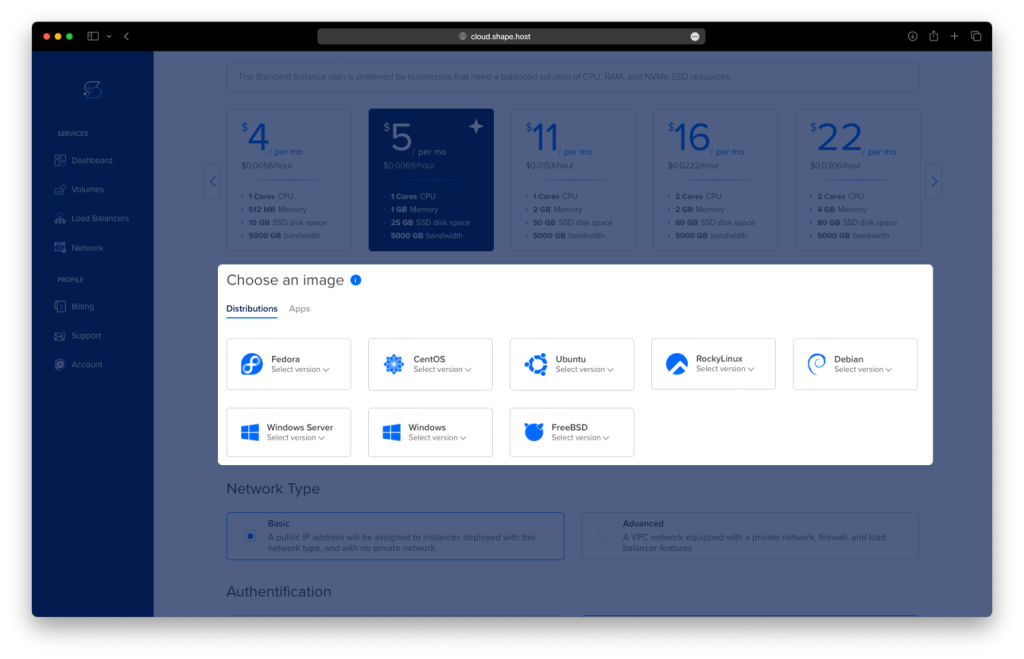
Choose Debian 12 (Bookworm) as the operating system
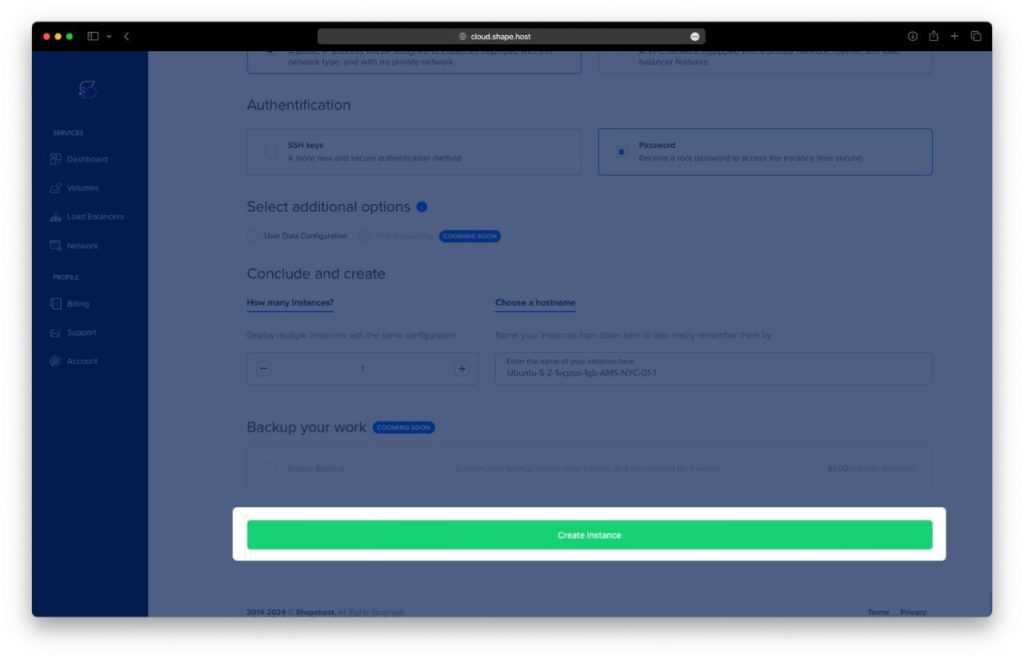
Create the instance and wait for provisioning
Copy the public IP address of your server
Step 2: Connect to the Server
Linux & macOS
ssh root@YOUR_SERVER_IP
Windows (PowerShell / Windows Terminal)
ssh root@YOUR_SERVER_IP
Windows (PuTTY)
- Host Name:
YOUR_SERVER_IP - Port:
22 - Connection type:
SSH - Username:
root
After connecting, you should see a shell prompt indicating you are logged in as root.
Step 3: Update the Operating System
apt update
- Refreshes the package index
- Ensures Debian knows about the latest available packages
apt upgrade -y
- Installs all pending updates
- Reduces security risks and compatibility issues
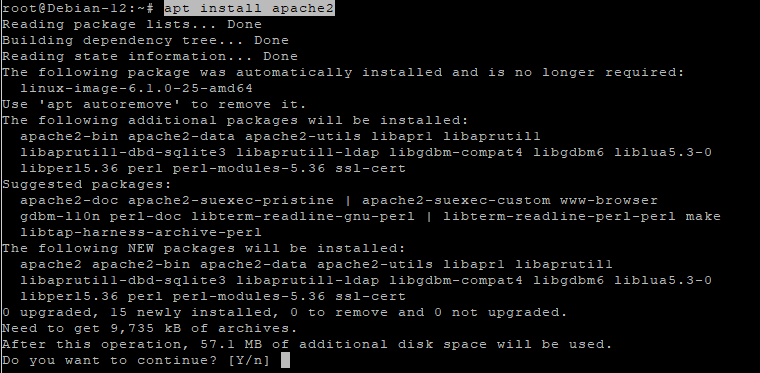
Step 4: Install Apache Web Server
apt install apache2
- Installs the Apache HTTP server
systemctl enable apache2
- Configures Apache to start automatically at boot
systemctl start apache2
- Starts Apache immediately
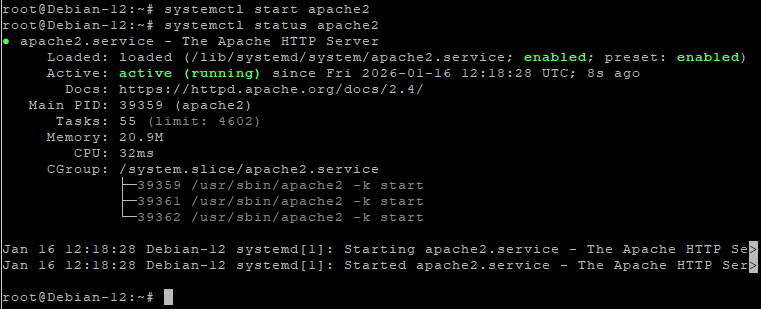
systemctl status apache2
- Confirms Apache is running correctly
Apache will serve Akaunting’s web interface.
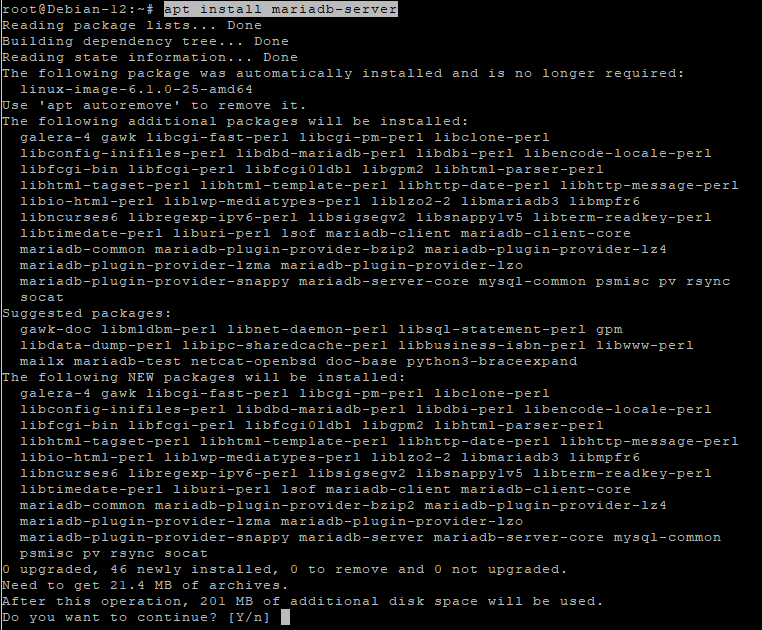
Step 5: Install and Configure MariaDB
apt install mariadb-server
- Installs the MariaDB database server
systemctl enable mariadb
- Enables MariaDB at boot
systemctl start mariadb
- Starts the database service

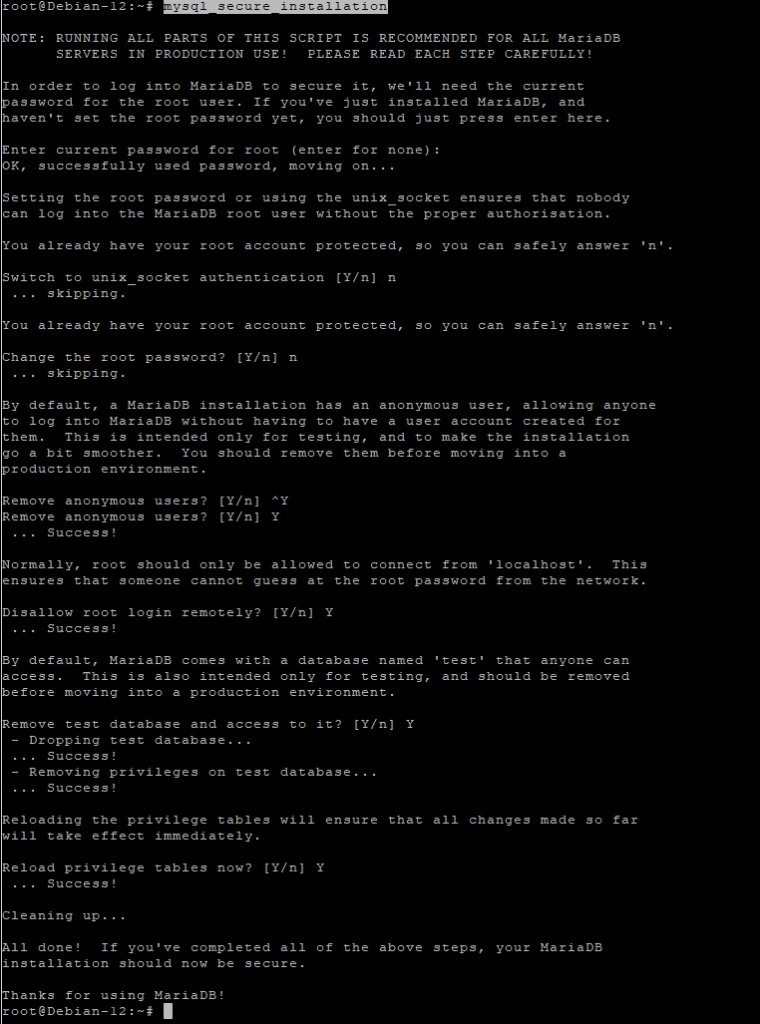
Secure the database
mysql_secure_installation
This interactive script:
- Sets the MariaDB root password
- Removes anonymous users
- Disables remote root login
- Removes test databases
Create the Akaunting database
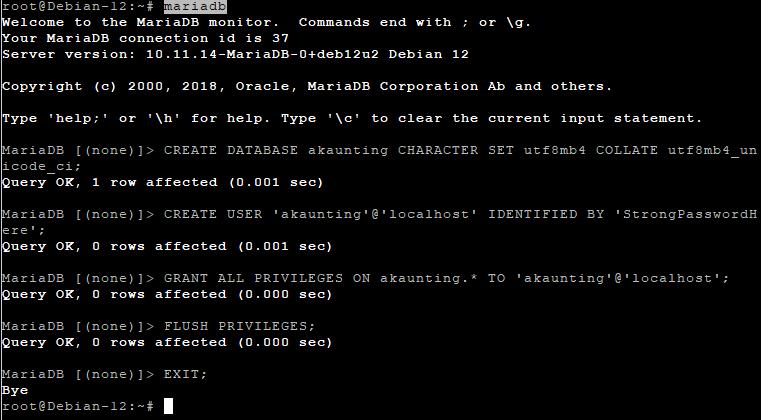
mariadb
Inside the MariaDB shell:
CREATE DATABASE akaunting CHARACTER SET utf8mb4 COLLATE utf8mb4_unicode_ci;
- Creates a database with full Unicode support
CREATE USER 'akaunting'@'localhost' IDENTIFIED BY 'StrongPasswordHere';
- Creates a dedicated database user
GRANT ALL PRIVILEGES ON akaunting.* TO 'akaunting'@'localhost';
- Grants full access only to the Akaunting database
FLUSH PRIVILEGES;
EXIT;
Step 6: Install PHP 8.1 (Sury Repository)
Akaunting officially supports PHP 8.1, so we use the trusted Sury PHP repository.
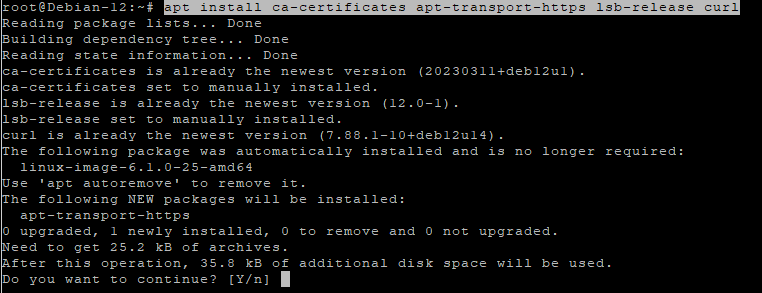
apt install ca-certificates apt-transport-https lsb-release curl
- Installs required tools for secure repository management
apt install gnupg
- Installs GPG for verifying repository signatures
mkdir -p /etc/apt/keyrings
- Creates a secure location for repository keys
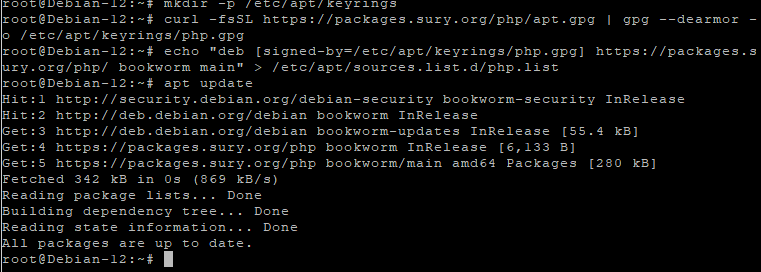
curl -fsSL https://packages.sury.org/php/apt.gpg | gpg --dearmor -o /etc/apt/keyrings/php.gpg
- Imports and stores the PHP repository signing key
echo "deb [signed-by=/etc/apt/keyrings/php.gpg] https://packages.sury.org/php/ bookworm main" > /etc/apt/sources.list.d/php.list
- Adds the PHP repository to Debian
apt update
- Reloads package metadata
Step 7: Install PHP 8.1 and Required Extensions
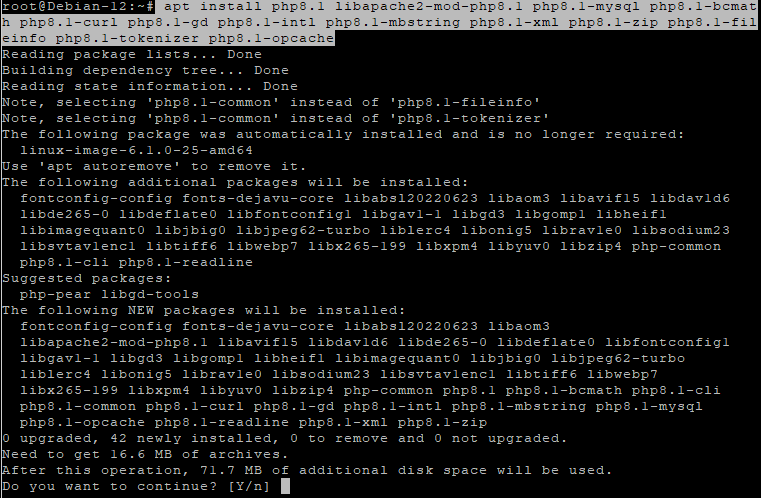
apt install php8.1 libapache2-mod-php8.1 php8.1-mysql php8.1-bcmath php8.1-curl php8.1-gd php8.1-intl php8.1-mbstring php8.1-xml php8.1-zip php8.1-fileinfo php8.1-tokenizer php8.1-opcache
These extensions are required for:
- Database communication
- File uploads
- PDF generation
- Localization
- Performance and caching
Verify PHP:
php -v

Step 8: Configure PHP for Akaunting
nano /etc/php/8.1/apache2/php.ini
Update or confirm the following values:
memory_limit = 512M
upload_max_filesize = 64M
post_max_size = 64M
max_execution_time = 300
date.timezone = Europe/Bucharest
These settings ensure:
- Large invoices and attachments work correctly
- Long-running operations do not fail
- Correct timezone handling
Apply changes:
systemctl restart apache2

Step 9: Download and Prepare Akaunting
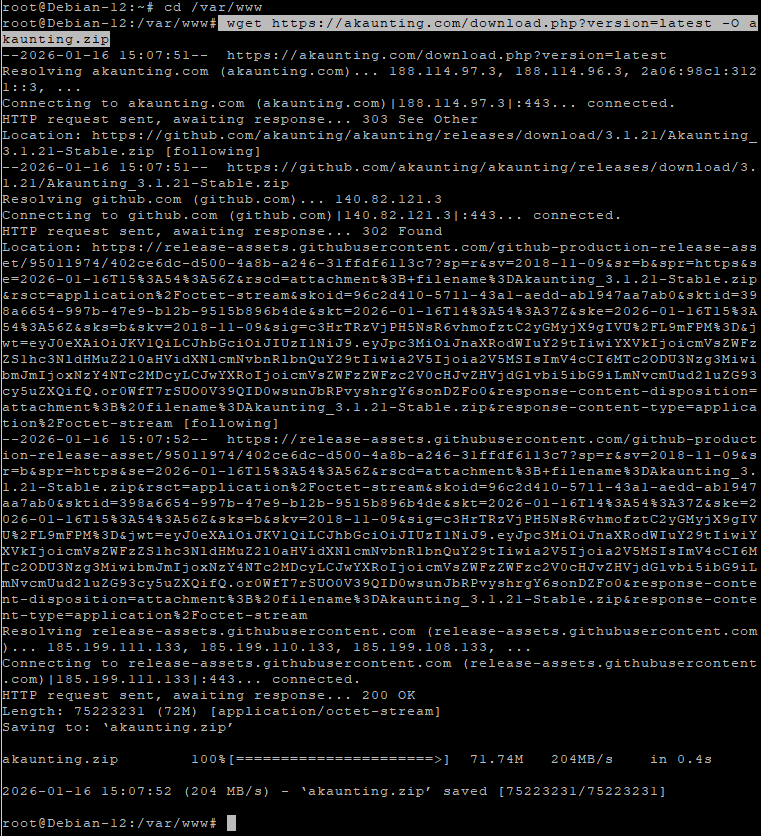
cd /var/www
- Moves to the web root directory
wget https://akaunting.com/download.php?version=latest -O akaunting.zip
- Downloads the latest Akaunting release
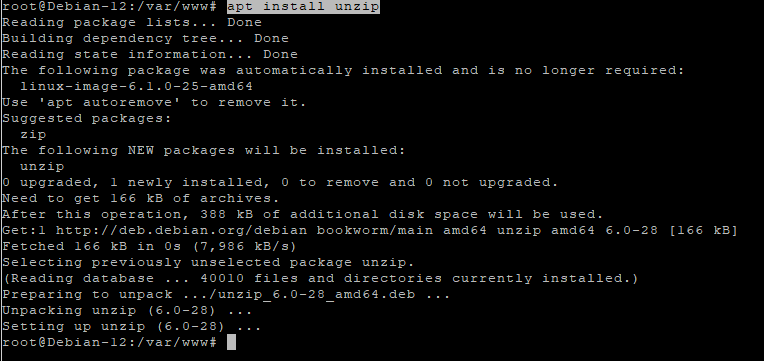
apt install unzip
- Installs the unzip utility
unzip akaunting.zip -d akaunting
- Extracts Akaunting into
/var/www/akaunting
Set correct permissions
chown -R www-data:www-data /var/www/akaunting
- Assigns ownership to Apache
chmod -R 755 /var/www/akaunting
- Sets secure default permissions
chmod -R 775 /var/www/akaunting/storage
chmod -R 775 /var/www/akaunting/bootstrap/cache
- Allows Akaunting to write cache, logs, and uploads

Step 10: Configure Apache Virtual Host
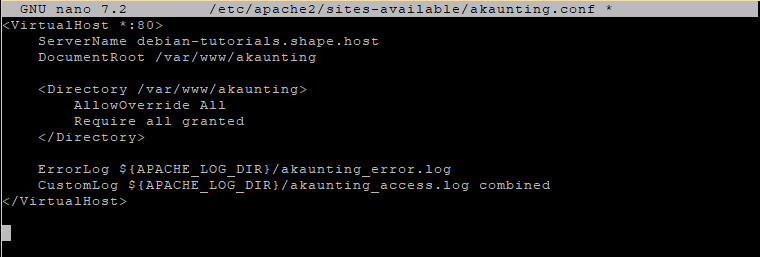
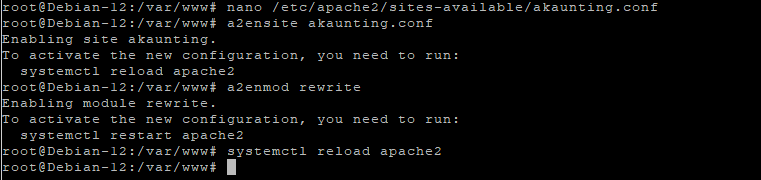
nano /etc/apache2/sites-available/akaunting.conf
Paste:
<VirtualHost *:80>
    ServerName yourdomain.com
    DocumentRoot /var/www/akaunting

    <Directory /var/www/akaunting>
        AllowOverride All
        Require all granted
    </Directory>

    ErrorLog ${APACHE_LOG_DIR}/akaunting_error.log
    CustomLog ${APACHE_LOG_DIR}/akaunting_access.log combined
</VirtualHost>
Enable the site and required module:
a2ensite akaunting.conf
a2enmod rewrite
systemctl reload apache2
Step 11: Enable SSL with Let’s Encrypt
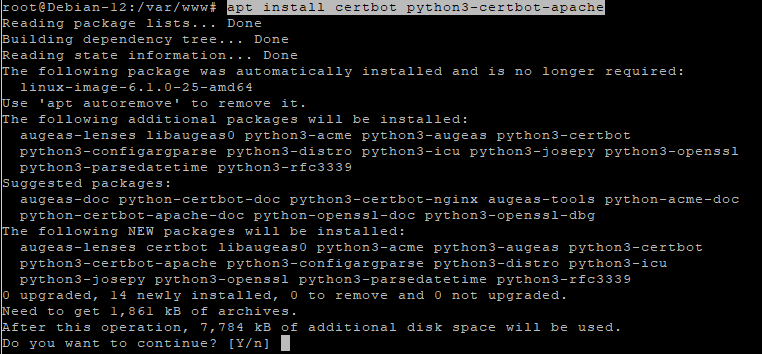
apt install certbot python3-certbot-apache
- Installs Certbot with Apache integration
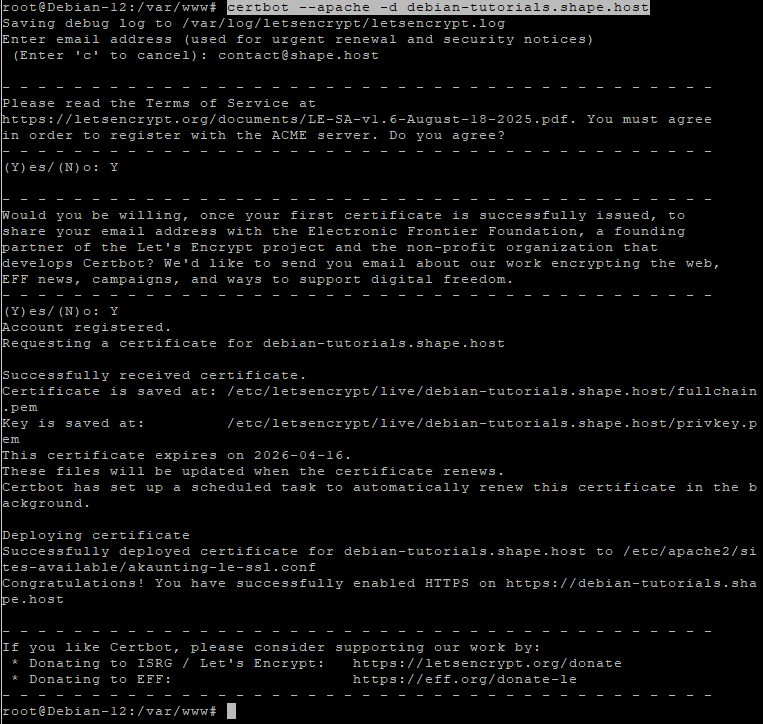
certbot --apache -d debian-tutorials.shape.host
Replace with your real domain:
yourdomain.com
Certbot will:
- Issue a free SSL certificate
- Automatically configure HTTPS
- Enable auto-renewal
Step 12: Complete Akaunting Web Installation
Open your browser:
https://yourdomain.com
Follow the Akaunting installer:
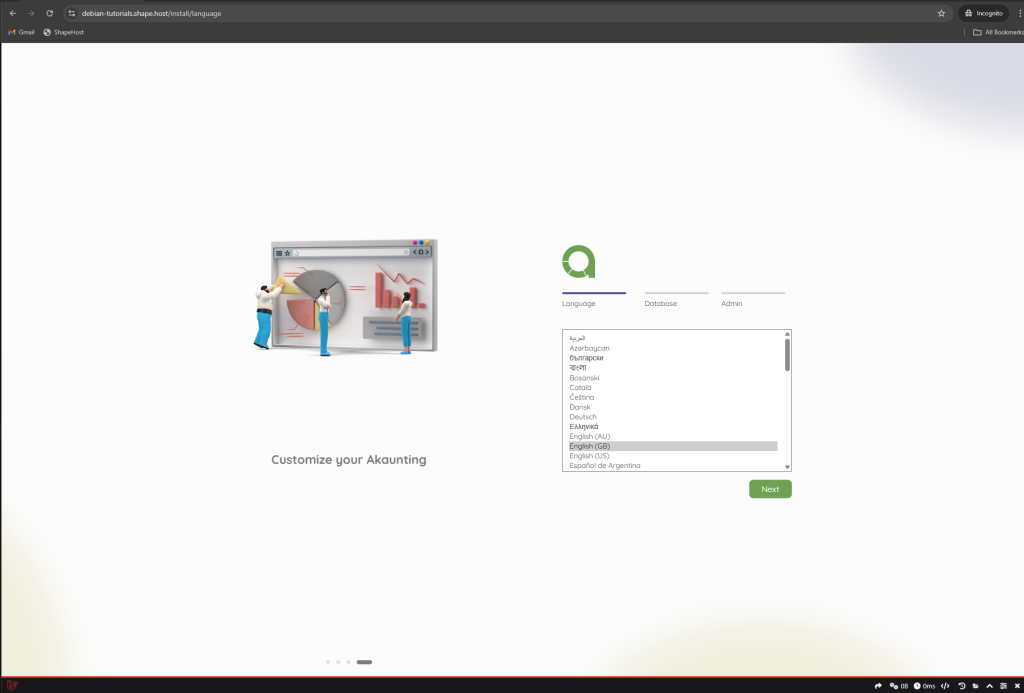
Enter database credentials
Configure company information
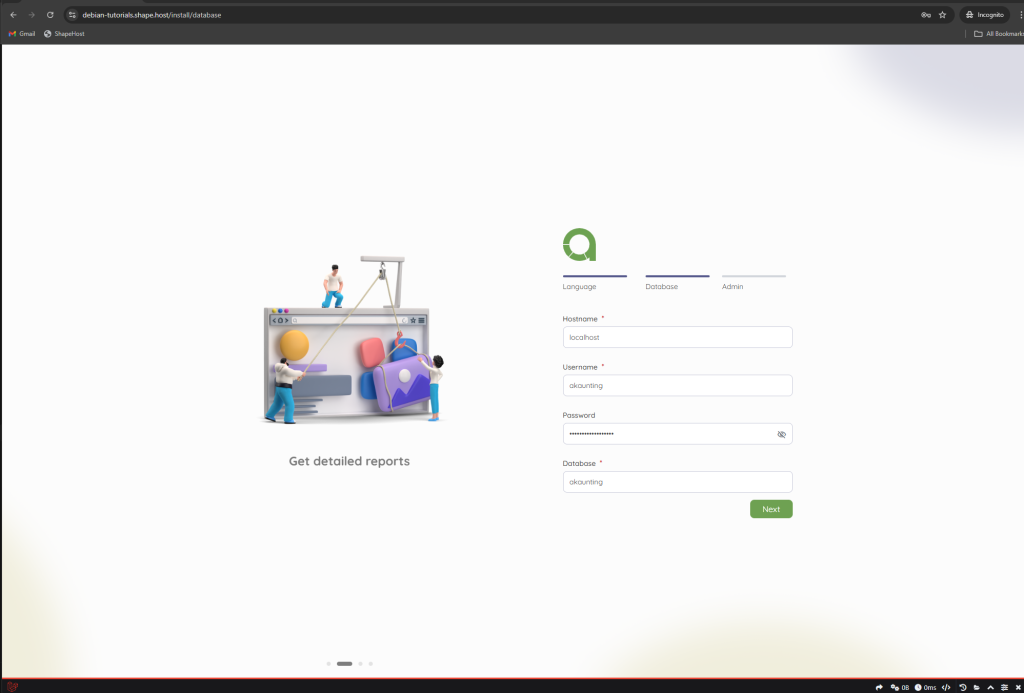
Create the admin account
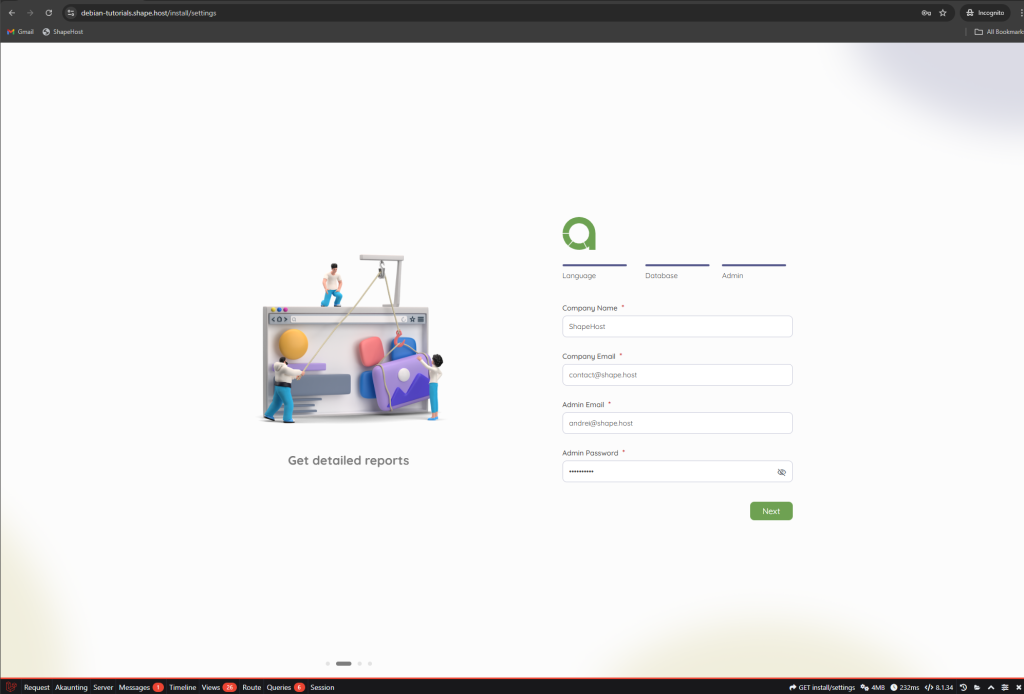
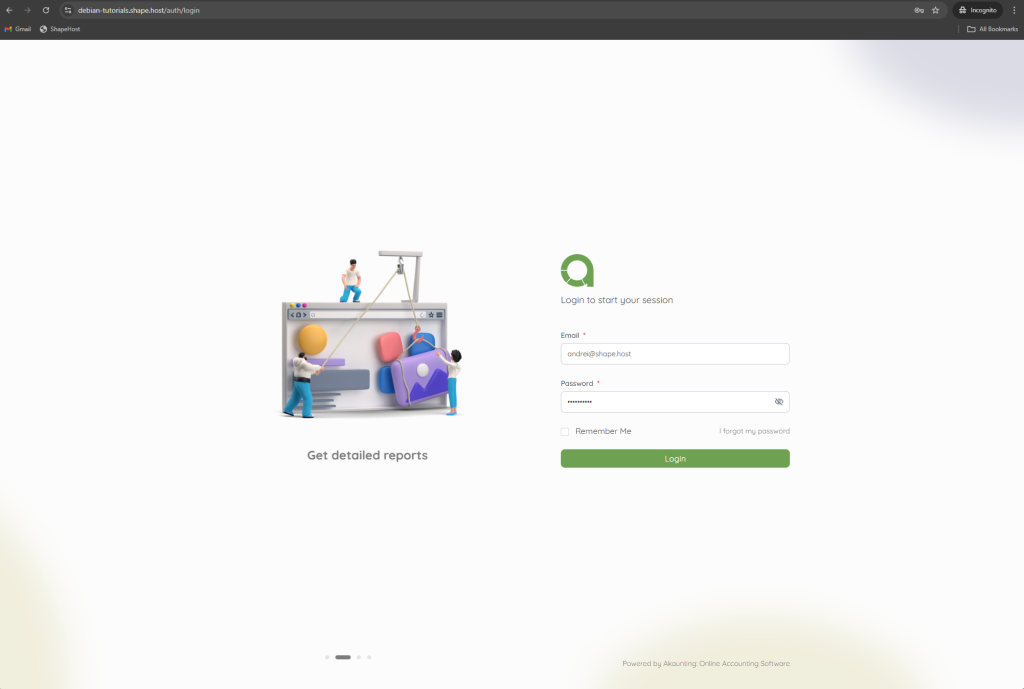
Finish installation
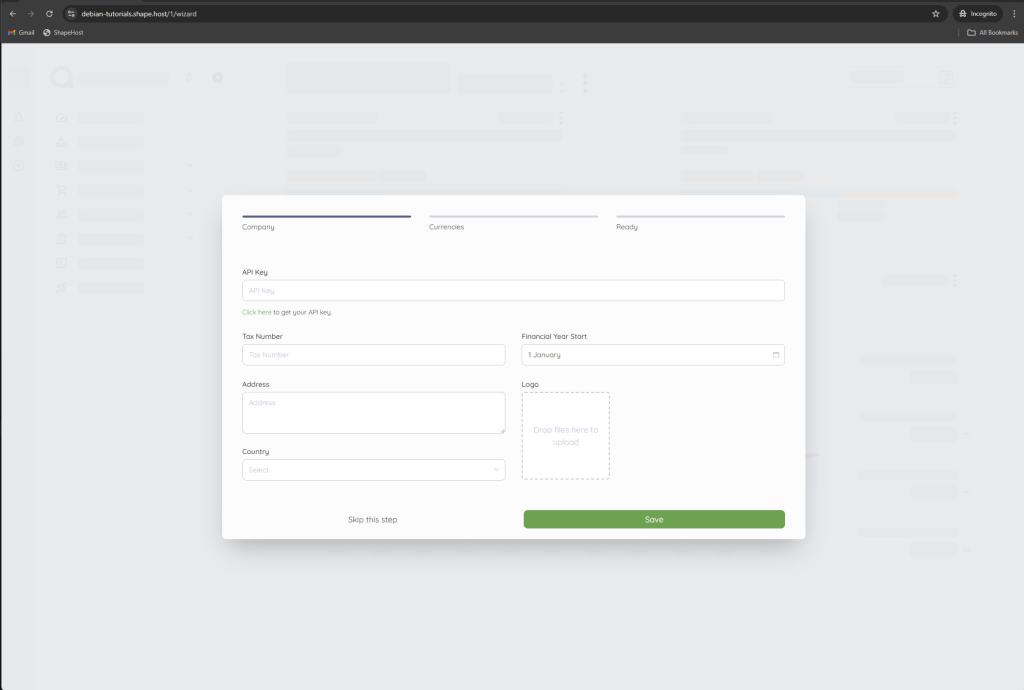
Dashboard
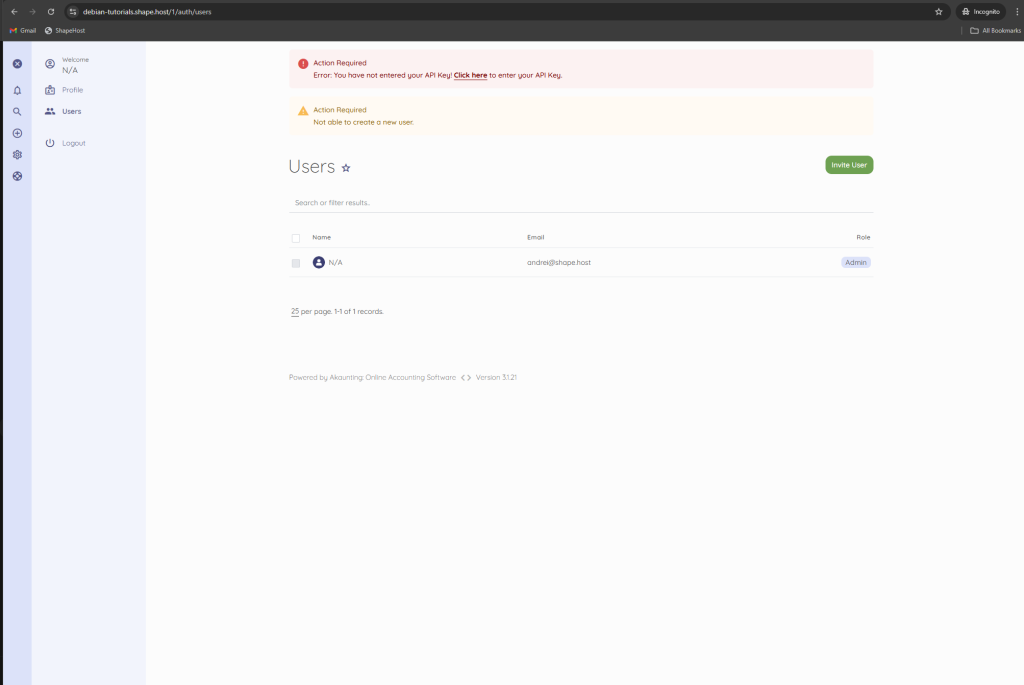
You have successfully installed Akaunting on Debian 12 using Apache, MariaDB, and PHP 8.1, secured with Let’s Encrypt SSL. This setup is stable, secure, and fully suitable for production accounting workloads.
For hosting accounting and business-critical applications with full control, performance, and scalability, Shape.Host Cloud VPS offers a reliable foundation for modern self-hosted infrastructure.
