 Christian Wells
Mealie (Recipe Manager) on AlmaLinux 9
Mealie is a modern, open-source self-hosted recipe manager and meal-planning platform designed to help you organize recipes, plan meals, generate shopping lists, and collaborate with family or teams. It supports recipe imports from popular cooking websites, Markdown-based recipe editing, nutrition calculations, and multi-user access, making it a powerful alternative to cloud-based cooking apps.
Unlike SaaS recipe platforms, Mealie stores all data on your own server. Recipes, images, meal plans, and user data never leave your infrastructure, which makes Mealie ideal for privacy-conscious users, families, and self-hosting enthusiasts.
Running Mealie on AlmaLinux 9, a RHEL-compatible, enterprise-grade Linux distribution, provides long-term stability, predictable updates, and strong security defaults. Combined with Docker, PostgreSQL, Nginx, and HTTPS (SSL), AlmaLinux 9 delivers a production-ready, secure, and maintainable recipe management stack.
Architecture Overview
| Layer | Component | Role |
|---|---|---|
| OS | AlmaLinux 9 | Enterprise-grade, RHEL-compatible Linux base |
| Container Runtime | Docker / Docker Compose | Runs Mealie and supporting services |
| Application | Mealie (Python + FastAPI) | Recipe management, meal planning, REST API |
| Database | PostgreSQL | Stores recipes, users, meal plans, metadata |
| Reverse Proxy | Nginx | HTTPS termination, routing, compression |
| TLS | Let’s Encrypt / PKI | Secure encrypted access to the web interface |
Mealie’s containerized design makes it easy to deploy, upgrade, migrate, and back up, even in small home-lab or VPS environments.
Why Use Mealie?
- Self-hosted recipe manager – full ownership of your cooking data
- Recipe importers – save recipes directly from supported websites
- Meal planning & calendars – plan meals days or weeks in advance
- Automatic shopping lists – generated from meal plans
- Multi-user support – perfect for families or shared kitchens
- Nutrition data & unit conversions – helpful for diet tracking
- Clean, modern UI – responsive and mobile-friendly
- Open-source & actively developed – transparent and extensible
Mealie is designed for users who want organization, automation, and privacy in their kitchen workflow.
Mealie vs Other Recipe Platforms
| Feature / Capability | Mealie | Paprika | Yummly | Tandoor |
|---|---|---|---|---|
| Hosting | Self-hosted | App-based | Cloud only | Self-hosted |
| Meal planning | ✅ Yes | ✅ Yes | ❌ Limited | ✅ Yes |
| Shopping lists | ✅ Yes | ✅ Yes | ❌ Limited | ✅ Yes |
| Multi-user | ✅ Yes | ❌ No | ❌ No | ✅ Yes |
| Privacy | Full control | App-dependent | Cloud-based | Full control |
| Cost | Free, open-source | Paid app | Free / Paid | Free |
Mealie offers an excellent balance between ease of use, collaboration, and self-hosting.
Security & Best Practices on AlmaLinux 9
- Run Mealie behind Nginx with HTTPS enabled.
- Keep Mealie and PostgreSQL restricted to internal Docker networks.
- Store secrets (database passwords, JWT secrets) using environment variables.
- Enable SELinux enforcing mode and use proper Docker volume labeling.
- Configure firewalld to allow only ports 80 and 443.
- Automate SSL certificate renewal using Certbot or another ACME client.
- Regularly update AlmaLinux, Docker, and Mealie images.
- Back up:
- PostgreSQL database
- Mealie configuration
- Uploaded images and assets
- Create separate user accounts and restrict admin access.
- Disable public registration if Mealie is used privately.
Typical Use Cases
- Personal recipe collections – replace cloud cooking apps
- Family meal planning – shared recipes and shopping lists
- Home-lab lifestyle tools – private, self-hosted daily utilities
- Diet & nutrition tracking – structured meals and portions
- Content creators – manage large recipe libraries
- Small communities – collaborative cooking platforms
Deploying Mealie on AlmaLinux 9 with Docker and SSL gives you a secure, private, and feature-rich recipe management platform — combining modern meal-planning tools with full data ownership and enterprise-grade Linux stability.
Step 1: Create a Server Instance on Shape.Host
Before installing Mealie, you need a VPS.
Log in to your Shape.Host account at https://shape.host.
From the dashboard, click Create and select Instance.

Choose a data center location close to your users.
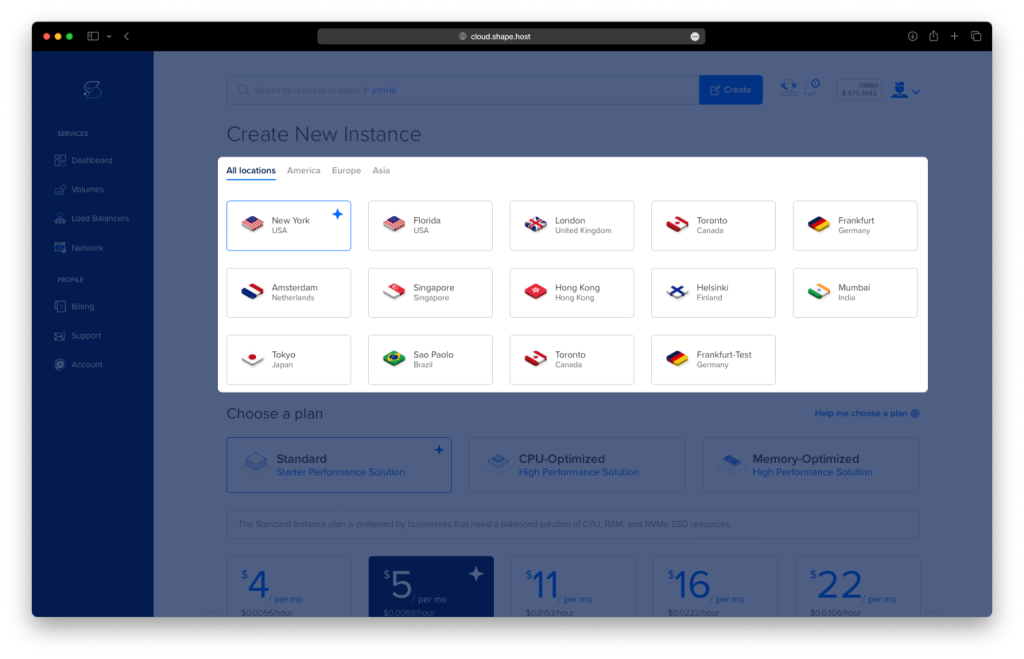
Select a VPS plan with at least:
2 CPU cores
4 GB RAM
30 GB SSD storage

Choose AlmaLinux 9 (64-bit) as the operating system.
Create the instance and wait for provisioning to complete.

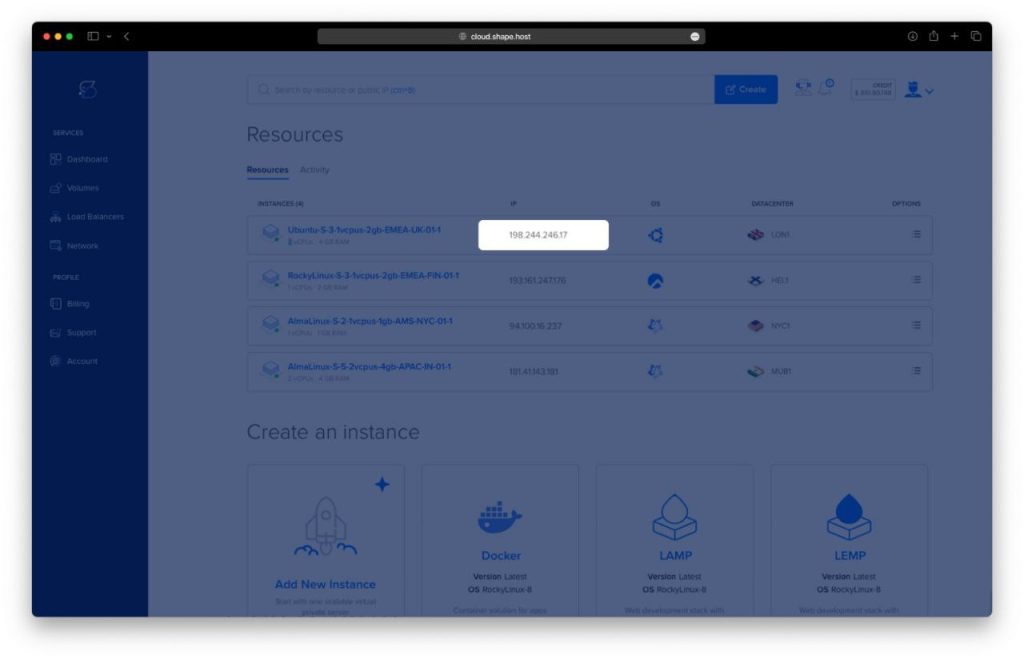
Copy the public IP address of your server.
This server will host Docker, Mealie, PostgreSQL, Nginx, and SSL.
Step 2: Connect to the AlmaLinux 9 Server
Linux / macOS
ssh root@YOUR_SERVER_IP
Windows
Use PowerShell, Windows Terminal, or PuTTY:
ssh root@YOUR_SERVER_IP
Once connected, you should be logged in as root.
Step 3: Install Docker and Docker Compose
3.1 Update the System
dnf update
Updates all system packages to the latest versions.

3.2 Install Required Dependencies
dnf install ca-certificates curl gnupg2 dnf-utils
Installs tools required for secure repository management.

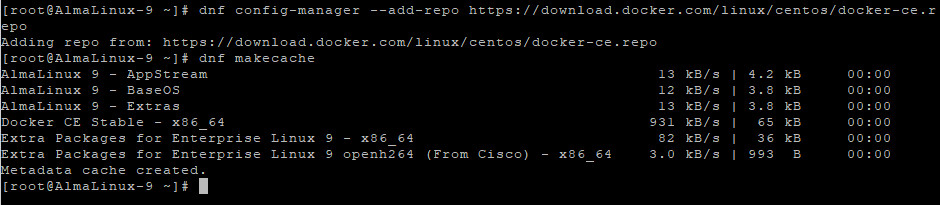
3.3 Add Docker Repository
dnf config-manager --add-repo https://download.docker.com/linux/centos/docker-ce.repo
Adds the official Docker repository compatible with AlmaLinux 9.
dnf makecache
Refreshes repository metadata.
3.4 Install Docker Engine and Docker Compose
dnf install docker-ce docker-ce-cli containerd.io docker-buildx-plugin docker-compose-plugin
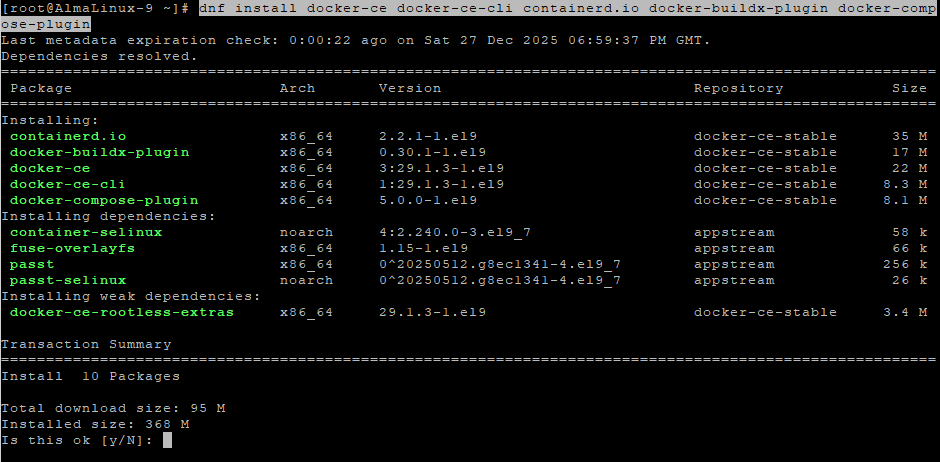
Installs Docker Engine and Docker Compose plugin.
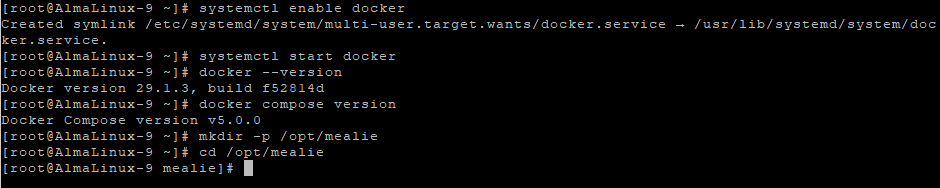
systemctl enable docker
Enables Docker at boot.
systemctl start docker
Starts the Docker service.
docker --version
Verifies Docker installation.
docker compose version
Verifies Docker Compose availability.
Step 4: Configure Mealie with Docker Compose
4.1 Create Project Directory
mkdir -p /opt/mealie
cd /opt/mealie
4.2 Create Docker Compose File
nano docker-compose.yml
Paste the following configuration:
services:
  db:
    image: postgres:16
    container_name: mealie-db
    restart: unless-stopped
    environment:
      POSTGRES_DB: mealie
      POSTGRES_USER: mealie
      POSTGRES_PASSWORD: strong_db_password
    volumes:
      - /opt/mealie/db:/var/lib/postgresql/data

  mealie:
    image: ghcr.io/mealie-recipes/mealie:latest
    container_name: mealie
    restart: unless-stopped
    ports:
      - "127.0.0.1:9000:9000"
    environment:
      ALLOW_SIGNUP: "false"
      DB_ENGINE: postgres
      POSTGRES_DB: mealie
      POSTGRES_USER: mealie
      POSTGRES_PASSWORD: strong_db_password
      POSTGRES_SERVER: db
      POSTGRES_PORT: 5432
      BASE_URL: https://mealie.example.com
    volumes:
      - /opt/mealie/data:/app/data
    depends_on:
      - db
This configuration:
- Uses PostgreSQL 16 as the database backend
- Restricts Mealie to localhost access
- Prepares the application for reverse proxy and HTTPS

4.3 Create Persistent Storage Directories
mkdir -p /opt/mealie/db
mkdir -p /opt/mealie/data

4.4 Start Mealie
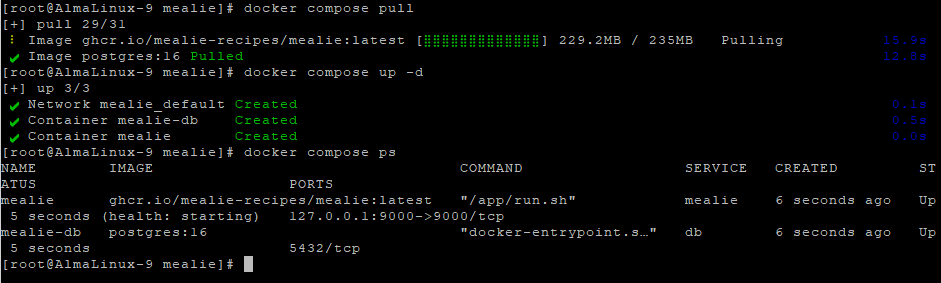
docker compose pull
Downloads the latest Mealie and PostgreSQL images.
docker compose up -d
Starts all containers in detached mode.
docker compose ps
Confirms that the containers are running.
Step 5: Configure Nginx Reverse Proxy
5.1 Install and Enable Nginx
dnf install nginx

systemctl enable nginx
systemctl start nginx
systemctl status nginx

5.2 Create Nginx Configuration for Mealie
nano /etc/nginx/conf.d/mealie.conf
Paste:
server {
    listen 80;
    server_name mealie.example.com;

    client_max_body_size 100M;

    location / {
        proxy_pass http://127.0.0.1:9000;
        proxy_http_version 1.1;

        proxy_set_header Host $host;
        proxy_set_header X-Real-IP $remote_addr;
        proxy_set_header X-Forwarded-For $proxy_add_x_forwarded_for;
        proxy_set_header X-Forwarded-Proto $scheme;
    }
}

5.3 Test and Reload Nginx
nginx -t
systemctl reload nginx

Step 6: Enable SSL with Let’s Encrypt
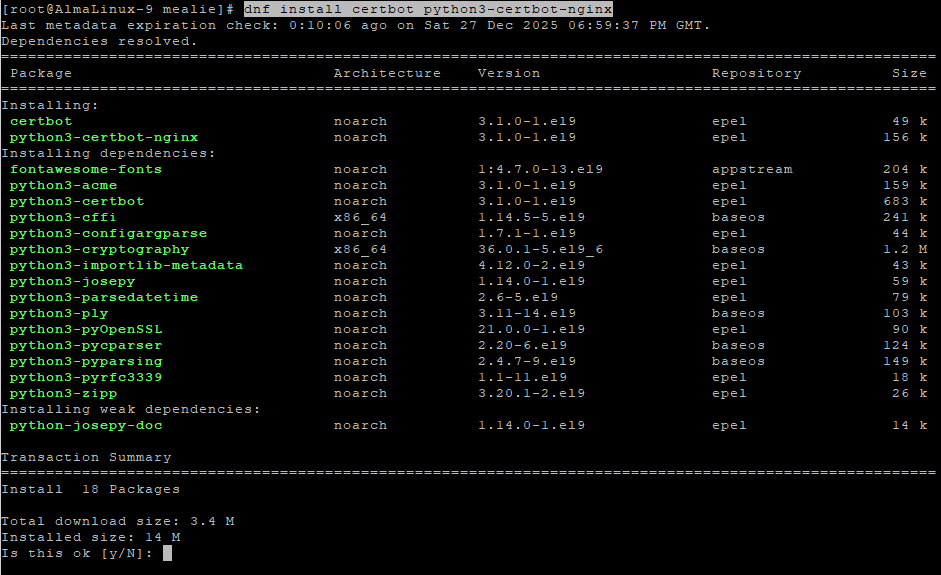
dnf install certbot python3-certbot-nginx
certbot --nginx -d almalinux-tutorials.shape.host

Replace the domain if needed:
yourdomain.com
Certbot will automatically:
- Issue a free SSL certificate
- Configure Nginx for HTTPS
- Enable automatic certificate renewal
Step 7: Verify the Installation
Open your browser: https://mealie.example.com


Check container status:
docker compose ps
- Verify Nginx:
systemctl status nginx
If Mealie loads correctly over HTTPS, the installation is complete.
You installed Mealie on AlmaLinux 9 using Docker Compose, connected it to a PostgreSQL database, exposed it via Nginx, and secured it with Let’s Encrypt SSL. This setup is stable, secure, and ideal for personal or family recipe management.
For hosting self-hosted applications like Mealie with excellent performance, scalability, and full root access, Shape.Host Linux SSD VPS provides a reliable infrastructure built for modern server workloads.
