 Christian Wells
Deploy Plausible Analytics on Ubuntu 24.04 with Docker and ZeroSSL
Plausible Analytics gives you a privacy-friendly traffic dashboard you can host yourself without the weight of a much larger analytics stack. It is a practical fit when you want first-party analytics on infrastructure you control and you prefer a straightforward deployment over a managed SaaS dependency.
In this guide, we restore a fresh Ubuntu 24.04.1 LTS server on Shape.Host, verify the current Plausible Community Edition branch from the official project, install Docker Engine and Docker Compose from Docker’s official Ubuntu repository, deploy Plausible Community Edition v3.2.0, place Nginx in front of it on tutorials.shape.host, secure the site with a trusted ZeroSSL certificate, and validate the finished installation from both the terminal and a browser.
| Application | Plausible Analytics Community Edition |
|---|---|
| Application version | v3.2.0 |
| Operating system | Ubuntu 24.04.1 LTS |
| Container runtime | Docker Engine 29.3.0 with Docker Compose 5.1.0 |
| Reverse proxy | Nginx 1.24.0 |
| Public hostname | tutorials.shape.host |
| TLS issuer | ZeroSSL ECC Domain Secure Site CA |
| Validated on | Live Shape.Host Ubuntu 24.04 server |
Why Use Plausible Analytics on Ubuntu 24.04?
- Ubuntu 24.04.1 LTS gives you a modern long-term support base for self-hosted services.
- Plausible Community Edition uses a simple Docker Compose deployment model that is easy to reproduce on a clean Ubuntu host.
- Nginx works well as a lightweight public reverse proxy in front of the local Plausible container.
- ZeroSSL gives you a trusted public certificate for the dashboard on your own hostname.
Before You Begin
Make sure you have the following in place before you start:
- A fresh Ubuntu 24.04 server
- Root or sudo access
- A DNS record pointing
tutorials.shape.hostto your server IP - Ports
80and443open to the public internet - Your ZeroSSL EAB key ID and EAB HMAC key for ACME account registration
1. Verify the Ubuntu 24.04 Release
Start by confirming that the rebuilt server is actually running Ubuntu 24.04.1 LTS.
cat /etc/os-release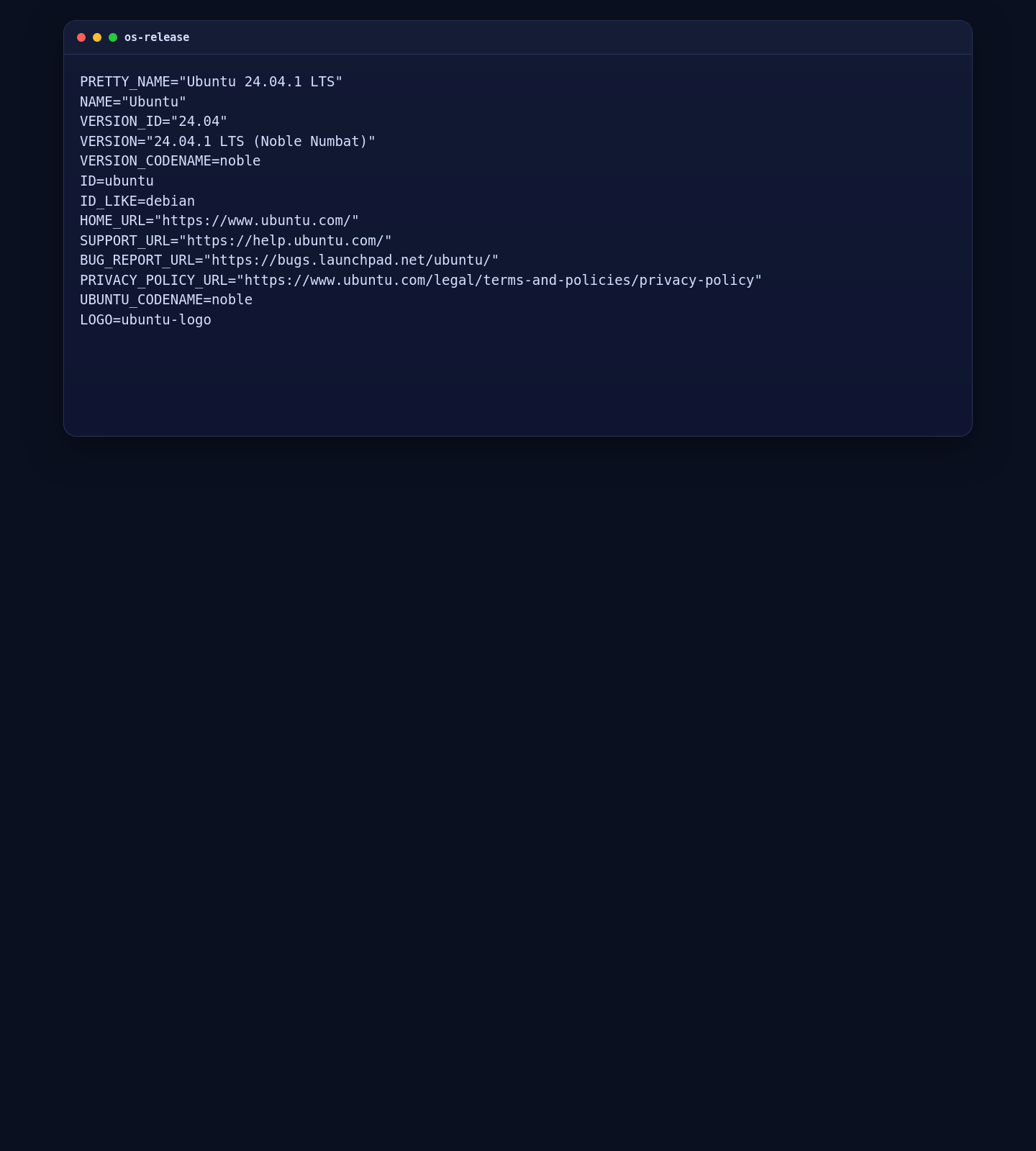
2. Install Docker, Docker Compose, Nginx, and Base Dependencies
Plausible Community Edition’s official self-hosted path depends on Docker Compose. On Ubuntu 24.04, the clean approach is to use Docker’s official Ubuntu repository instead of the older distro-packaged Docker stack.
apt update
apt install -y ca-certificates curl git nginx openssl socat
install -m 0755 -d /etc/apt/keyrings
curl -fsSL https://download.docker.com/linux/ubuntu/gpg -o /etc/apt/keyrings/docker.asc
chmod a+r /etc/apt/keyrings/docker.asc

cat > /etc/apt/sources.list.d/docker.sources <<EOF
Types: deb
URIs: https://download.docker.com/linux/ubuntu
Suites: $(. /etc/os-release && echo "${UBUNTU_CODENAME:-$VERSION_CODENAME}")
Components: stable
Signed-By: /etc/apt/keyrings/docker.asc
EOF

apt update
apt install -y docker-ce docker-ce-cli containerd.io docker-buildx-plugin docker-compose-plugin
systemctl enable --now docker nginx

docker --version
docker compose version
nginx -v
git --version
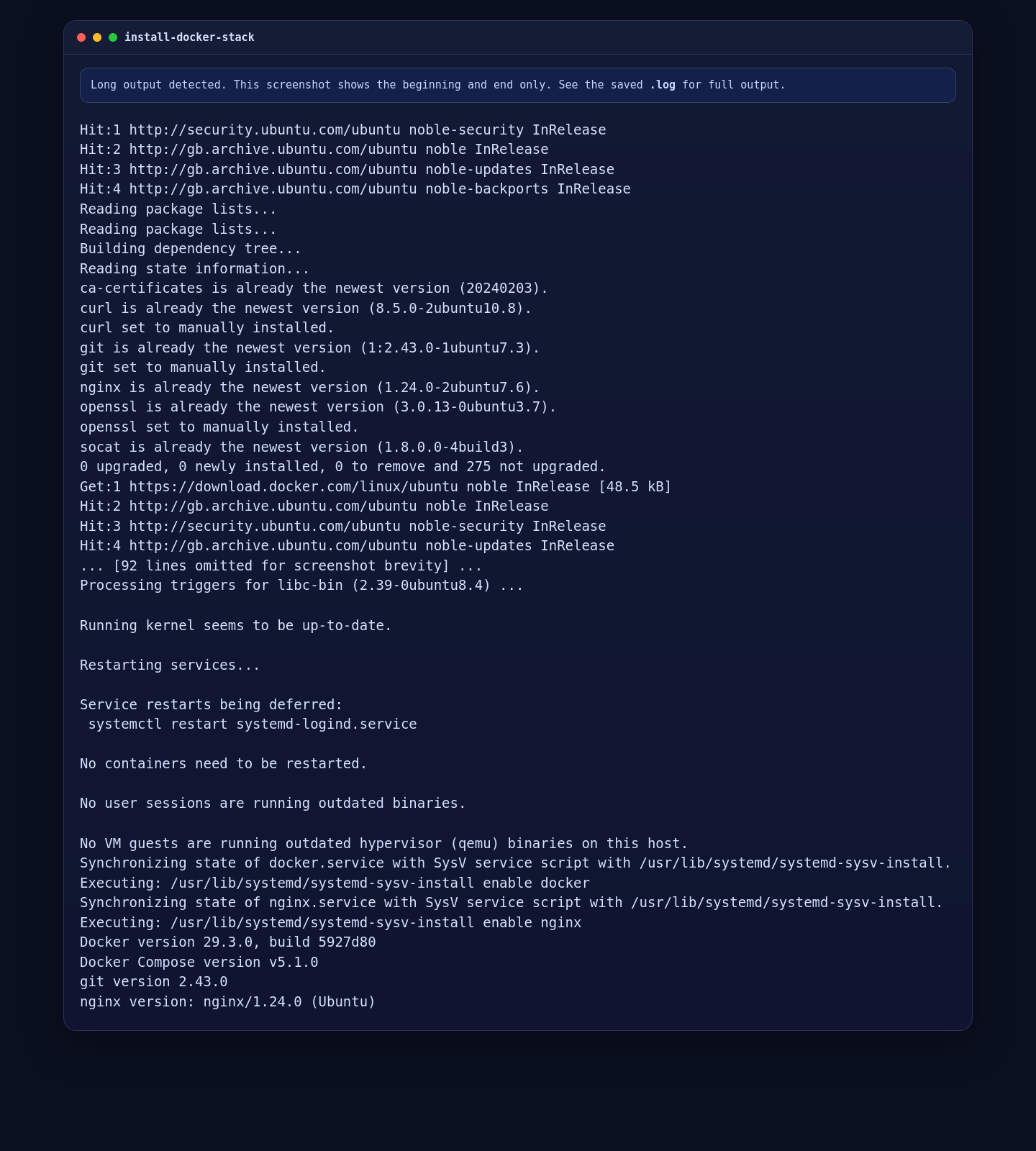
On the validated Ubuntu 24.04.1 deployment, this installed Docker Engine 29.3.0, Docker Compose 5.1.0, Nginx 1.24.0, and Git 2.43.0.
3. Download Plausible Community Edition and Create the Environment Files
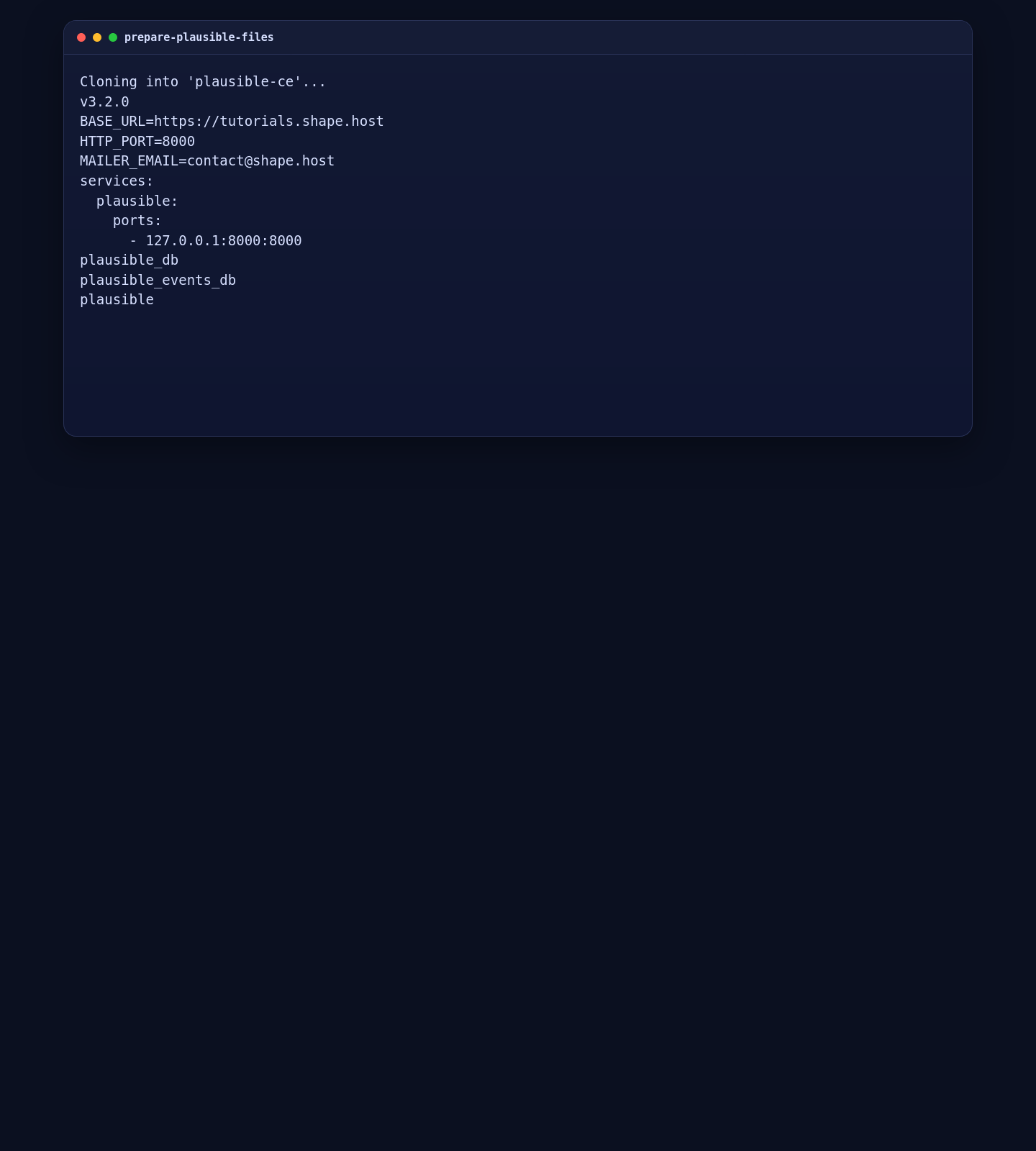
The official Plausible self-hosting path uses the plausible/community-edition repository. Clone the current stable branch, generate a fresh SECRET_KEY_BASE, and bind the application to localhost so Nginx can handle the public edge.
cd /opt
git clone -b v3.2.0 --single-branch https://github.com/plausible/community-edition.git plausible-ce
cd /opt/plausible-ce

SECRET_KEY_BASE=$(openssl rand -base64 48 | tr -d '\n')

cat > .env <<EOF
BASE_URL=https://tutorials.shape.host
SECRET_KEY_BASE=$SECRET_KEY_BASE
HTTP_PORT=8000
MAILER_EMAIL=contact@shape.host
EOF

cat > compose.override.yml <<'EOF'
services:
  plausible:
    ports:
      - 127.0.0.1:8000:8000
EOF

git branch --show-current
grep -E "^(BASE_URL|HTTP_PORT|MAILER_EMAIL)=" .env
cat compose.override.yml
docker compose config --services
BASE_URL must match the real public hostname you plan to use. The localhost-only port mapping keeps Plausible off the public interface so Nginx can proxy it securely.
4. Start Plausible Community Edition
With the environment prepared, launch the official Compose bundle and confirm that Plausible responds locally before you introduce the public reverse proxy.
4.1 Launch the Compose Stack
cd /opt/plausible-ce
docker compose up -d
sleep 25
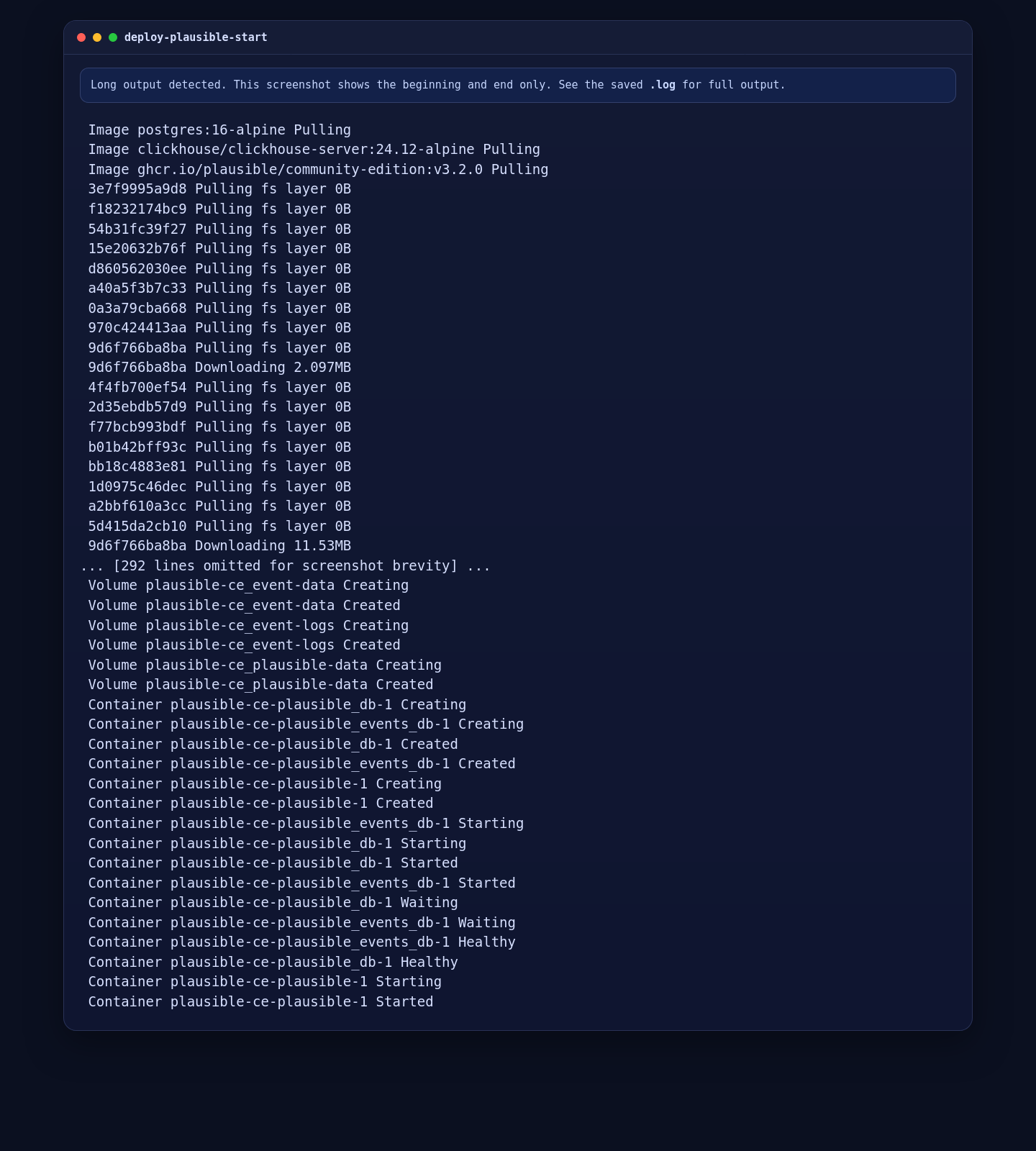
On the live server, Docker pulled the official images, created the network and volumes, started PostgreSQL and ClickHouse, waited for both services to become healthy, and then started the Plausible application container.
4.2 Validate the Running Containers and Local HTTP Response
docker compose ps
docker compose images
curl -I http://127.0.0.1:8000
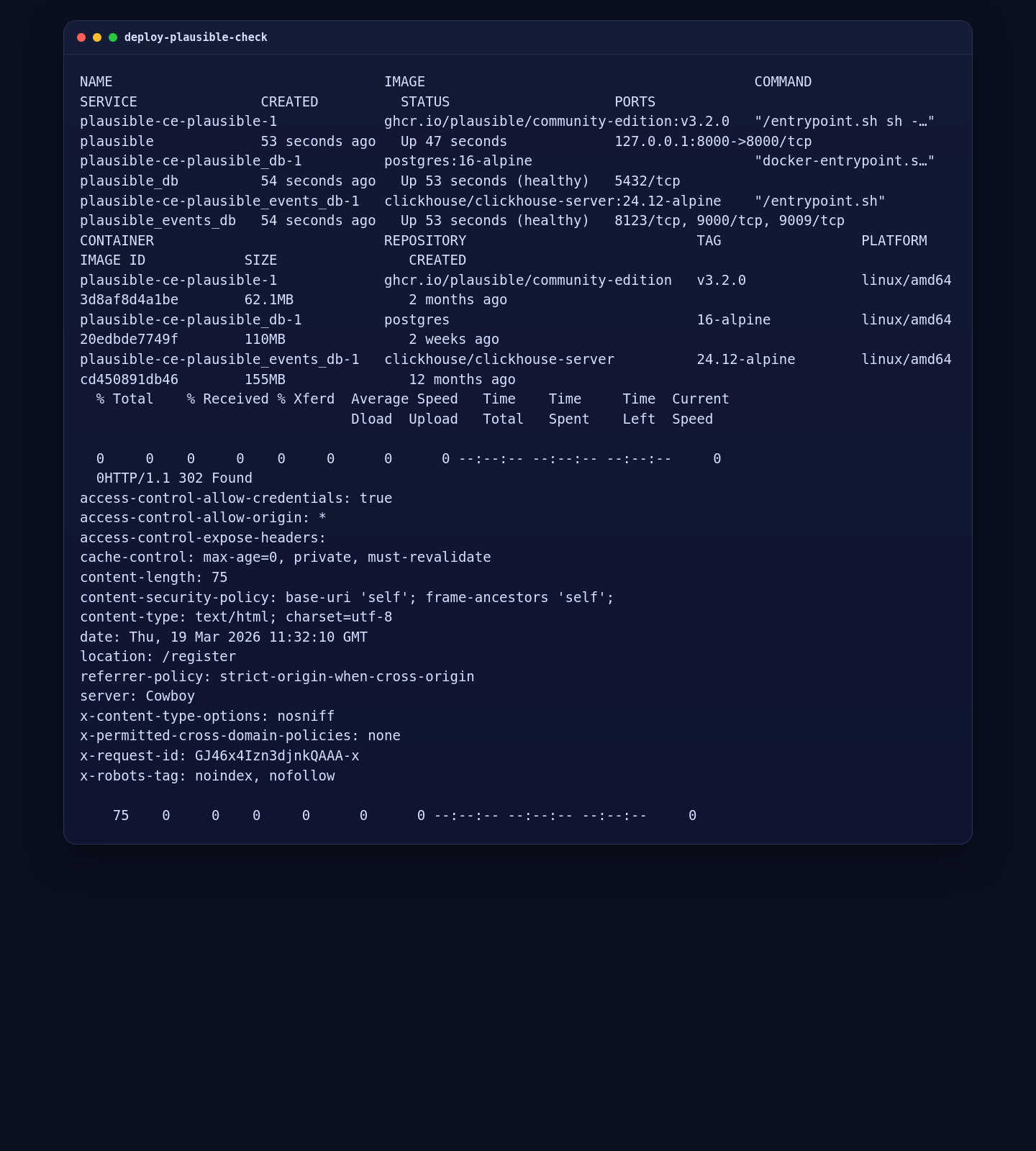
On the validated deployment, the Plausible container came up using the official image tag v3.2.0 and the local endpoint returned an HTTP 302 redirect to /register, which is the correct first-run state for a new deployment.
5. Configure Nginx and Issue a ZeroSSL Certificate
Create the initial HTTP site first so ZeroSSL can complete the ACME webroot validation. After the certificate is issued, switch the site to a permanent HTTPS redirect and a TLS-enabled proxy block.
mkdir -p /var/www/_letsencrypt /etc/nginx/ssl/tutorials.shape.host

cat > /etc/nginx/sites-available/tutorials.shape.host <<'EOF'
server {
    listen 80;
    server_name tutorials.shape.host;

    location /.well-known/acme-challenge/ {
        root /var/www/_letsencrypt;
        default_type "text/plain";
    }

    location / {
        proxy_pass http://127.0.0.1:8000;
        proxy_http_version 1.1;
        proxy_set_header Host $host;
        proxy_set_header X-Real-IP $remote_addr;
        proxy_set_header X-Forwarded-For $proxy_add_x_forwarded_for;
        proxy_set_header X-Forwarded-Proto $scheme;
    }
}
EOF

ln -sfn /etc/nginx/sites-available/tutorials.shape.host /etc/nginx/sites-enabled/tutorials.shape.host
rm -f /etc/nginx/sites-enabled/default

nginx -t
systemctl reload nginx

curl -fsSL https://get.acme.sh | sh -s email=contact@shape.host
/root/.acme.sh/acme.sh --set-default-ca --server zerossl
/root/.acme.sh/acme.sh --register-account --server zerossl --eab-kid YOUR_ZEROSSL_EAB_KID --eab-hmac-key YOUR_ZEROSSL_EAB_HMAC_KEY
/root/.acme.sh/acme.sh --issue --server zerossl --webroot /var/www/_letsencrypt -d tutorials.shape.host --keylength ec-256
/root/.acme.sh/acme.sh --install-cert -d tutorials.shape.host --ecc \
  --fullchain-file /etc/nginx/ssl/tutorials.shape.host/fullchain.cer \
  --key-file /etc/nginx/ssl/tutorials.shape.host/tutorials.shape.host.key \
  --reloadcmd "systemctl reload nginx"

cat > /etc/nginx/sites-available/tutorials.shape.host <<'EOF'
server {
    listen 80;
    server_name tutorials.shape.host;

    location /.well-known/acme-challenge/ {
        root /var/www/_letsencrypt;
        default_type "text/plain";
    }

    location / {
        return 301 https://$host$request_uri;
    }
}

server {
    listen 443 ssl http2;
    server_name tutorials.shape.host;

    ssl_certificate /etc/nginx/ssl/tutorials.shape.host/fullchain.cer;
    ssl_certificate_key /etc/nginx/ssl/tutorials.shape.host/tutorials.shape.host.key;
    ssl_protocols TLSv1.2 TLSv1.3;
    ssl_session_timeout 1d;
    ssl_session_cache shared:SSL:10m;
    ssl_session_tickets off;

    location / {
        proxy_pass http://127.0.0.1:8000;
        proxy_http_version 1.1;
        proxy_set_header Host $host;
        proxy_set_header X-Real-IP $remote_addr;
        proxy_set_header X-Forwarded-For $proxy_add_x_forwarded_for;
        proxy_set_header X-Forwarded-Proto https;
    }
}
EOF

nginx -t
systemctl reload nginx

curl -I --resolve tutorials.shape.host:443:YOUR_SERVER_IP https://tutorials.shape.host
On this Ubuntu 24.04.1 run, the final Nginx TLS block had to use listen 443 ssl http2;. The alternative http2 on; syntax failed on the tested Ubuntu Nginx 1.24 build, so the article keeps the exact version-appropriate syntax that passed validation.
If ufw is active on your server, allow web traffic before ACME validation:
ufw allow 'Nginx Full'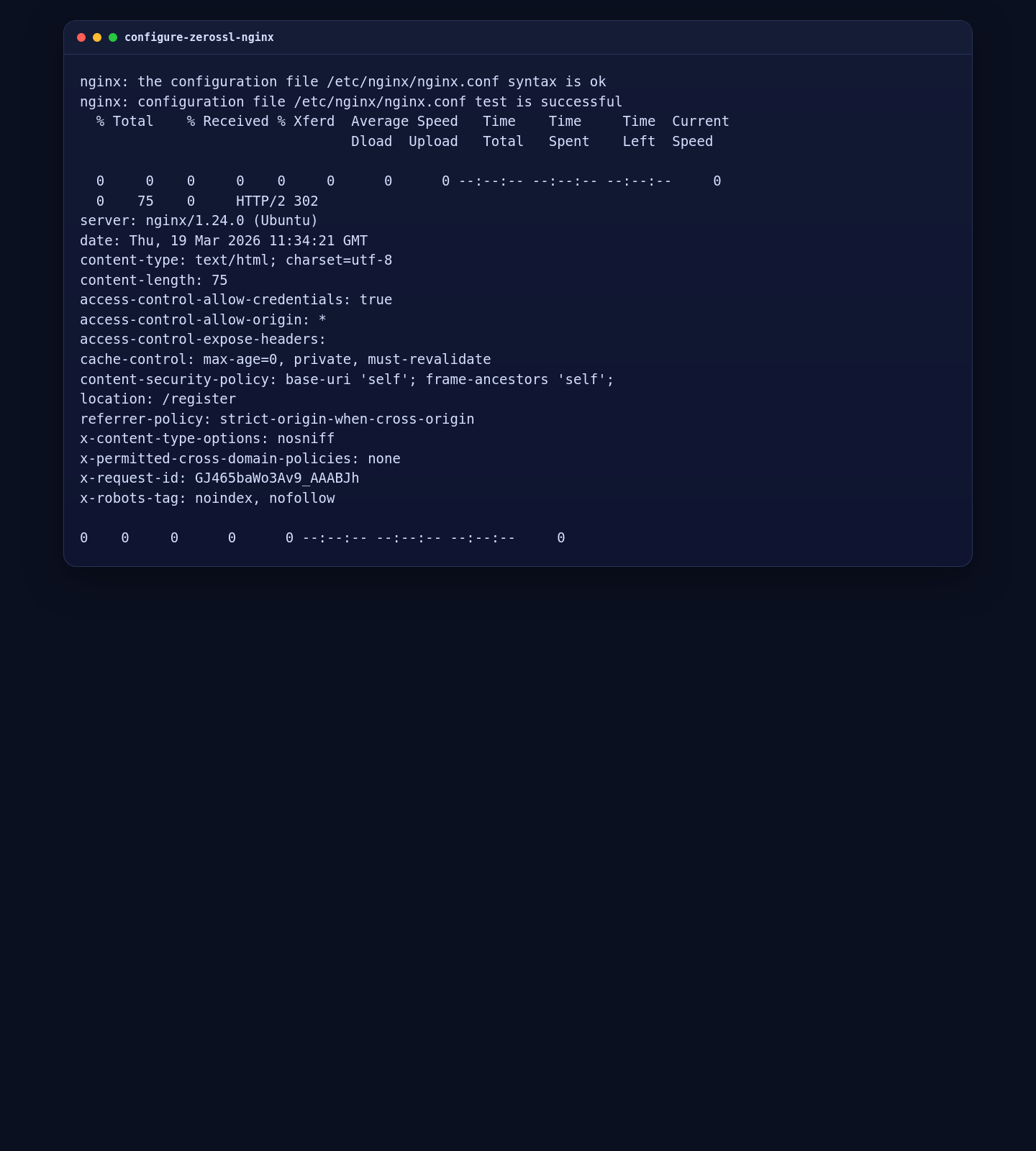
6. Validate the Public HTTPS Route and Certificate
After Nginx has been reloaded, run a final route and certificate check. Using --resolve is a reliable way to test the exact server IP even if local DNS inside the VM is not ready yet.
cd /opt/plausible-ce
docker compose ps
docker compose images
nginx -v
curl -I --resolve tutorials.shape.host:443:YOUR_SERVER_IP https://tutorials.shape.host
openssl s_client -connect YOUR_SERVER_IP:443 -servername tutorials.shape.host < /dev/null 2>/dev/null | openssl x509 -noout -issuer -subject
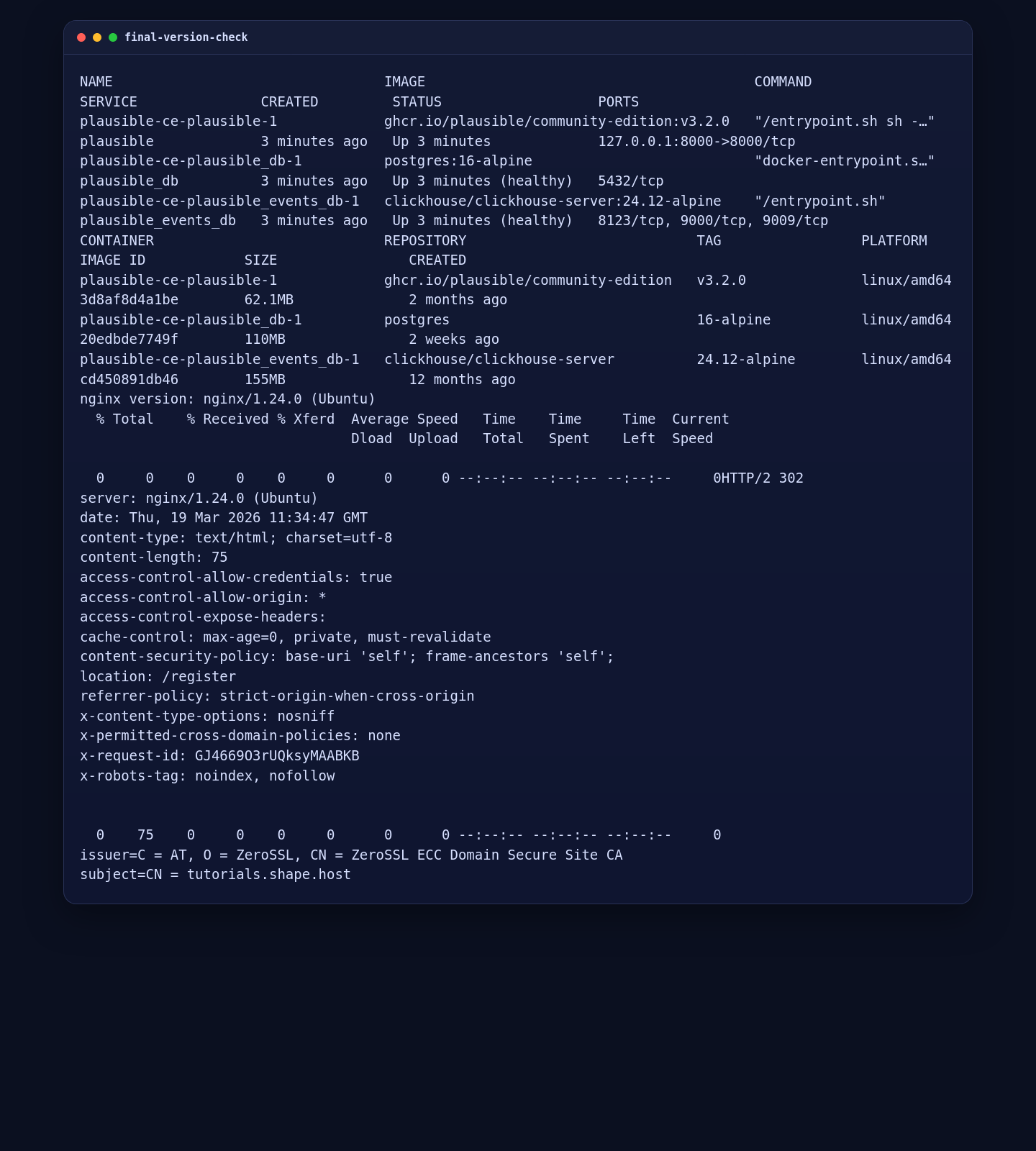
In the validated Shape.Host deployment, the public HTTPS route returned an HTTP 302 redirect to /register and the certificate issuer reported ZeroSSL ECC Domain Secure Site CA.
7. Open the Plausible Registration Page
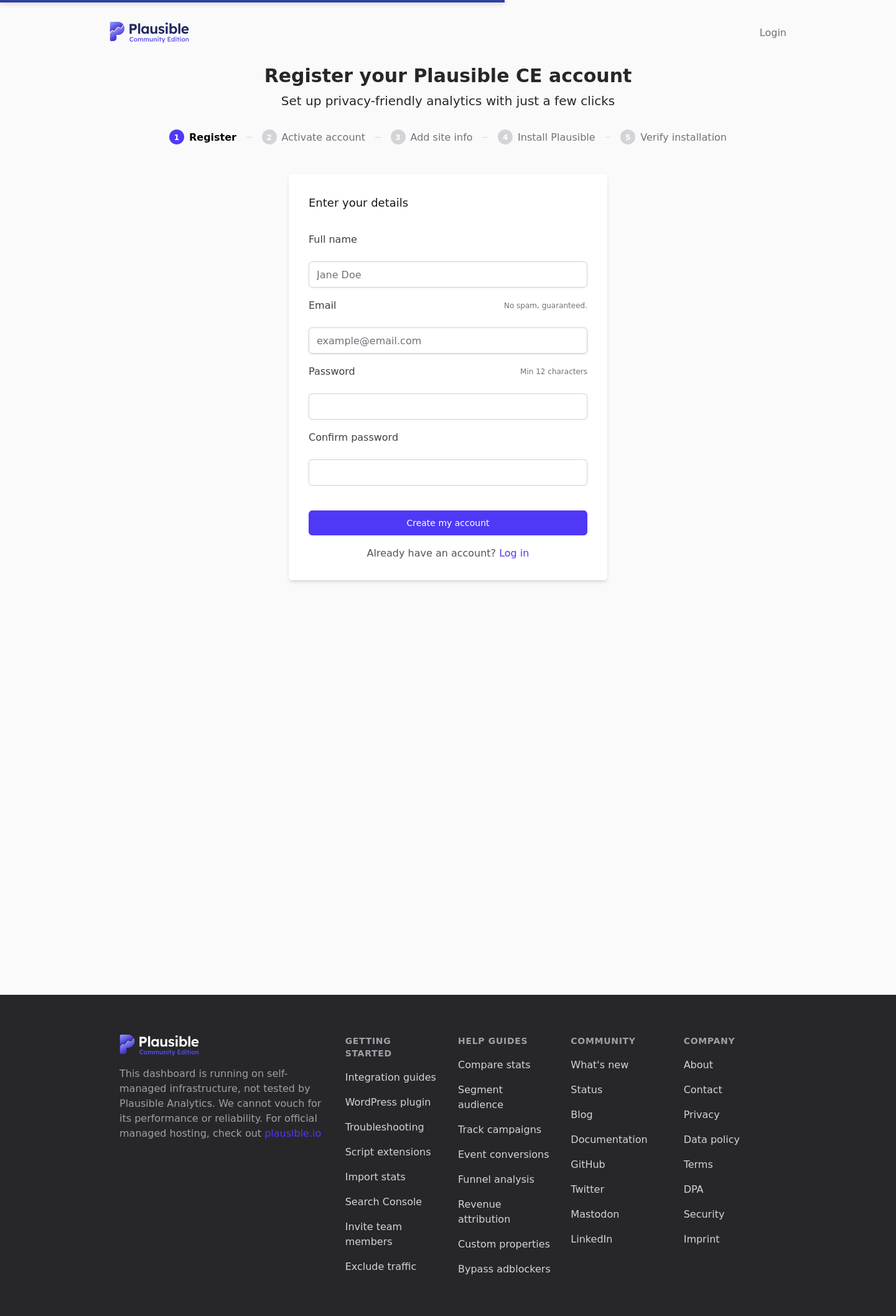
Once HTTPS is working, load the public registration page and confirm that the initial account setup screen is reachable.
Troubleshooting Tips
- If
apt updatecannot find Docker packages, verify that the Docker repository entry uses the correct Ubuntu 24.04 codename,noble. - If
curl -I http://127.0.0.1:8000does not return a302, recheckdocker compose psand make sure the PostgreSQL and ClickHouse containers are healthy before Plausible starts. - If the hostname does not resolve inside the VM yet, keep using
curl --resolvefor deterministic HTTPS testing against the known public IP.
Conclusion
You now have a working Plausible Analytics Community Edition deployment on Ubuntu 24.04 with Docker Compose, Nginx reverse proxying, and a trusted ZeroSSL certificate on tutorials.shape.host. On this verified Shape.Host deployment, the final validated stack was Plausible v3.2.0, Docker Engine 29.3.0, Docker Compose 5.1.0, and Nginx 1.24.0.
