MariaDB is an open-source relational database management system (RDBMS) designed as a drop-in replacement for MySQL. Created by the original developers of MySQL, MariaDB is compatible with MySQL but offers improved performance, security, and additional features. It is widely used for managing data in applications, websites, and large-scale enterprise systems.
Key Features of MariaDB
MySQL Compatibility
MariaDB is fully compatible with MySQL, supporting MySQL APIs, commands, and libraries. This makes migration from MySQL to MariaDB easy with minimal effort, as it uses the same data and table formats.
High Performance
MariaDB delivers excellent performance for both read and write operations, with optimizations like the Aria storage engine for complex queries and thread pooling. It can handle large datasets and high query loads efficiently.
Multiple Storage Engines
MariaDB supports various storage engines, allowing users to select the most appropriate one for their needs. Popular engines include:
- InnoDB: Default engine for transactional operations.
- Aria: Optimized for high-performance reads and writes.
- TokuDB: Suitable for handling large datasets and high-volume transactions.
- MyISAM: A legacy engine for non-transactional storage.
Advanced Security Features
MariaDB includes several advanced security features:
- Data Encryption: Both at rest and in transit.
- Role-based Access Control (RBAC): For managing database permissions effectively.
- User Account Management: Improved authentication plugins and password handling.
Replication and Clustering
MariaDB supports various replication methods, including master-slave, master-master, and multi-source replication. MariaDB Galera Cluster enables synchronous multi-master replication, ensuring high availability and scalability for applications.
Improved SQL Syntax and Functions
MariaDB introduces several SQL features and improvements over MySQL, such as:
- Window Functions: For performing calculations across rows related to the current row.
- Common Table Expressions (CTEs): To simplify complex queries.
- Dynamic Columns: Allowing flexible column definitions.
JSON Support
MariaDB provides better JSON support, enabling efficient storage and manipulation of JSON data. This makes it easier to work with modern web applications that require flexible, semi-structured data.
Built-in Audit Plugin
The audit plugin in MariaDB logs events and user activities, providing insights into database operations. This feature is essential for security monitoring and compliance auditing.
Scalability
MariaDB is built for scalability, allowing it to support applications of all sizes. Its replication and clustering features make it easy to scale horizontally by adding more servers.
Open Source and Free
MariaDB is open-source and distributed under the GPLv2 license, making it a free, cost-effective solution for users and developers. Its community-driven development ensures continuous improvements and updates.
Advantages of MariaDB
- Faster Performance: MariaDB outperforms MySQL in several benchmarks, especially in complex queries, due to optimizations in its storage engines and indexing methods.
- Better Licensing: Unlike MySQL, which offers both open-source and commercial licenses, MariaDB is fully open-source with no proprietary licensing concerns.
- Enhanced Features: MariaDB includes new features like built-in data encryption, thread pooling, and improved indexing, offering better performance and security.
- Active Development: MariaDB is actively developed by the community, ensuring rapid updates, bug fixes, and new features. Users benefit from continuous enhancements and strong community support.
- MySQL Drop-in Replacement: MariaDB is compatible with MySQL, making it an easy transition for those already using MySQL. Its API and client libraries are fully compatible, meaning most MySQL applications work seamlessly with MariaDB.
Use Cases for MariaDB
Web Applications
MariaDB is commonly used in web development due to its speed and compatibility with MySQL. It is often paired with content management systems (CMS) like WordPress, Joomla, and Drupal to manage and store website data.
E-commerce Platforms
MariaDB is ideal for e-commerce websites requiring high-speed transactions and large amounts of customer data. It’s used by platforms like Magento and WooCommerce to store and manage product catalogs, customer information, and orders.
Data Warehousing
MariaDB is well-suited for data warehousing, business intelligence (BI) tools, and reporting applications. Its ability to process large datasets quickly and efficiently makes it an excellent choice for complex queries and data analysis.
Enterprise Applications
MariaDB is used by enterprises for managing transactional systems, customer databases, and other critical applications. Its high availability and clustering features make it ideal for mission-critical systems that need reliable uptime.
IoT Applications
MariaDB is increasingly used in IoT (Internet of Things) applications, where large amounts of real-time data need to be stored and processed. Its flexibility and performance make it suitable for IoT use cases that require fast data retrieval and storage.
Cloud Services
MariaDB is commonly used in cloud environments for hosting scalable, reliable databases. It is compatible with cloud services like Amazon RDS and Microsoft Azure, offering flexibility and cost-effective database solutions.
How to Install MariaDB
On Linux (Ubuntu Example)
MariaDB can be installed on Ubuntu using the APT package manager. After installation, you can secure your MariaDB setup and start configuring it to meet your needs.
On Windows
MariaDB offers a Windows installer that simplifies the installation process. After downloading the installer, you can quickly set up MariaDB on your Windows machine and start using it.
On Docker
MariaDB can be run in Docker containers for easy deployment in isolated, scalable environments. The Docker image is available on Docker Hub, simplifying containerized installations.
MariaDB vs MySQL
While MariaDB and MySQL are very similar, key differences include:
Licensing: MariaDB is fully open-source, while MySQL has both open-source and commercial versions, which may require a paid license for certain use cases.
Performance: MariaDB typically offers better performance, especially for complex queries, thanks to its optimized storage engines and advanced indexing techniques.
Features: MariaDB includes advanced features like window functions, dynamic columns, and improved JSON support, which MySQL lacks.
Step 1: Create an Instance
To get started, create a server instance running Ubuntu 24.04.
Access the Dashboard: Log in to your Shape.Host account and navigate to your Dashboard.
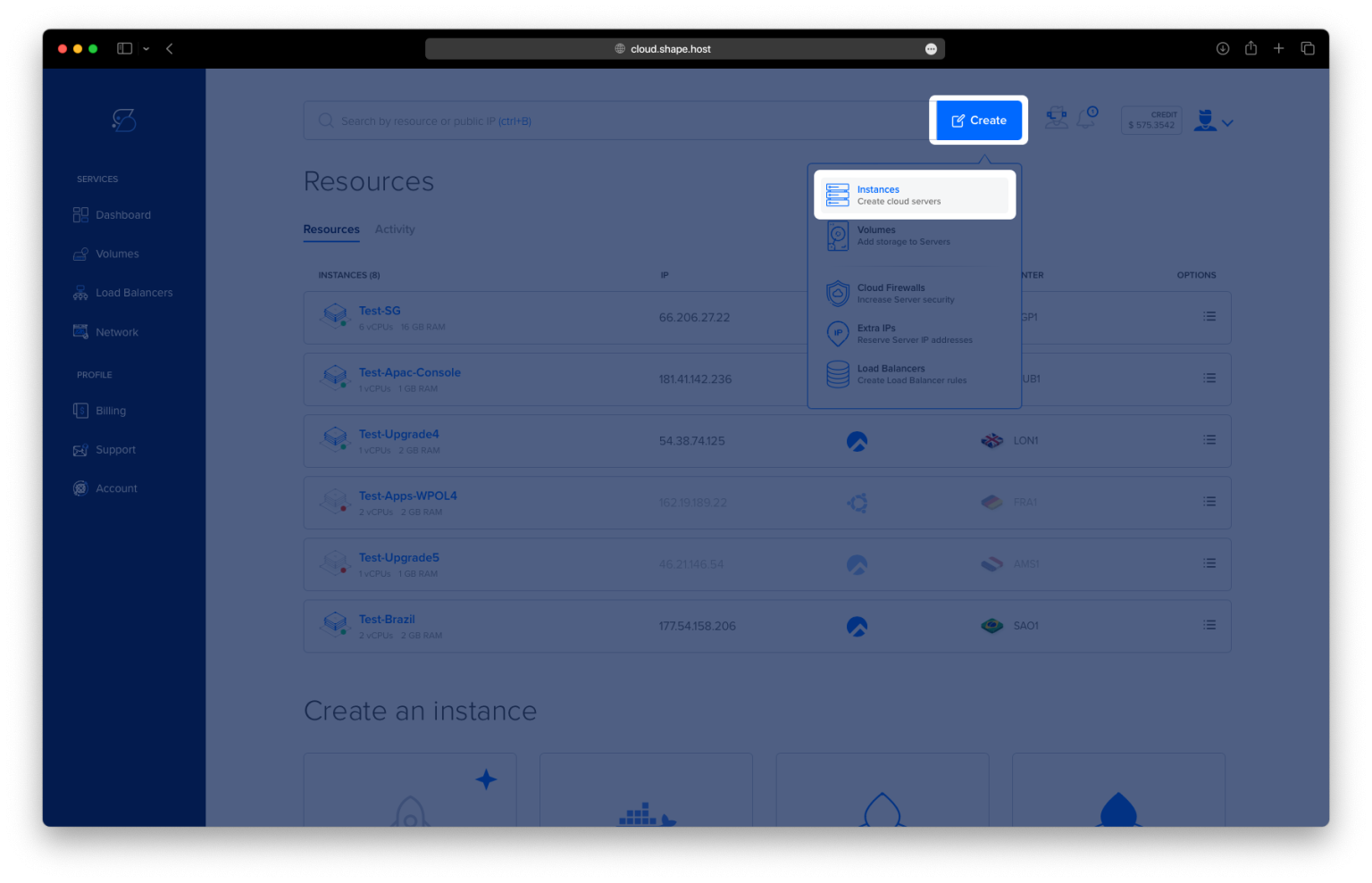
Click Create: Click on the “Create” button located in the top-right corner.
Select Instances: From the dropdown menu, choose “Instances” to create a new cloud server.
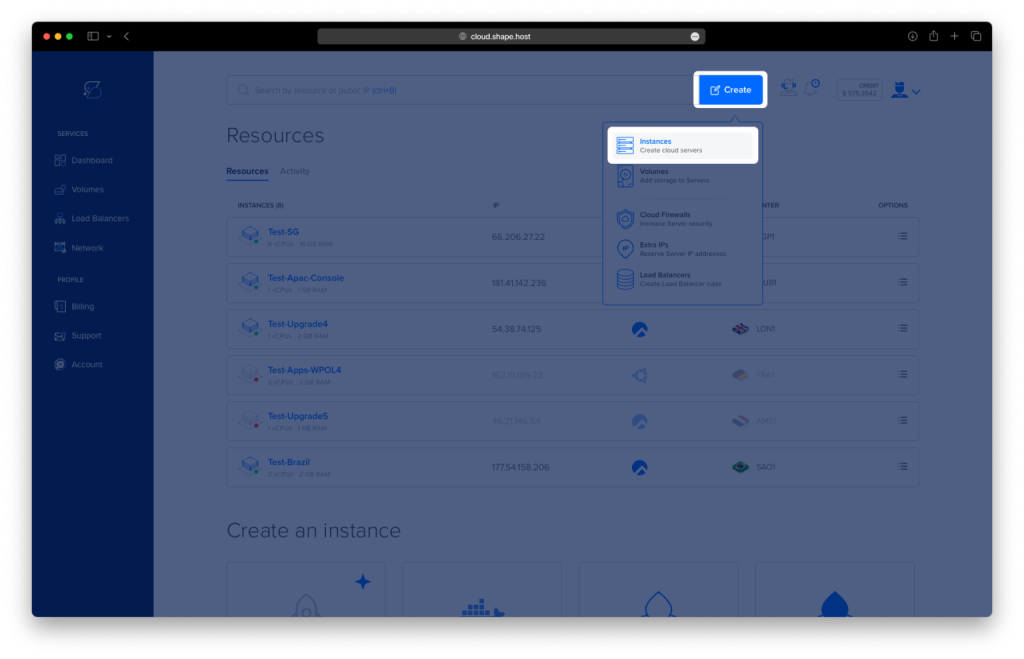
Select Location: Choose a data center location closest to your target audience for optimal performance.
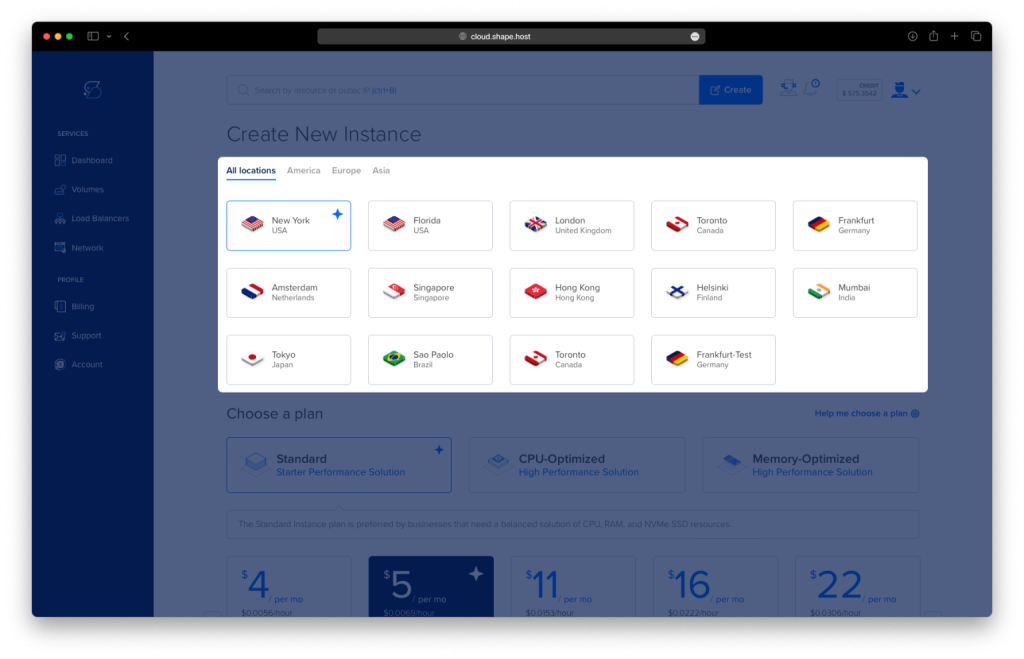
Choose a Plan: Select a plan that fits your project needs, such as Standard, CPU-Optimized, or Memory-Optimized.
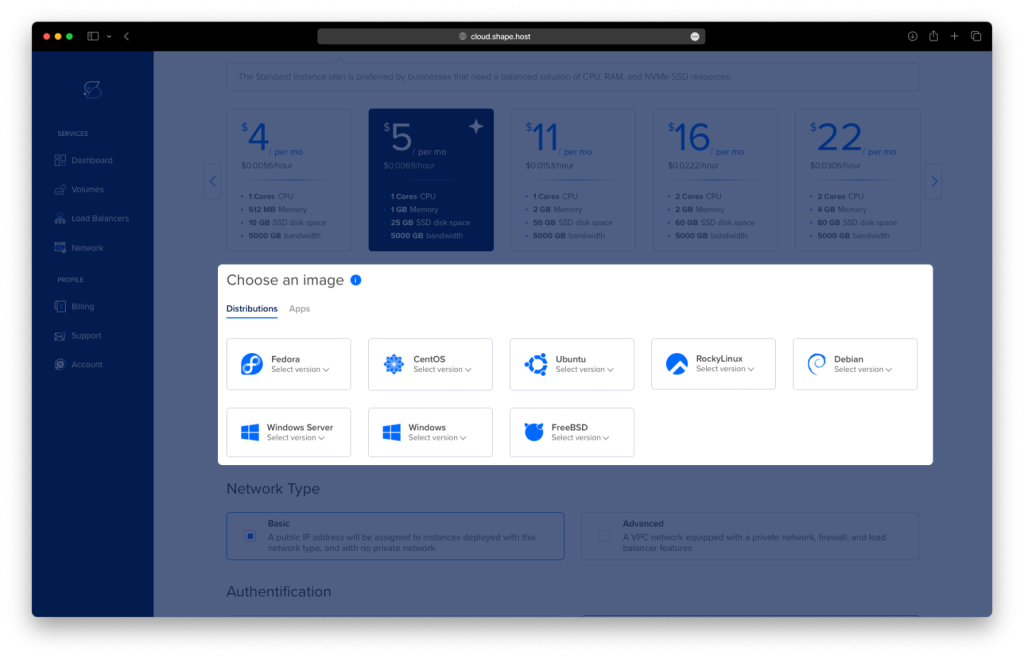
Choose an Image: Select Ubuntu 24.04 as the operating system.
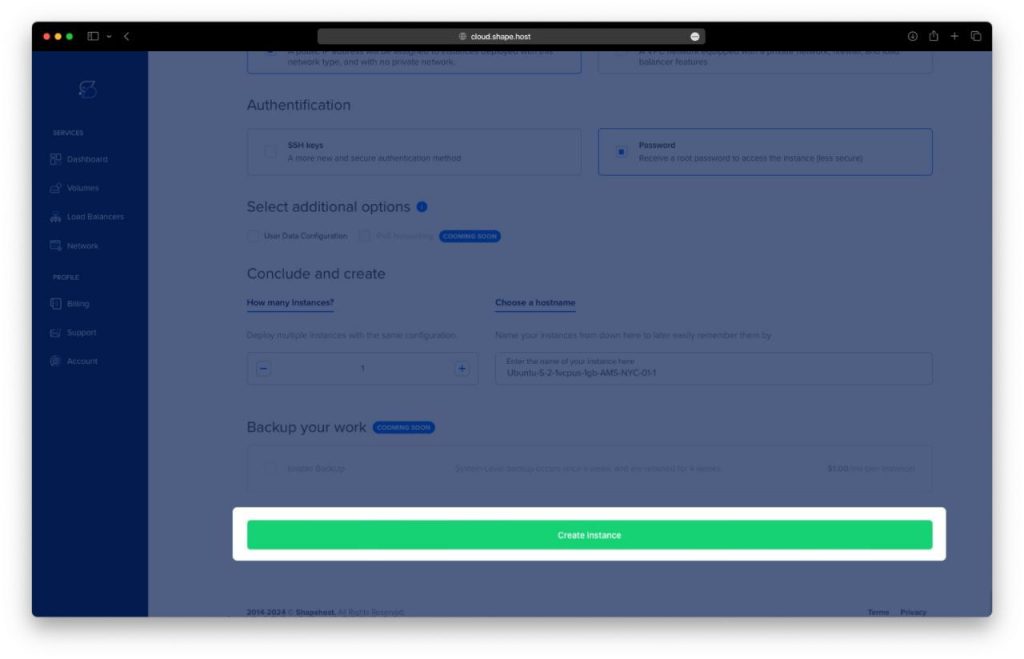
Authentication and Finalize: Choose your preferred authentication method, either SSH keys or password, and click Create Instance.
- Obtain IP Address
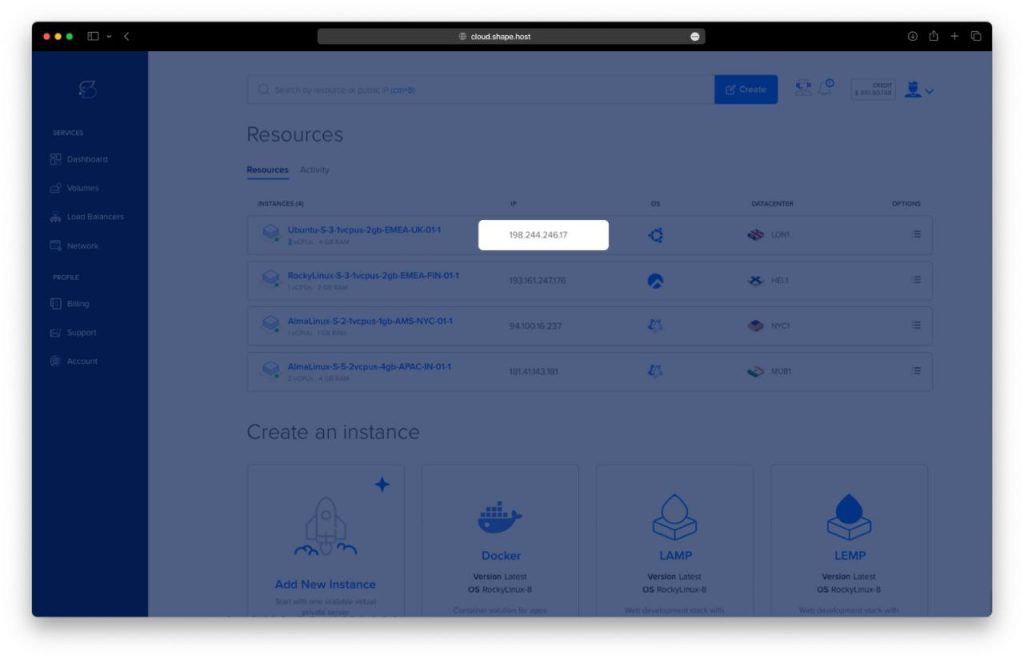
- Once your instance is created, return to the dashboard.
- Find your instance’s IP address under the Resources section and use it to access your server.
Step 2: Connect to Your Instance
Once your instance is ready, connect to it using SSH:
- Linux/macOS: Open a terminal and use:
ssh root@<your_server_ip> - Windows: Use PuTTY. Enter the server’s IP, select SSH, and log in as
rootwith your password or key.
Step 3: Update and Upgrade Your System
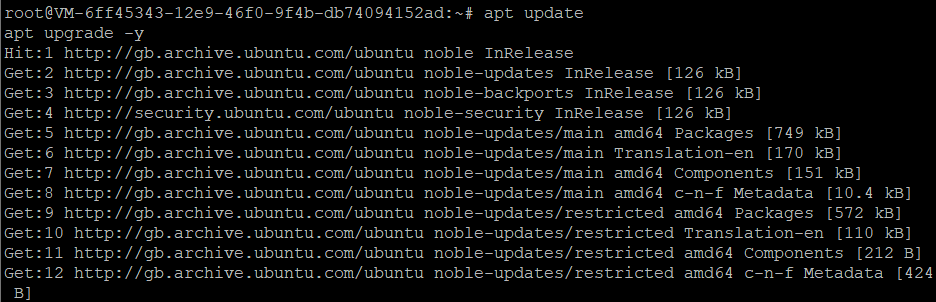
Before installing MariaDB, update your system packages:
apt update
apt upgrade -y
Step 4: Install MariaDB
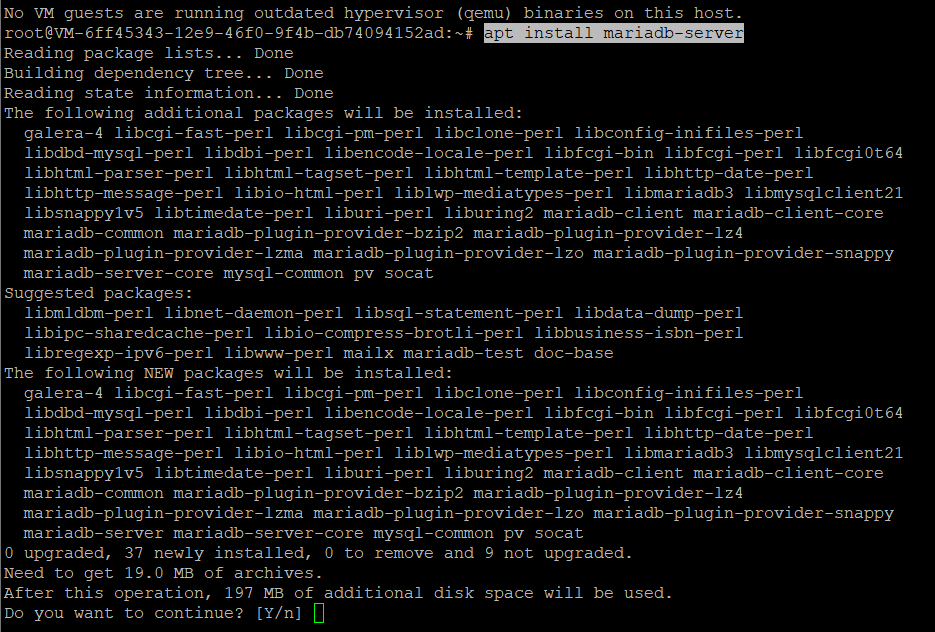
Install MariaDB Server using the following command:
apt install mariadb-server
Verify the installation by checking the MariaDB version:
mariadb --version

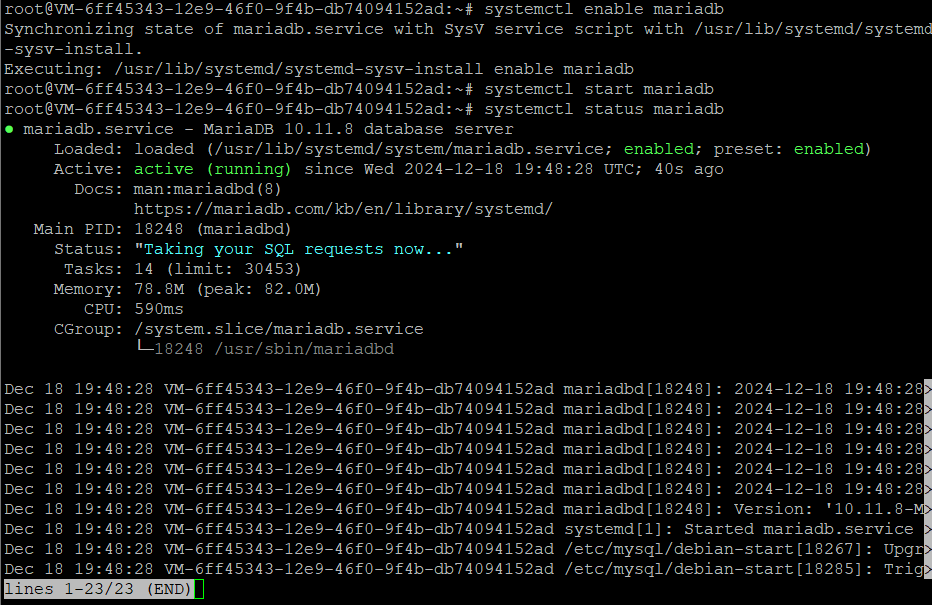
Step 5: Enable and Start MariaDB Service
Enable the MariaDB service to start automatically at boot and start the service:
systemctl enable mariadb
systemctl start mariadb
Check the service status to ensure it is running:
systemctl status mariadb
Step 6: Secure MariaDB Installation
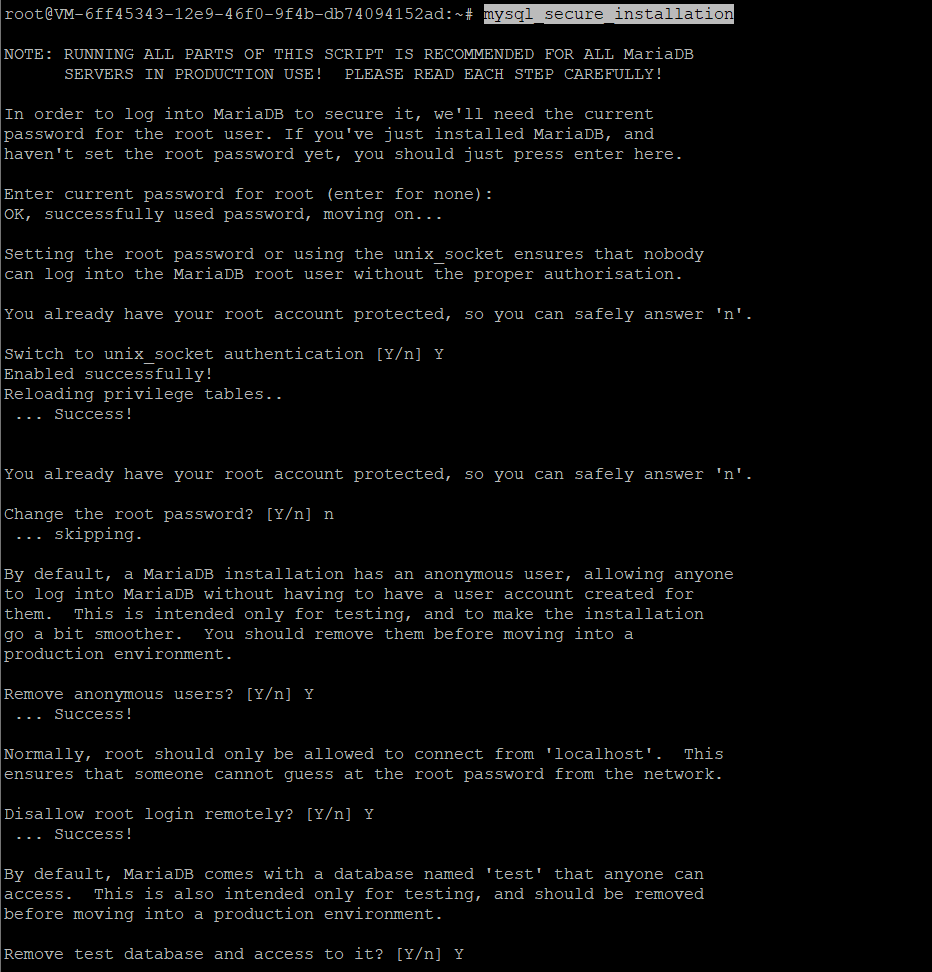
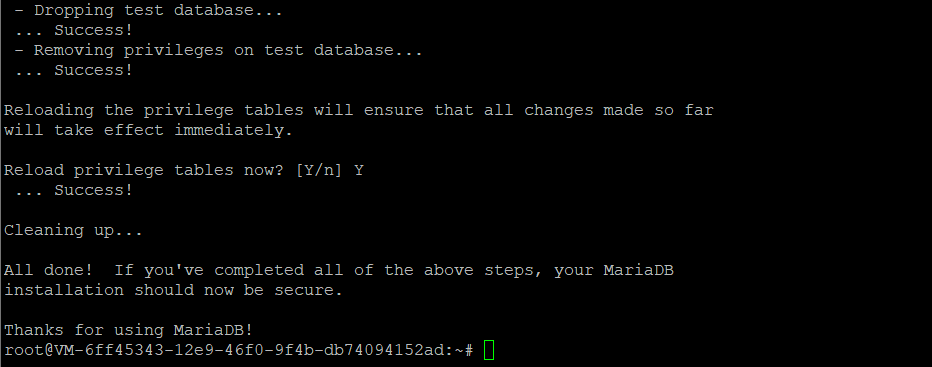
Run the following command to improve the security of your MariaDB installation:
mysql_secure_installation
Follow the prompts to:
- Set a root password.
- Remove anonymous users.
- Disallow remote root login.
- Remove test databases.
- Reload privilege tables.
Step 7: Log In to MariaDB
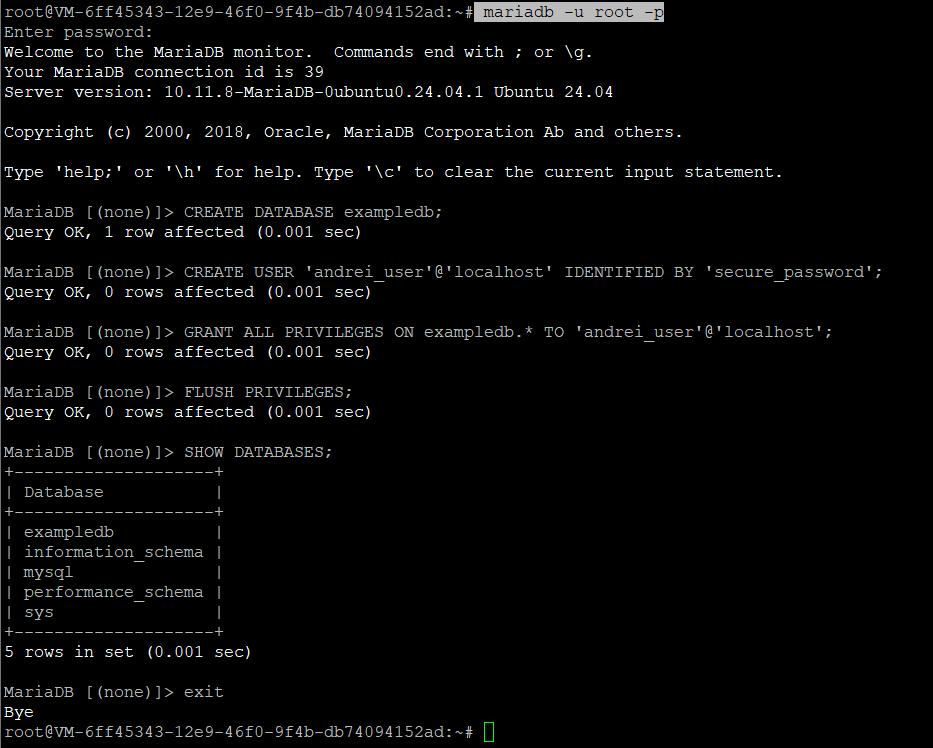
Log in to the MariaDB shell using the root user:
mariadb -u root -p
Enter the password you set during the mysql_secure_installation process.
Step 8: Create a Database and User
Once logged in, create a new database and user with appropriate privileges. Replace exampledb, andrei_user, and secure_password with your preferred names and credentials:
CREATE DATABASE exampledb;
CREATE USER 'andrei_user'@'localhost' IDENTIFIED BY 'secure_password';
GRANT ALL PRIVILEGES ON exampledb.* TO 'andrei_user'@'localhost';
FLUSH PRIVILEGES;
SHOW DATABASES;
exit
You have successfully installed and configured MariaDB on Ubuntu 24.04. MariaDB is now ready to manage your databases efficiently and securely.
For reliable hosting solutions optimized for database management, consider Shape.Host Cloud VPS. Their high-performance servers ensure scalability and smooth operations for your applications.