ChangeDetection.io on Rocky Linux 9 (Docker + Nginx + SSL)
ChangeDetection.io is an open-source website change monitoring and alerting platform that allows you to track content changes on virtually any website. It can detect modifications in text, HTML structure, prices, stock availability, images, and API responses, making it a powerful self-hosted alternative to SaaS services like Visualping, Distill.io, or Wachete. With support for JavaScript-rendered pages via headless browsers, it works reliably even on modern, dynamic websites.
Running ChangeDetection.io on Rocky Linux 9, a RHEL-compatible enterprise Linux distribution, provides long-term stability, security updates, and predictable performance. When combined with Docker, Nginx, and SSL encryption, Rocky Linux 9 offers a production-grade foundation for a secure and fully self-hosted website monitoring solution.
Architecture Overview
| Layer | Component | Role |
|---|---|---|
| OS | Rocky Linux 9 | Enterprise-grade, RHEL-compatible Linux base |
| Container Runtime | Docker / Docker Compose | Runs ChangeDetection.io and optional browser services |
| Application | ChangeDetection.io (Python / Flask) | Core change detection, diffing, and alerting engine |
| Browser Engine (optional) | Playwright / Chromium | Monitors JavaScript-rendered websites |
| Reverse Proxy | Nginx | HTTPS termination, routing, compression |
| TLS | Let’s Encrypt / PKI | Secures the web interface and API access |
Why Use ChangeDetection.io?
- Monitor any website – track text, prices, availability, DOM changes, or APIs
- JavaScript-aware monitoring – works with modern SPA and JS-heavy sites
- Flexible alerting options – email, Slack, Telegram, Discord, Webhooks, and more
- Visual & text diffs – clearly see what changed between checks
- Advanced filters – CSS selectors, XPath, and regex-based detection
- Fully self-hosted – complete privacy and data ownership
- Efficient & lightweight – suitable even for small VPS instances
ChangeDetection.io vs Other Website Monitoring Tools
| Feature / Capability | ChangeDetection.io | Visualping | Distill.io | Wachete |
|---|---|---|---|---|
| Hosting | Self-hosted | Cloud only | Cloud / limited local | Cloud only |
| JavaScript support | ✅ Yes | ✅ Yes | ✅ Yes | ❌ Limited |
| Alert channels | Extensive | Limited | Moderate | Moderate |
| Price monitoring | ✅ Yes | ✅ Yes | ✅ Yes | ✅ Yes |
| Privacy | Full control | Cloud-based | Cloud-based | Cloud-based |
| Cost | Free, open-source | Subscription | Subscription | Subscription |
ChangeDetection.io is the ideal choice for users who want maximum flexibility, privacy, and control, without relying on third-party SaaS platforms.
Security & Best Practices on Rocky Linux 9
- Run ChangeDetection.io behind Nginx with HTTPS enabled.
- Bind the application container to localhost and expose only Nginx publicly.
- Store SMTP credentials, API tokens, and webhook URLs using environment variables.
- Enable SELinux enforcing mode and configure Docker volumes accordingly.
- Use firewalld to allow only ports 80 and 443.
- Keep Rocky Linux, Docker, and ChangeDetection.io images updated.
- Automate SSL certificate renewals using Certbot or an ACME-compatible solution.
- Back up ChangeDetection.io data volumes regularly.
- Restrict Playwright/Chromium usage to trusted websites when enabled.
Typical Use Cases
- E-commerce price and availability monitoring
- Competitor website change tracking
- Job listings and vacancy alerts
- Legal, policy, or compliance updates
- Marketing and landing-page monitoring
- API response change detection
- QA and frontend regression monitoring
Deploying ChangeDetection.io on Rocky Linux 9 with Docker, Nginx, and SSL gives you a powerful, private, and enterprise-ready website monitoring platform — capable of tracking everything from simple text updates to complex JavaScript-driven content, all securely hosted on your own infrastructure.
Create a Cloud Server Instance on Shape.Host
Before installing ChangeDetection.io, you need a clean Rocky Linux 9 VPS.
Go to https://shape.host and log in.
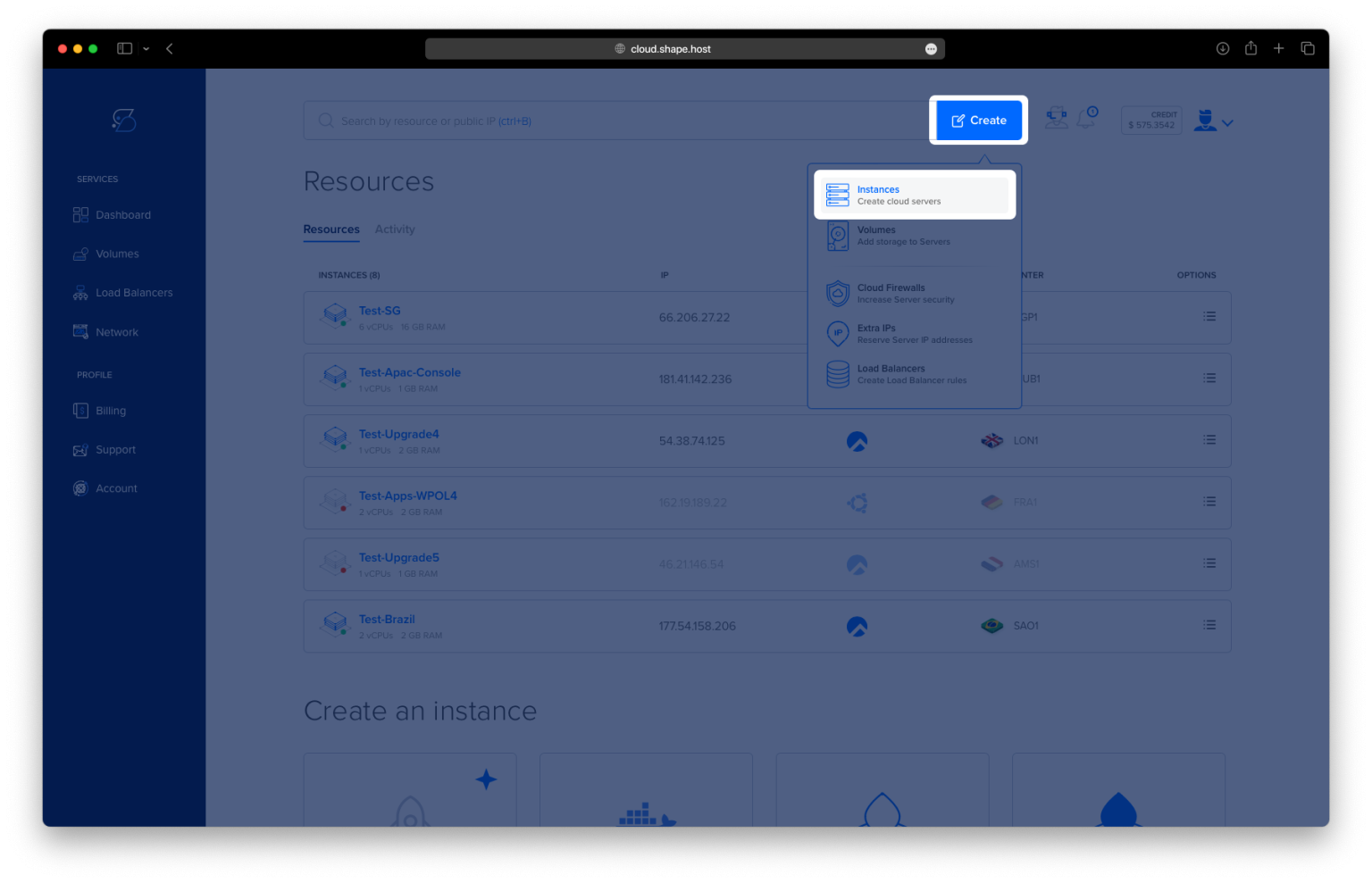
Click Create.
Select Instance.
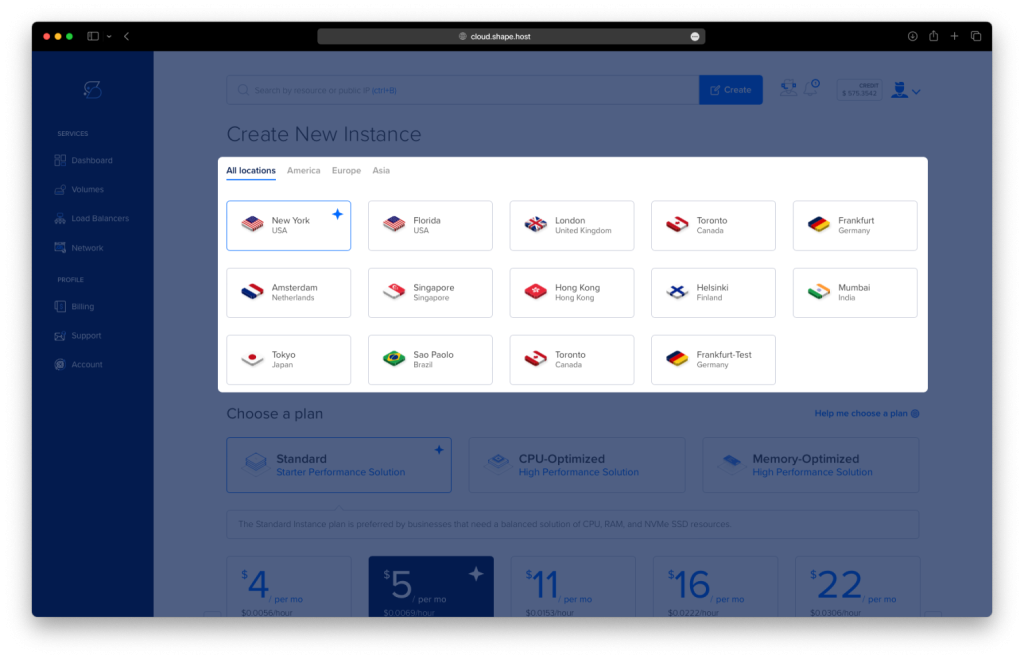
Choose a data center close to your users.
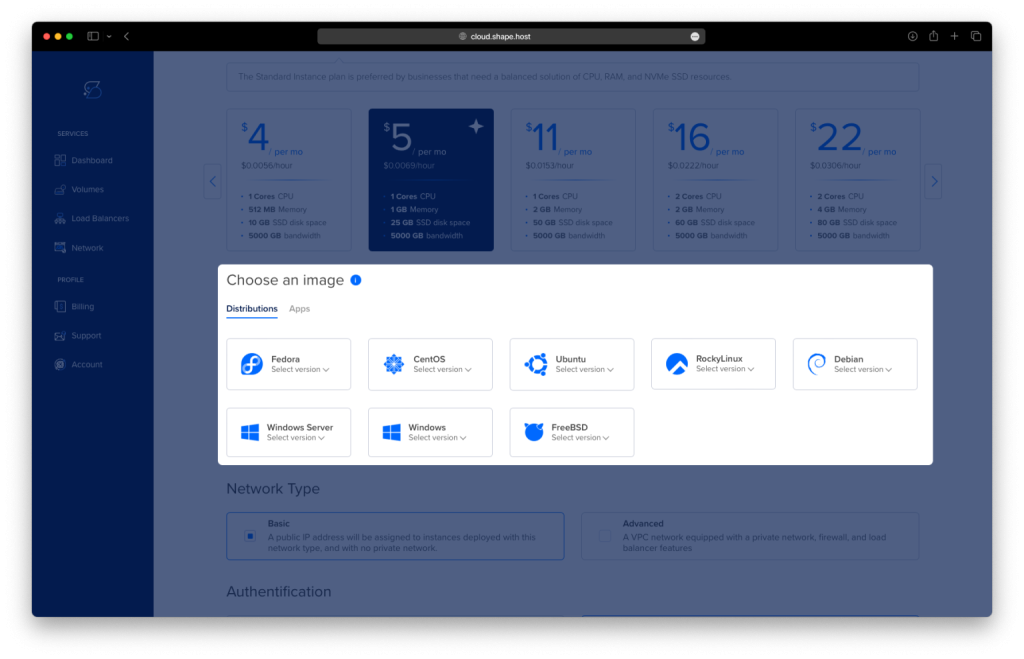
Select Rocky Linux 9 (64-bit) as the operating system.
Choose a plan (recommended minimum):
2 vCPUs
4 GB RAM
20 GB NVMe SSD
Click Create Instance.
Wait about 30 seconds for provisioning.
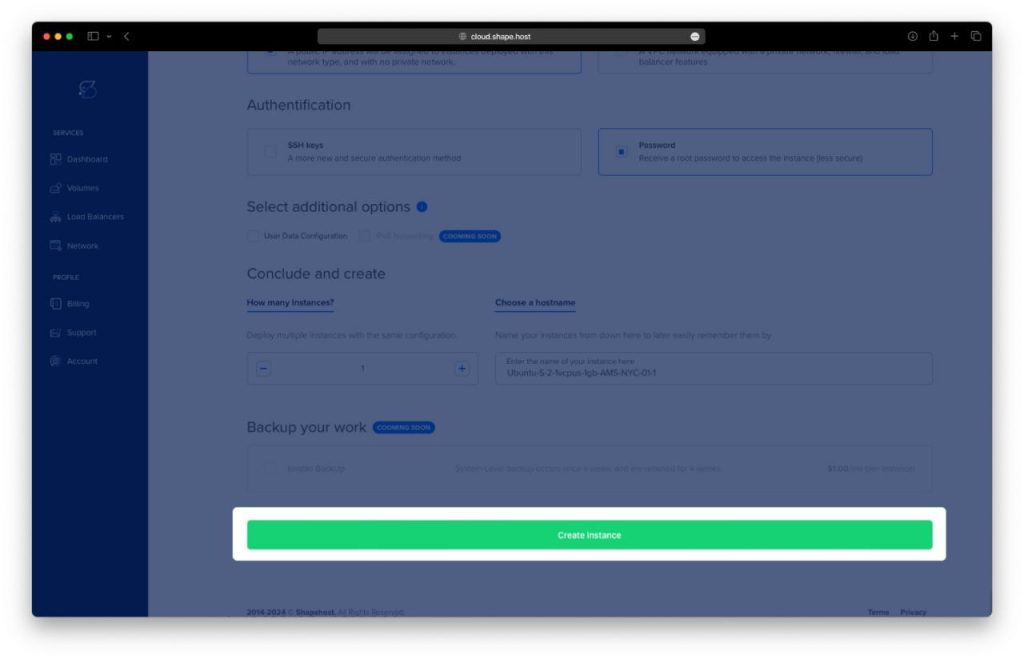
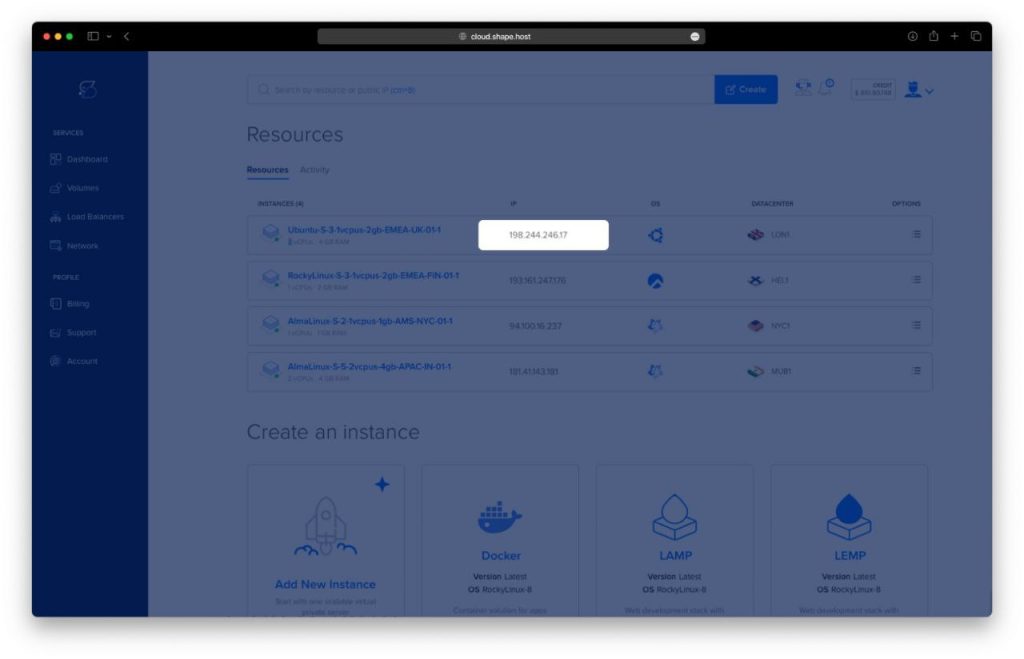
Copy the public IP address of your server.
Your Rocky Linux server is now ready.
Step 1: Connect to the Server via SSH
Linux / macOS
ssh root@YOUR_SERVER_IP
Windows (PowerShell or Windows Terminal)
ssh root@YOUR_SERVER_IP
Accept the SSH fingerprint when prompted. You are now logged in as root.
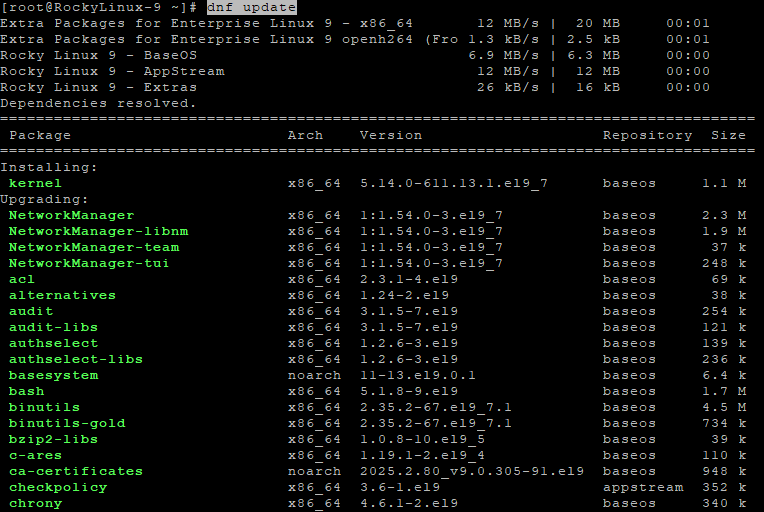
Step 2: Update the System
dnf update
Updates all system packages to the latest versions.
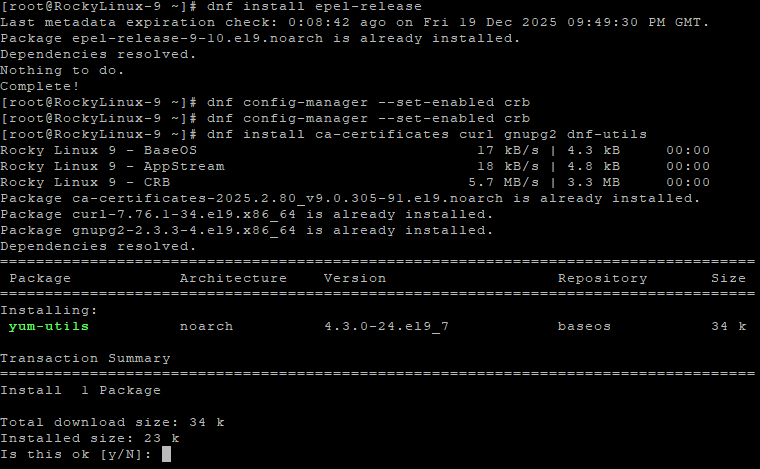
Step 3: Enable Required Repositories
dnf install epel-release
dnf config-manager --set-enabled crb
- EPEL provides extra packages
- CRB is required for Docker dependencies on Rocky Linux
Step 4: Install Required Dependencies
dnf install ca-certificates curl gnupg2 dnf-utils
These packages are required for secure downloads and repository management.
Step 5: Add Docker Repository
dnf config-manager --add-repo https://download.docker.com/linux/centos/docker-ce.repo
Rocky Linux uses the CentOS repository for Docker.
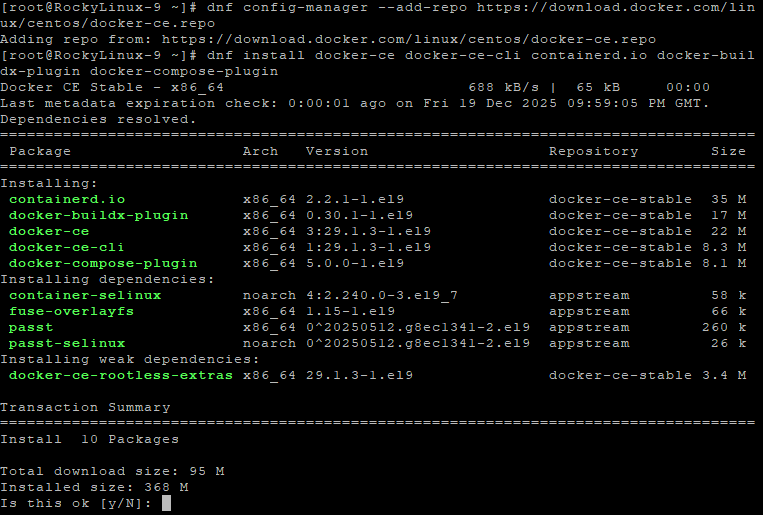
Step 6: Install Docker Engine and Docker Compose
dnf install docker-ce docker-ce-cli containerd.io docker-buildx-plugin docker-compose-plugin
Installs Docker Engine and Docker Compose v2.
Step 7: Enable and Start Docker
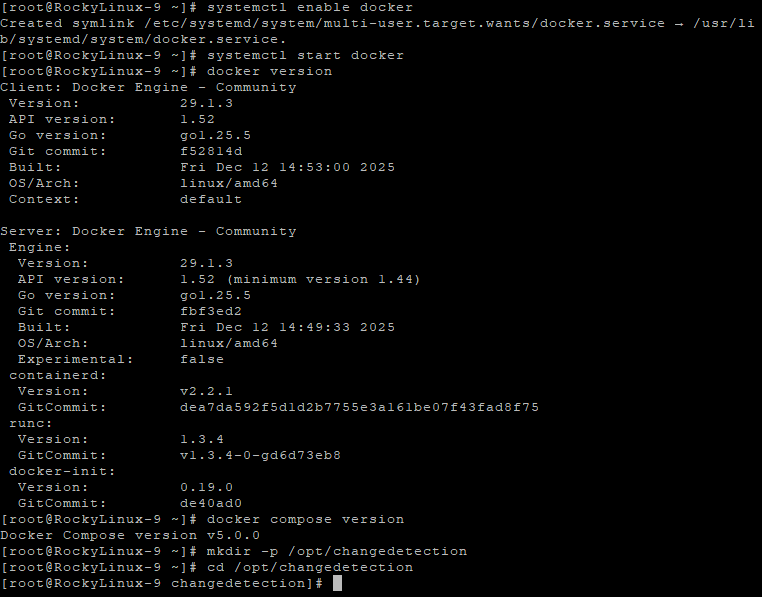
systemctl enable docker
systemctl start docker
Ensures Docker starts automatically at boot.
Step 8: Verify Docker Installation
docker version
docker compose version
Confirms Docker and Docker Compose are installed correctly.
Step 9: Create ChangeDetection Directory
mkdir -p /opt/changedetection
This directory will store Docker configuration and persistent data.
Step 10: Enter the Directory
cd /opt/changedetection
Step 11: Create Docker Compose Configuration
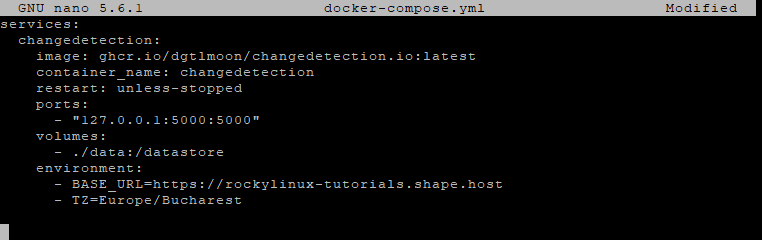
nano docker-compose.yml
Paste the exact configuration from your history:
services:
  changedetection:
    image: ghcr.io/dgtlmoon/changedetection.io:latest
    container_name: changedetection
    restart: unless-stopped
    ports:
      - "127.0.0.1:5000:5000"
    volumes:
      - ./data:/datastore
    environment:
      - BASE_URL=https://watch.example.com
      - TZ=Europe/Bucharest
Explanation:
- The application runs inside Docker
- Port 5000 is bound only to localhost for security
- Application data is stored persistently
- BASE_URL must match the final domain
Save and exit the editor.
Step 12: Start ChangeDetection.io
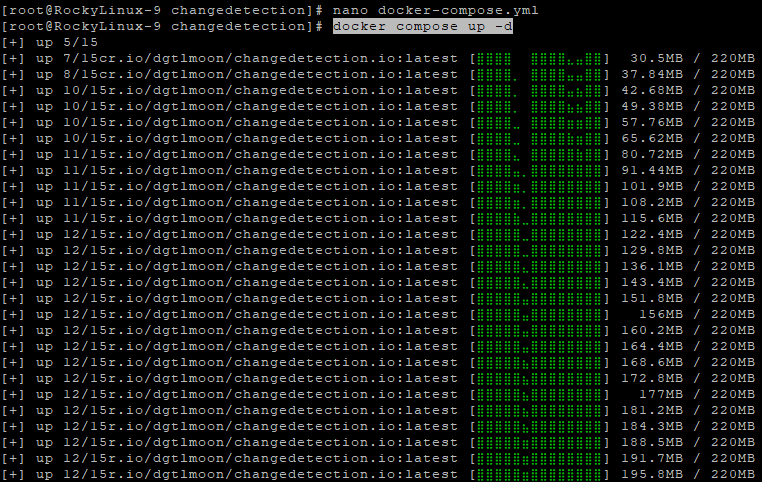
docker compose up -d
Runs the container in the background.
Step 13: Verify Container Is Running
docker ps
You should see changedetection listed as running.

Step 14: Test ChangeDetection Locally
curl http://127.0.0.1:5000
Confirms the application responds locally before exposing it publicly.
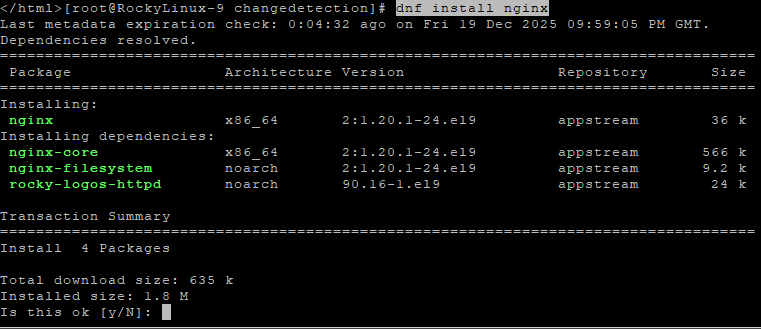
Step 15: Install Nginx
dnf install nginx
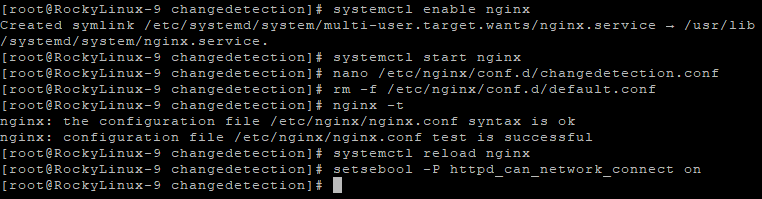
Step 16: Enable and Start Nginx
systemctl enable nginx
systemctl start nginx

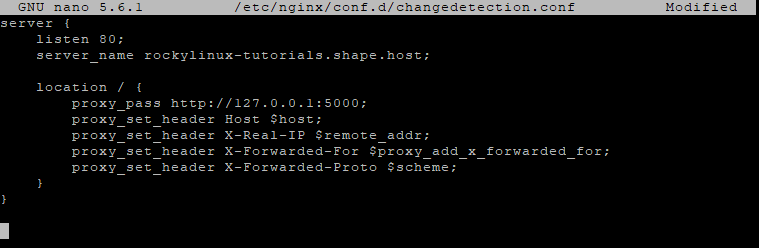
Step 17: Create Nginx Reverse Proxy Configuration
nano /etc/nginx/conf.d/changedetection.conf
Paste:
server {
    listen 80;
    server_name watch.example.com;

    location / {
        proxy_pass http://127.0.0.1:5000;
        proxy_set_header Host $host;
        proxy_set_header X-Real-IP $remote_addr;
        proxy_set_header X-Forwarded-For $proxy_add_x_forwarded_for;
        proxy_set_header X-Forwarded-Proto $scheme;
    }
}
Step 18: Remove Default Nginx Configuration
rm -f /etc/nginx/conf.d/default.conf
Prevents conflicts with the default server block.
Step 19: Test and Reload Nginx
nginx -t
systemctl reload nginx
Step 20: Allow Nginx Network Connections (SELinux)
setsebool -P httpd_can_network_connect on
This step is mandatory on Rocky Linux because SELinux blocks reverse proxy connections by default.
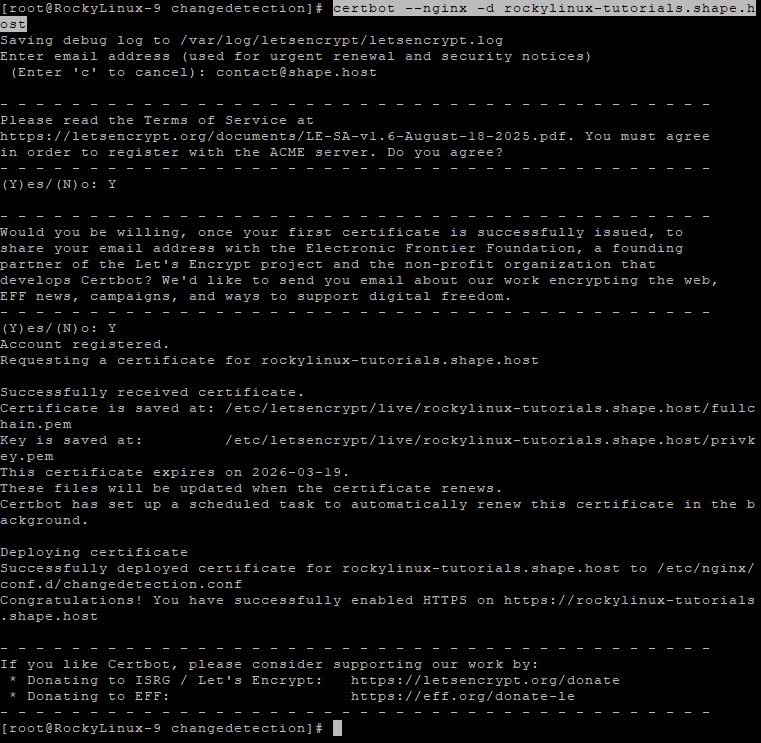
Step 21: Install Certbot and Enable SSL
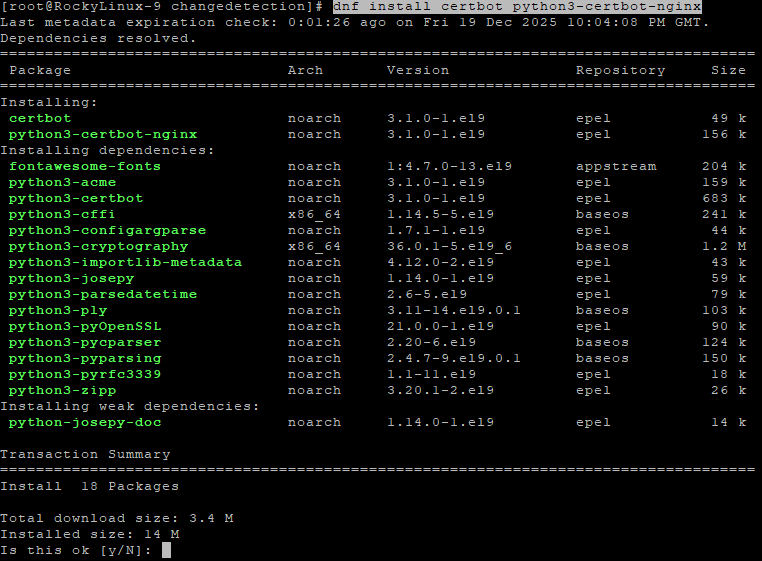
dnf install certbot python3-certbot-nginx
certbot --nginx -d rockylinux-tutorials.shape.host
Certbot automatically issues and configures a free SSL certificate.
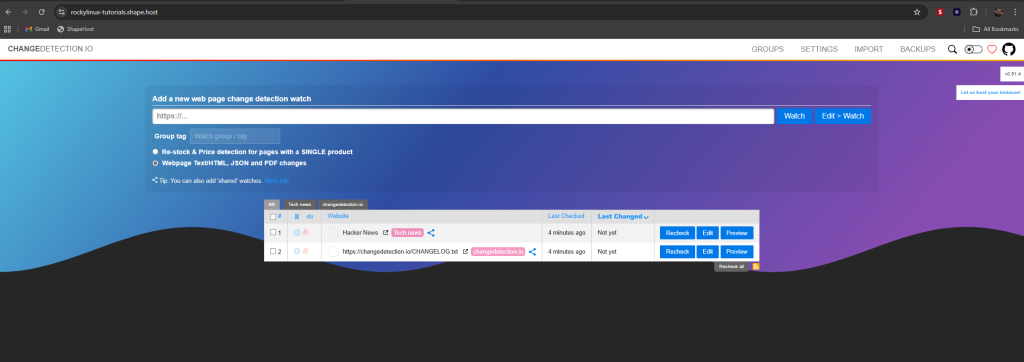
Access ChangeDetection.io Securely
https://your-domain.com
ChangeDetection.io is now fully installed and secured on Rocky Linux 9.
ChangeDetection.io, Miniflux, Ghostfolio, NocoDB, HedgeDoc, and similar self-hosted tools require fast and stable infrastructure.
Shape.Host provides:
- High-performance LInux SSD VPS
- Instant provisioning
- Clean OS templates
- Excellent uptime
- Easy scalability
Visit https://shape.host to deploy your next self-hosted application with confidence.