Apache Spark on Debian 12 – Distributed Data Processing for Modern Analytics
Apache Spark is an open-source distributed computing system that provides an optimized engine for large-scale data processing. It supports high-level APIs in Java, Scala, Python, and R, and enables workloads such as batch processing, interactive queries, streaming analytics, and machine learning.
Running Apache Spark on Debian 12 “Bookworm” offers a stable and secure foundation for deploying data-intensive applications in standalone, clustered, or cloud-integrated environments.
What is Apache Spark?
Apache Spark is designed to process massive datasets across clusters of computers using in-memory data storage and distributed execution.
Core components of Spark include:
- Spark Core: The engine for scheduling, memory management, and fault recovery.
- Spark SQL: Module for querying structured data using SQL or DataFrames.
- Spark Streaming: Enables processing of real-time data streams.
- MLlib: Machine Learning library with built-in algorithms for classification, regression, clustering, etc.
- GraphX: Library for graph-parallel computation.
Spark can run locally for testing or on a cluster manager like YARN, Apache Mesos, Kubernetes, or Spark’s standalone mode.
Why Debian 12 Is a Solid Base for Spark
Debian 12 is known for its long-term stability, secure packaging, and predictable behavior—all key traits for running data processing systems. Key system features that benefit Spark include:
- OpenJDK 17 LTS: Fully supported by Spark 3.x, with improved memory handling and class performance.
- Systemd v252: Enables fine-grained service management for Spark daemons (Master, Workers, History Server).
- Up-to-date networking stack: Kernel 6.1+ improves network throughput for distributed tasks.
- Python 3.11: Compatible with PySpark and third-party libraries used in data pipelines.
- Secure APT repositories: Ensures consistent package sources for Java, Hadoop, and Spark dependencies.
For enterprise or research-grade deployments, Debian’s minimalism and flexibility make it a preferred host OS.
Spark Deployment Modes on Debian 12
| Mode | Description |
|---|---|
| Standalone | Spark manages its own cluster of master and worker nodes. Simple and fast to deploy. |
| YARN | Integrates with Hadoop’s resource manager. Common in enterprise big data stacks. |
| Kubernetes | Container-native deployment with pod scheduling and scaling. |
| Local | Single-node setup for testing, development, and lightweight jobs. |
On Debian 12, any of these modes can be configured using the appropriate init or systemd services, and Python/Scala libraries installed via APT or manually.
Common Use Cases
- ETL Pipelines: Transform and prepare large datasets for analytics or machine learning.
- Real-time Analytics: Use Spark Streaming to analyze logs, IoT data, or Kafka topics.
- Batch Processing: Handle massive jobs across a cluster faster than MapReduce.
- Machine Learning: Train models using MLlib or integrate with scikit-learn and TensorFlow.
- Data Exploration: Run Spark SQL queries interactively using notebooks like Jupyter or Apache Zeppelin.
Spark + Debian 12 Stack Overview
| Layer | Tool/Version |
|---|---|
| OS | Debian 12 (Bookworm) |
| Java Runtime | OpenJDK 17 or 11 |
| Spark Engine | Apache Spark 3.5.x |
| Cluster Manager | Standalone / YARN / K8s |
| Python Support | PySpark with Python 3.11 |
| Data Storage (optional) | HDFS, Amazon S3, Ceph, MinIO |
| Monitoring | Prometheus, Grafana, Spark UI |
Spark can also integrate with Hive Metastore, Delta Lake, or Iceberg if needed for metadata and ACID transaction support.
Benefits of Running Spark on Debian 12
- ✅ Stable OS base: Reduces maintenance overhead for long-running data services.
- ✅ Secure environment: With AppArmor and minimal attack surface.
- ✅ Open-source ecosystem: Seamless integration with Kafka, Airflow, Hadoop, etc.
- ✅ Customizability: Debian’s package control allows optimized setups for RAM and CPU.
- ✅ Reproducible builds: Ideal for CI/CD and data science experiments.
Challenges and Considerations
- ❌ Manual installation: Spark binaries are not in the Debian official repo; manual download from Apache is needed.
- ❌ Cluster setup complexity: For large deployments, cluster management and tuning require advanced knowledge.
- ❌ Monitoring setup: Spark’s native UI is limited; Prometheus + Grafana is usually required for full observability.
- ❌ Resource-intensive: Spark thrives on memory and CPU—ensure your VPS or node setup has enough headroom.
Security Tips
- Run Spark as a non-root user with restricted permissions.
- Configure SSL/TLS for Spark Web UI and REST endpoints.
- Enable Kerberos or LDAP authentication for enterprise clusters.
- Limit access to the master node and submit endpoints via firewall or VPN.
Hosting Spark on Shape.Host with Debian 12
For lightweight clusters, development environments, or POCs, deploying Spark on a Shape.Host Cloud VPS running Debian 12 provides:
- Root access for full control
- SSD-backed I/O ideal for fast shuffle operations
- Easy scalability (add more workers or RAM as needed)
- Secure isolated networking
For heavier workloads, Shape.Host’s VPS or bare-metal options can be horizontally scaled using Spark’s standalone cluster manager.
Apache Spark on Debian 12 is a high-performance, flexible platform for data processing, machine learning, and streaming analytics. Debian’s focus on stability and simplicity complements Spark’s distributed nature, making it ideal for both development and production use.
Whether you’re processing logs in real time, running ETL jobs across terabytes of data, or exploring data with PySpark in Jupyter, Debian 12 provides a reliable and efficient environment for Spark workloads—especially when hosted on optimized platforms like Shape.Host.
Step 1: Set Up a Server Instance on Shape.Host
To begin, deploy a new VPS running Debian 12. Shape.Host provides reliable and high-performance infrastructure, perfect for Spark.
Visit https://shape.host and sign in.
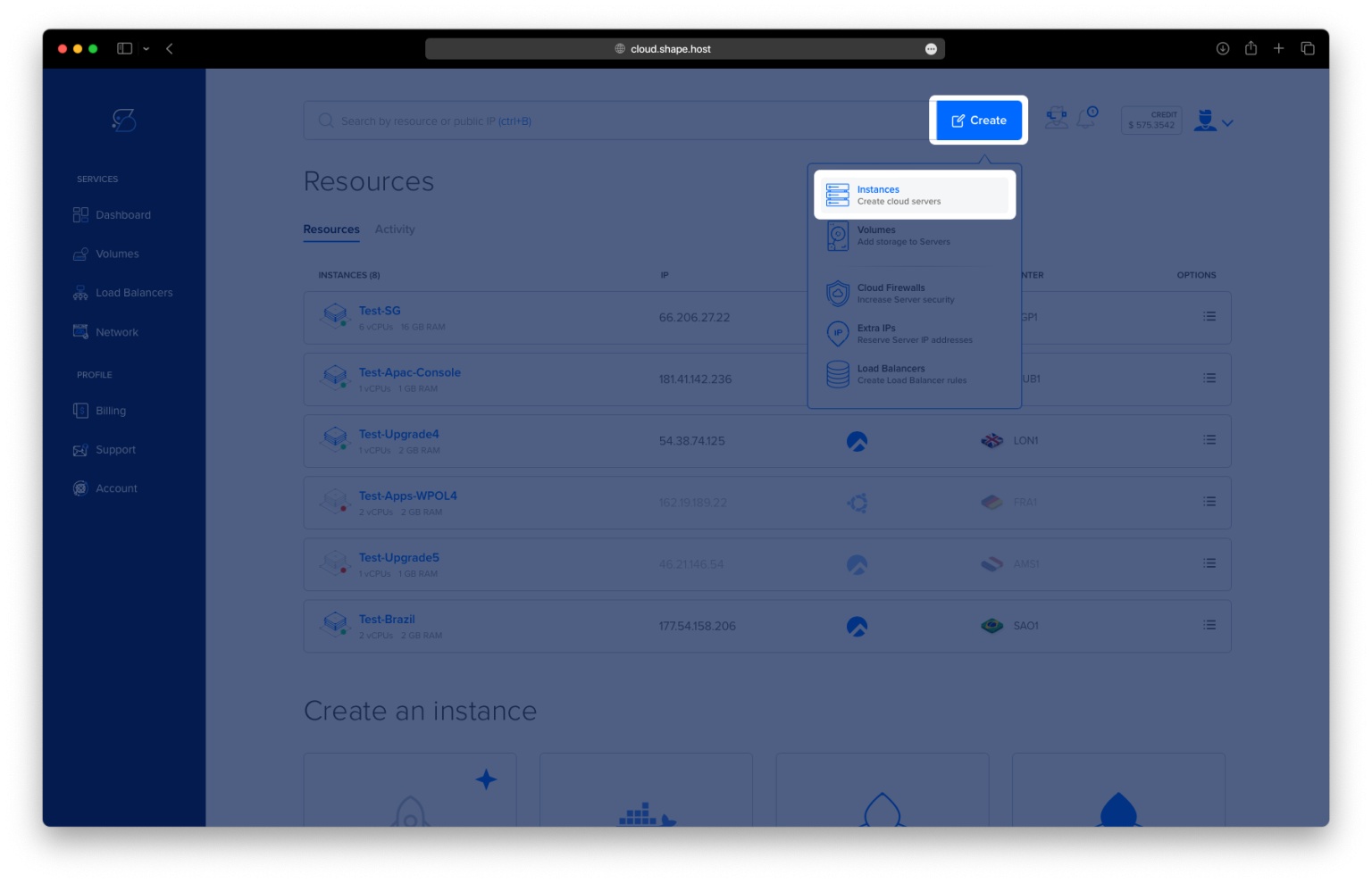
Click “Create” → “Instance.”

Set up the instance:
Location: Choose a region near your users.

OS: Select Debian 12 (64-bit).
Plan: Use at least 2 vCPUs, 4 GB RAM, and 40 GB SSD.

Click “Create Instance.”

After the instance is deployed, copy the public IP address for SSH access.

Step 2: Connect to Your Server
From Linux/macOS:
ssh root@your_server_ip
From Windows (using PuTTY):
- Enter the IP under “Host Name”
- Click Open
- Log in as
root
Step 3: Install Required Packages
Step 3.1 – Update Package Index
apt update

Step 3.2 – Install OpenJDK 17
Apache Spark requires Java. Install OpenJDK 17:
apt install openjdk-17-jdk

Step 3.3 – Verify Java Installation
java -version
Expected output should confirm Java 17 is installed.

Step 3.4 – Install Python 3 and pip
These are needed if you’re running Spark with PySpark:
apt install python3 python3-pip

Step 4: Download and Extract Apache Spark
Step 4.1 – Go to /opt directory
cd /opt
Step 4.2 – Download Spark 3.5.1 with Hadoop 3 support
wget https://archive.apache.org/dist/spark/spark-3.5.1/spark-3.5.1-bin-hadoop3-scala2.13.tgz

Step 4.3 – Extract the archive
tar -xzf spark-3.5.1-bin-hadoop3-scala2.13.tgz
Step 4.4 – Rename the folder to simplify pathing
mv spark-3.5.1-bin-hadoop3-scala2.13 spark

Step 5: Configure Environment Variables
Add Spark environment variables to your shell configuration.
Step 5.1 – Edit .bashrc
nano ~/.bashrc
Add the following lines at the end:
export SPARK_HOME=/opt/spark
export PATH=$SPARK_HOME/bin:$PATH

Step 5.2 – Apply the changes
source ~/.bashrc
Step 6: Verify Spark Installation
Step 6.1 – Check Spark version
spark-shell --version

Step 6.2 – Launch Spark Shell
spark-shell

Once it starts, it will show a prompt like scala> and open a web UI at:
http://localhost:4040

You’ve installed Apache Spark on Debian 12. You can now use Spark for data processing, analytics, and machine learning workloads right from your terminal or integrate it with larger data pipelines.
Hosting big data infrastructure?
Try Shape.Host Linux SSD VPS — fast, scalable, and optimized for data workloads.
Get started at https://shape.host