LibreNMS on Ubuntu 24.04 (Nginx + PHP-FPM)
LibreNMS is a powerful, open-source network monitoring and management platform that provides auto-discovery, alerting, performance graphing, and API integrations. It supports a wide range of devices and vendors via SNMP, making it a flexible and scalable solution for monitoring networks of any size. With its modern web interface, customizable dashboards, and strong community support, LibreNMS is one of the most popular alternatives to commercial network monitoring tools like SolarWinds and PRTG.
Running LibreNMS on Ubuntu 24.04 LTS (Noble Numbat) with Nginx and PHP-FPM ensures a secure, fast, and long-term supported environment. Ubuntu 24.04 provides systemd 255, OpenSSL 3, and up-to-date PHP 8.3 and MariaDB packages, making it an excellent foundation for a reliable monitoring stack.
Architecture Overview
| Layer | Component | Role |
|---|---|---|
| OS | Ubuntu 24.04 LTS | Stable, secure foundation with long-term support |
| Web Server | Nginx + PHP-FPM | Serves the LibreNMS PHP application with fast, efficient handling |
| Database | MariaDB/MySQL | Stores monitoring data, configurations, and device inventory |
| Runtime | PHP 8.3 + Extensions | Executes LibreNMS application logic |
| Monitoring | SNMPD + Pollers | Collects metrics from network devices and systems |
| TLS | Let’s Encrypt / PKI | Provides secure HTTPS access to the LibreNMS interface |
Why Use LibreNMS?
- Automatic discovery – detects devices, interfaces, and services via SNMP.
- Rich alerting system – email, Slack, Telegram, and webhook integrations.
- Scalable – supports distributed polling for large infrastructures.
- Customizable dashboards – intuitive graphs and reporting with RRDTool.
- API integrations – RESTful API for automation and third-party tools.
- Community-driven – regularly updated with new features and device support.
LibreNMS vs Other Monitoring Tools
| Feature/Capability | LibreNMS | Zabbix | Nagios Core | SolarWinds / PRTG |
|---|---|---|---|---|
| License | Free, open-source | Free, open-source | Free, open-source | Paid, commercial |
| Auto-discovery | Yes | Partial | Limited | Yes |
| Dashboards | Modern web UI | Customizable | Basic web UI | Advanced |
| Alerting | Multi-channel | Advanced | Plugin-based | Advanced |
| Scalability | Distributed pollers | Distributed agents | Manual scaling | Enterprise-ready |
LibreNMS stands out as a free, community-driven alternative that offers many enterprise-grade features without licensing costs.
Security & Best Practices
- Run LibreNMS behind Nginx with HTTPS.
- Secure MariaDB with strong passwords and backups.
- Configure SNMP v3 for encrypted and authenticated polling.
- Use role-based access control (RBAC) for user permissions.
- Keep Ubuntu, PHP, MariaDB, and LibreNMS updated regularly.
- Monitor system logs and enable Fail2Ban for brute-force protection.
Typical Use Cases
- Monitoring enterprise and ISP networks across multiple vendors.
- Keeping track of server performance, storage, and virtualization platforms.
- Alerting on network outages, bandwidth spikes, or hardware failures.
- Creating custom dashboards for IT/NOC teams.
- Acting as a cost-free replacement for expensive commercial tools.
Deploying LibreNMS on Ubuntu 24.04 with Nginx and PHP-FPM gives you a secure, scalable, and enterprise-ready network monitoring platform — powerful enough for large infrastructures yet simple enough for small teams.
Step 1: Create a Server Instance on Shape.Host
Start with a clean Ubuntu 24.04 environment. Here’s how to set one up at Shape.Host:
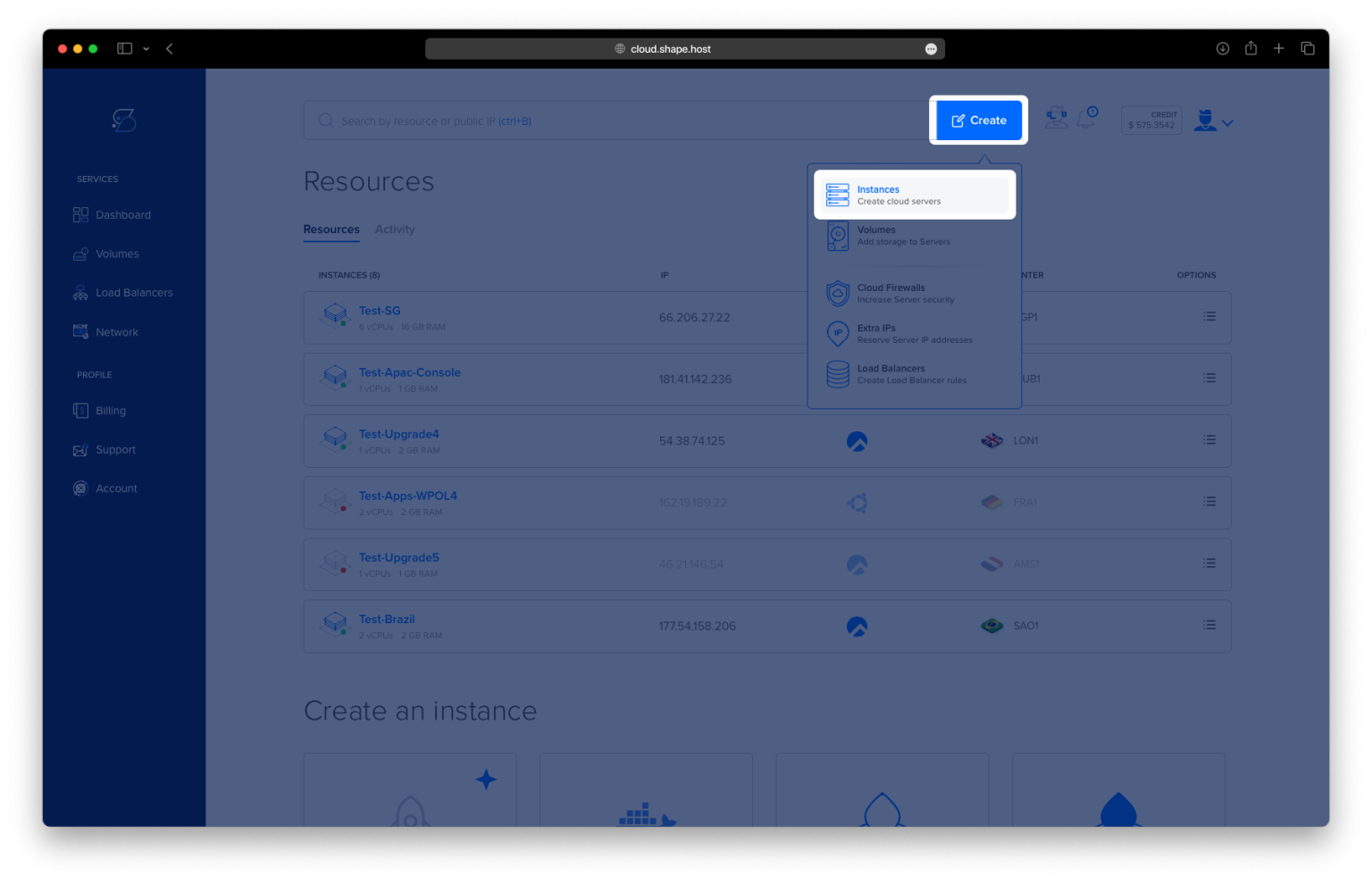
Log into your Shape.Host dashboard.
Click Create → Instance.
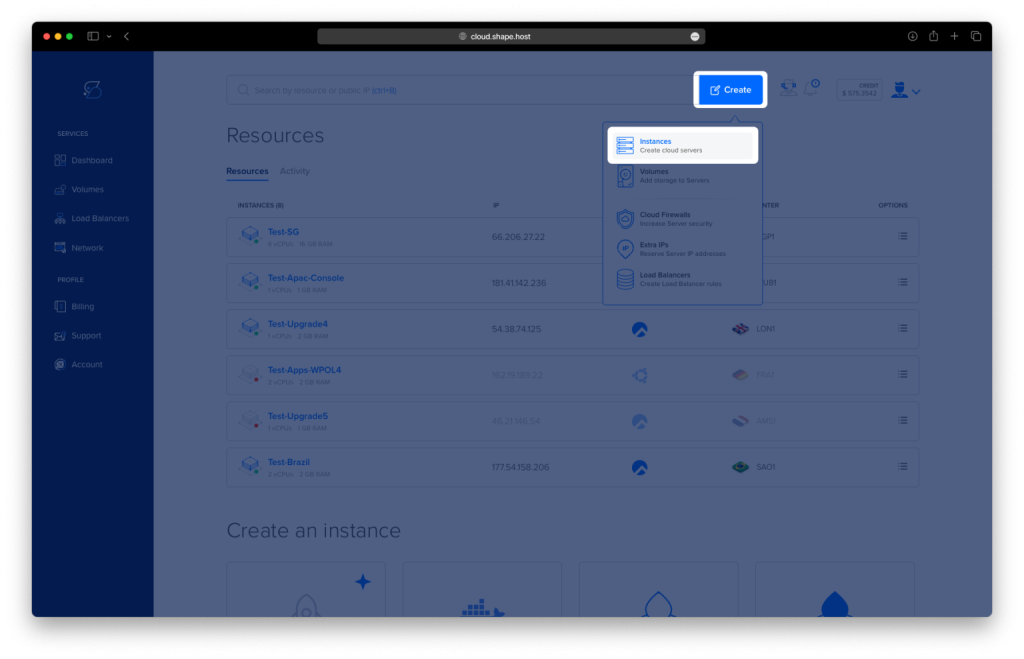
Choose a data center location close to your users for low latency.
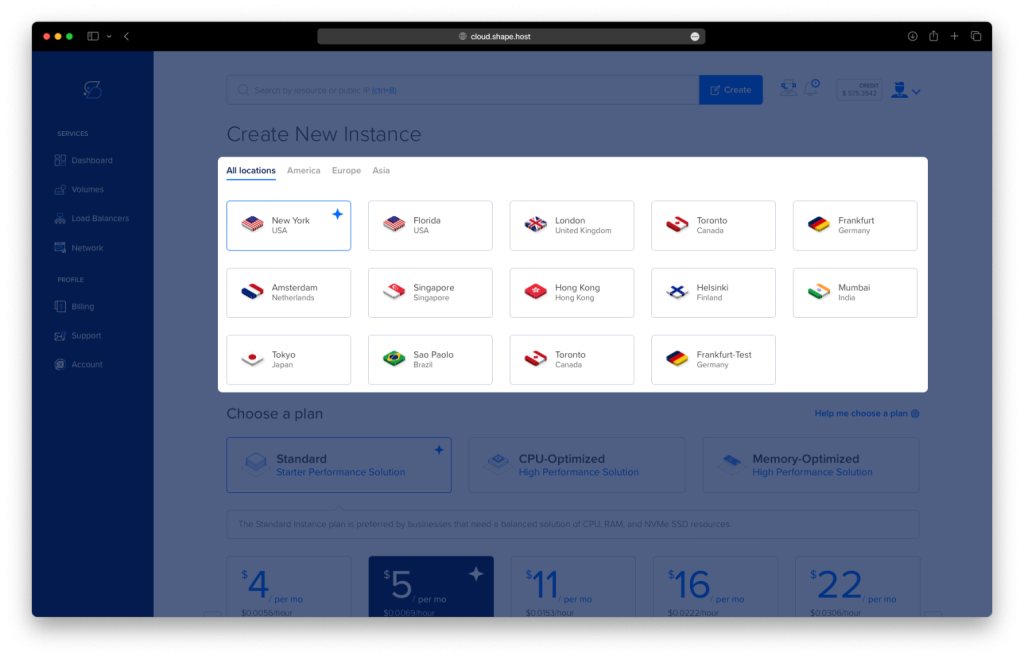
Select a plan with at least 4 GB RAM, 2 vCPUs, and 40 GB SSD storage (LibreNMS needs extra memory).
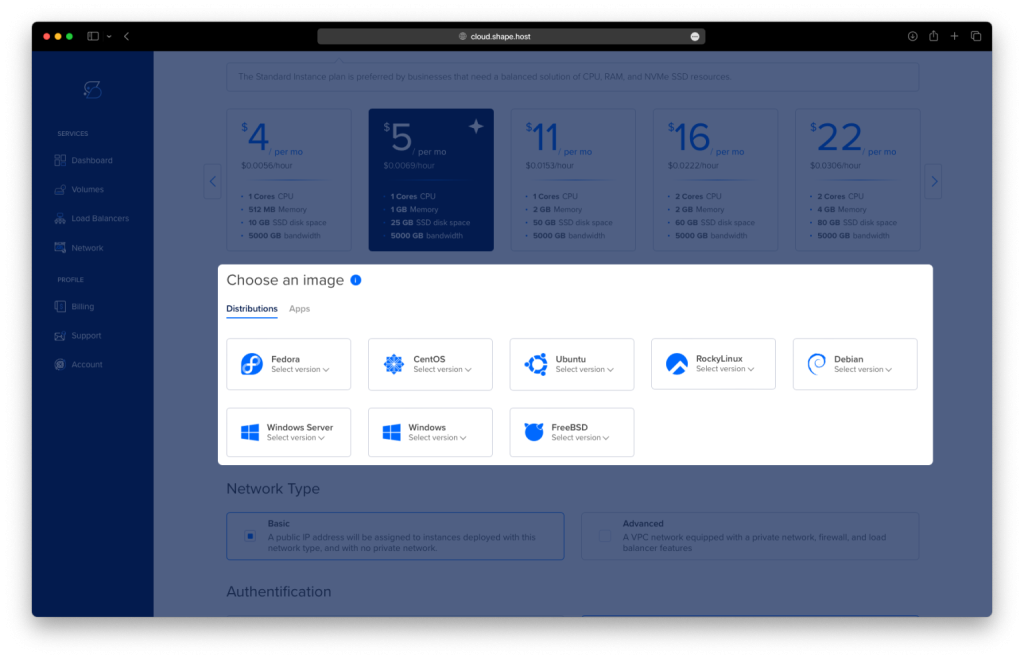
Under operating systems, select Ubuntu 24.04 (64-bit).
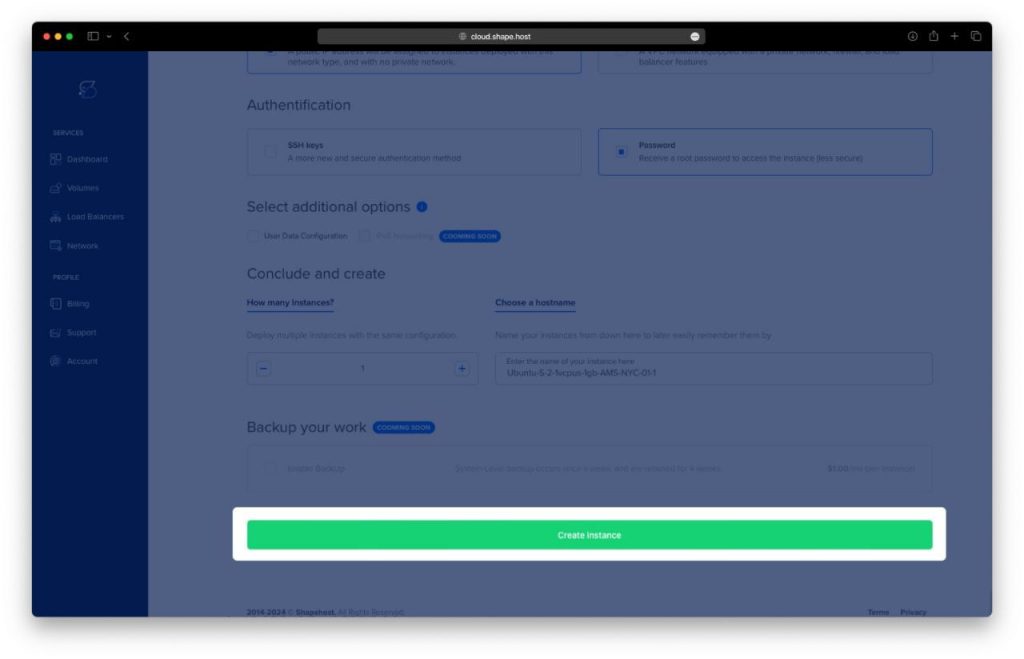
Click Create Instance.
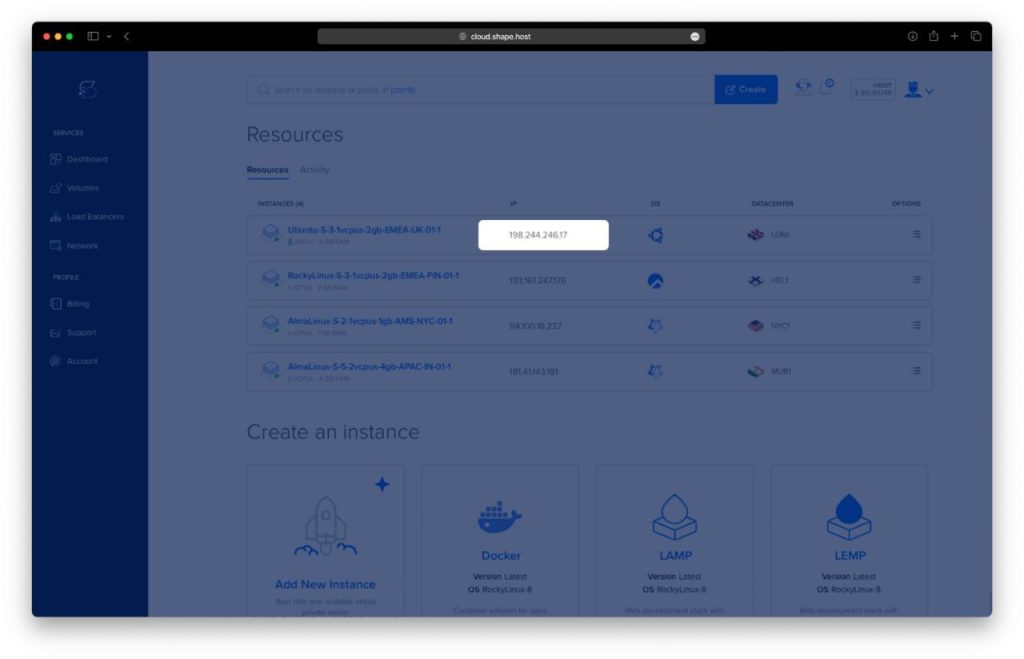
Once deployed, copy the instance’s IP address from the Resources panel.
Step 2: Connect to Your Server
- Linux/macOS:
ssh root@your_server_ip(Connects directly as root over SSH.) - Windows:
Use PuTTY, enter your server’s IP, choose SSH, and log in with the credentials provided.
Step 3: Install Dependencies
Update and upgrade your system
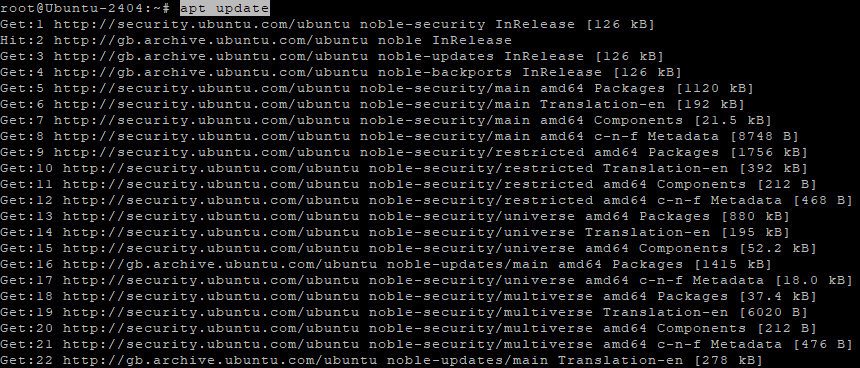
apt update
apt upgrade
Updates package lists and upgrades all installed packages.
Install required packages
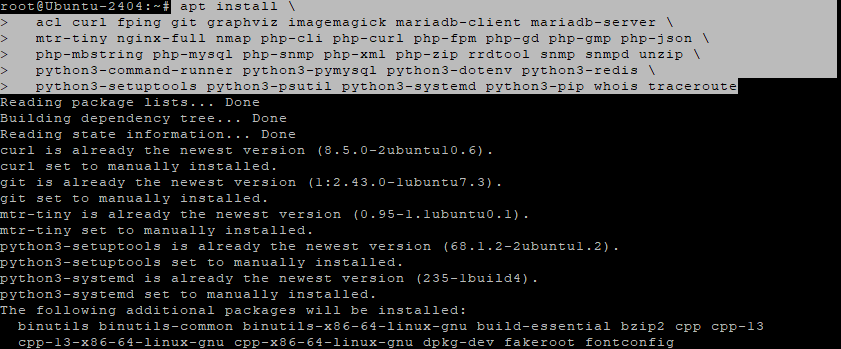
apt install acl curl fping git graphviz imagemagick mariadb-client mariadb-server \
mtr-tiny nginx-full nmap php-cli php-curl php-fpm php-gd php-gmp php-json \
php-mbstring php-mysql php-snmp php-xml php-zip rrdtool snmp snmpd unzip \
python3-command-runner python3-pymysql python3-dotenv python3-redis \
python3-setuptools python3-psutil python3-systemd python3-pip whois traceroute
Installs LibreNMS dependencies: databases, PHP with extensions, SNMP tools, monitoring utilities, and Nginx web server.
Step 4: Create LibreNMS User and Download Code
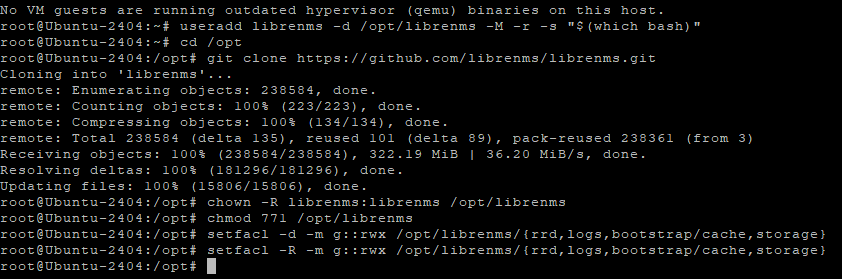
useradd librenms -d /opt/librenms -M -r -s "$(which bash)"
Creates a system user librenms with home directory /opt/librenms.
cd /opt
git clone https://github.com/librenms/librenms.git
chown -R librenms:librenms /opt/librenms
chmod 771 /opt/librenms
Downloads LibreNMS from GitHub and sets ownership/permissions.
Set ACLs for writable directories
setfacl -d -m g::rwx /opt/librenms/{rrd,logs,bootstrap/cache,storage}
setfacl -R -m g::rwx /opt/librenms/{rrd,logs,bootstrap/cache,storage}
Ensures group write access persists for LibreNMS’s storage directories.
Step 5: Configure PHP
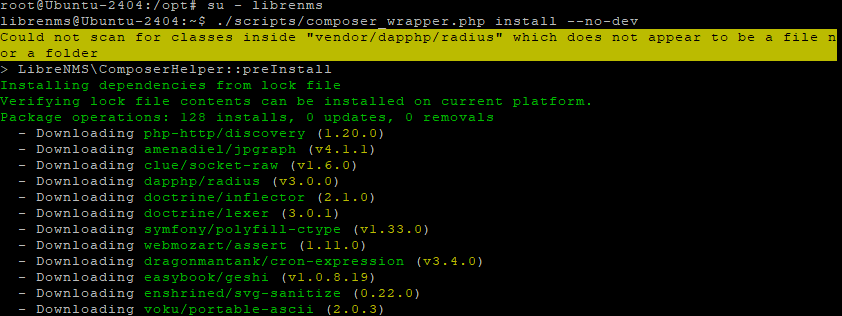
su - librenms
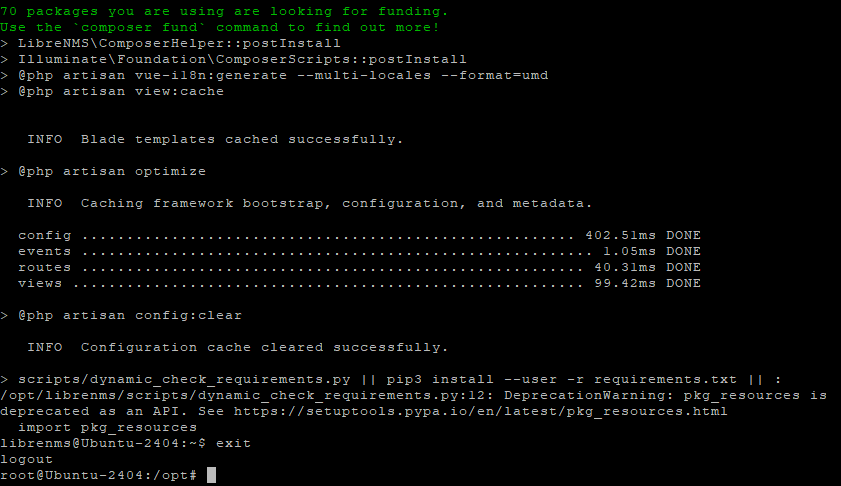
./scripts/composer_wrapper.php install --no-dev
exit
Switches to the LibreNMS user.
sed -i 's|^;*date.timezone =.*|date.timezone = Europe/Bucharest|' /etc/php/8.3/fpm/php.ini
sed -i 's|^;*date.timezone =.*|date.timezone = Europe/Bucharest|' /etc/php/8.3/cli/php.ini
timedatectl set-timezone Europe/Bucharest
Sets the PHP timezone and system timezone.

Step 6: Configure MariaDB
Edit configuration:
nano /etc/mysql/mariadb.conf.d/50-server.cnf
Add under [mysqld]:
innodb_file_per_table=1
lower_case_table_names=0

Then:
systemctl enable mariadb
systemctl restart mariadb
Applies configuration changes and restarts MariaDB.

Create database and user
mysql -u root <<'SQL'
CREATE DATABASE librenms CHARACTER SET utf8mb4 COLLATE utf8mb4_unicode_ci;
CREATE USER 'librenms'@'localhost' IDENTIFIED BY 'StrongPassword123!';
GRANT ALL PRIVILEGES ON librenms.* TO 'librenms'@'localhost';
FLUSH PRIVILEGES;
SQL
Creates the librenms database and user.

Step 7: Configure PHP-FPM
Copy and edit the pool file:
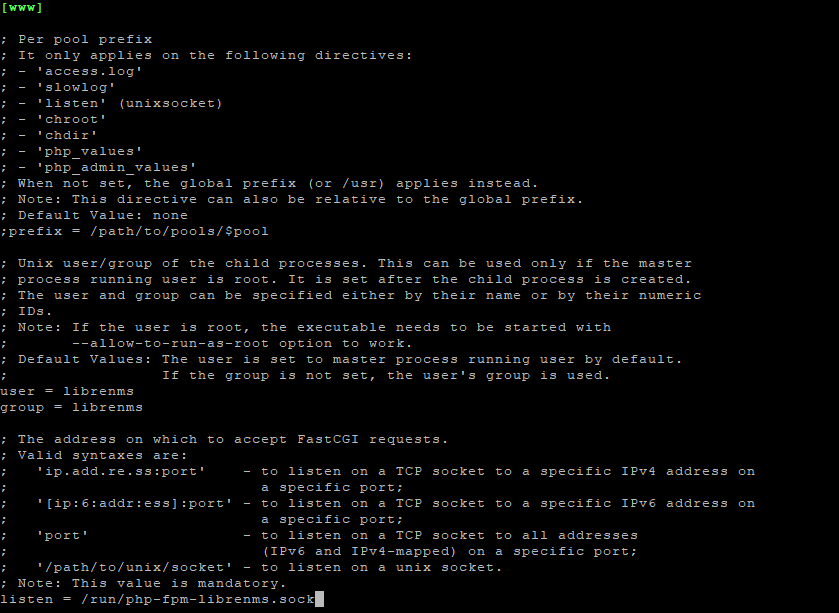
cp /etc/php/8.3/fpm/pool.d/www.conf /etc/php/8.3/fpm/pool.d/librenms.conf
nano /etc/php/8.3/fpm/pool.d/librenms.confChange:
[www]          → [librenms]
user = librenms
group = librenms
listen = /run/php-fpm-librenms.sock
Restart PHP-FPM:
systemctl restart php8.3-fpm

Step 8: Configure Nginx
Create site config:
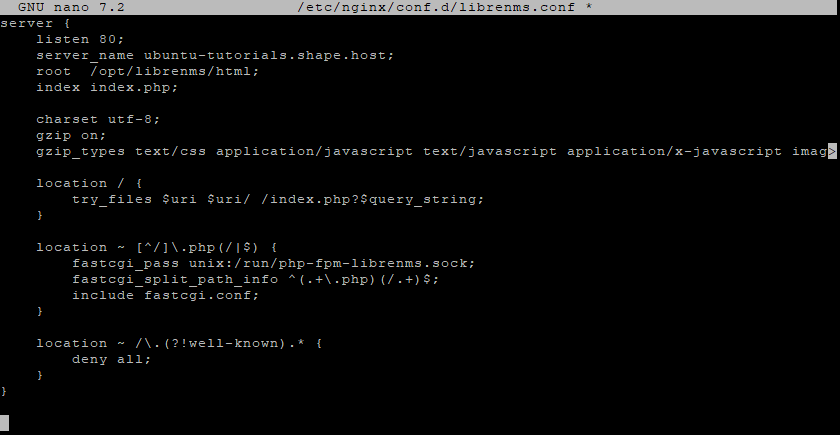
nano /etc/nginx/conf.d/librenms.conf
Add:
server {
    listen 80;
    server_name librenms.example.com;
    root  /opt/librenms/html;
    index index.php;

    charset utf-8;
    gzip on;
    gzip_types text/css application/javascript text/javascript application/x-javascript image/svg+xml text/plain text/xsd text/xsl text/xml image/x-icon;

    location / {
        try_files $uri $uri/ /index.php?$query_string;
    }

    location ~ [^/]\.php(/|$) {
        fastcgi_pass unix:/run/php-fpm-librenms.sock;
        fastcgi_split_path_info ^(.+\.php)(/.+)$;
        include fastcgi.conf;
    }

    location ~ /\.(?!well-known).* {
        deny all;
    }
}
Remove default site and restart:
rm -f /etc/nginx/sites-enabled/default /etc/nginx/sites-available/default 2>/dev/null || true
systemctl restart nginx
systemctl restart php8.3-fpm
Step 9: Configure SNMP
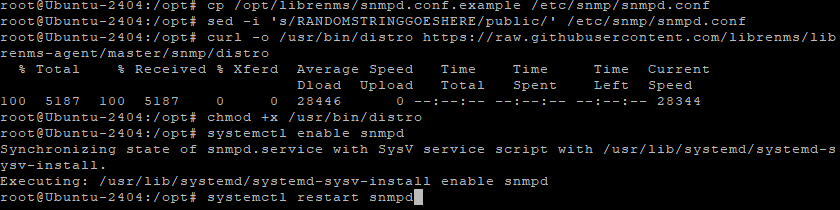
cp /opt/librenms/snmpd.conf.example /etc/snmp/snmpd.conf
sed -i 's/RANDOMSTRINGGOESHERE/public/' /etc/snmp/snmpd.conf
curl -o /usr/bin/distro https://raw.githubusercontent.com/librenms/librenms-agent/master/snmp/distro
chmod +x /usr/bin/distro
systemctl enable snmpd
systemctl restart snmpd
Configures SNMP and installs LibreNMS agent script.
Step 10: Final LibreNMS Setup
Enable useful tools:
ln -s /opt/librenms/lnms /usr/bin/lnms
cp /opt/librenms/misc/lnms-completion.bash /etc/bash_completion.d/
cp /opt/librenms/dist/librenms.cron /etc/cron.d/librenms
cp /opt/librenms/dist/librenms-scheduler.service /opt/librenms/dist/librenms-scheduler.timer /etc/systemd/system/
systemctl enable librenms-scheduler.timer
systemctl start librenms-scheduler.timer
cp /opt/librenms/misc/librenms.logrotate /etc/logrotate.d/librenms
Adds CLI tools, autocompletion, cron jobs, systemd scheduler, and log rotation.


Step 11: Enable SSL with Certbot
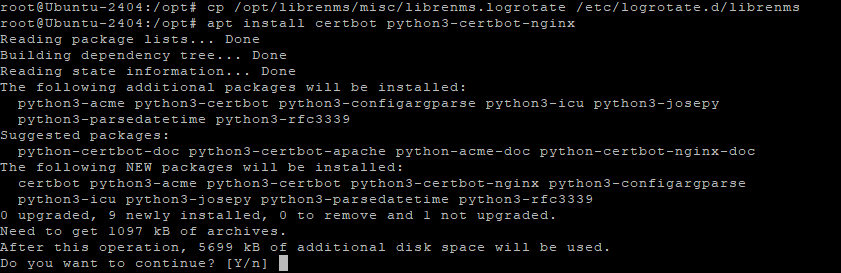
apt install certbot python3-certbot-nginx
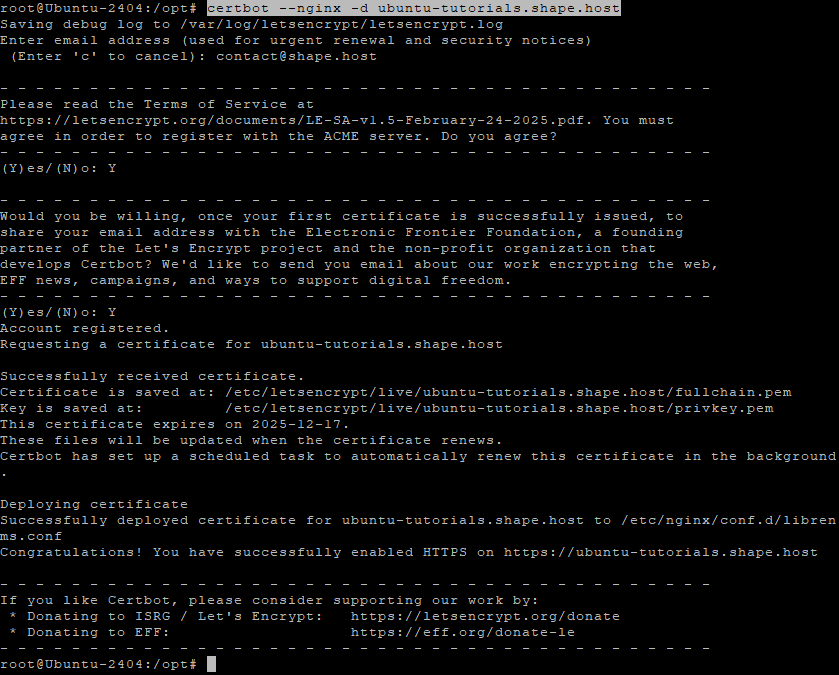
certbot --nginx -d ubuntu-tutorials.shape.host
Installs a free Let’s Encrypt SSL certificate for your domain.
Step 12: Configure Dedicated PHP-FPM Pool
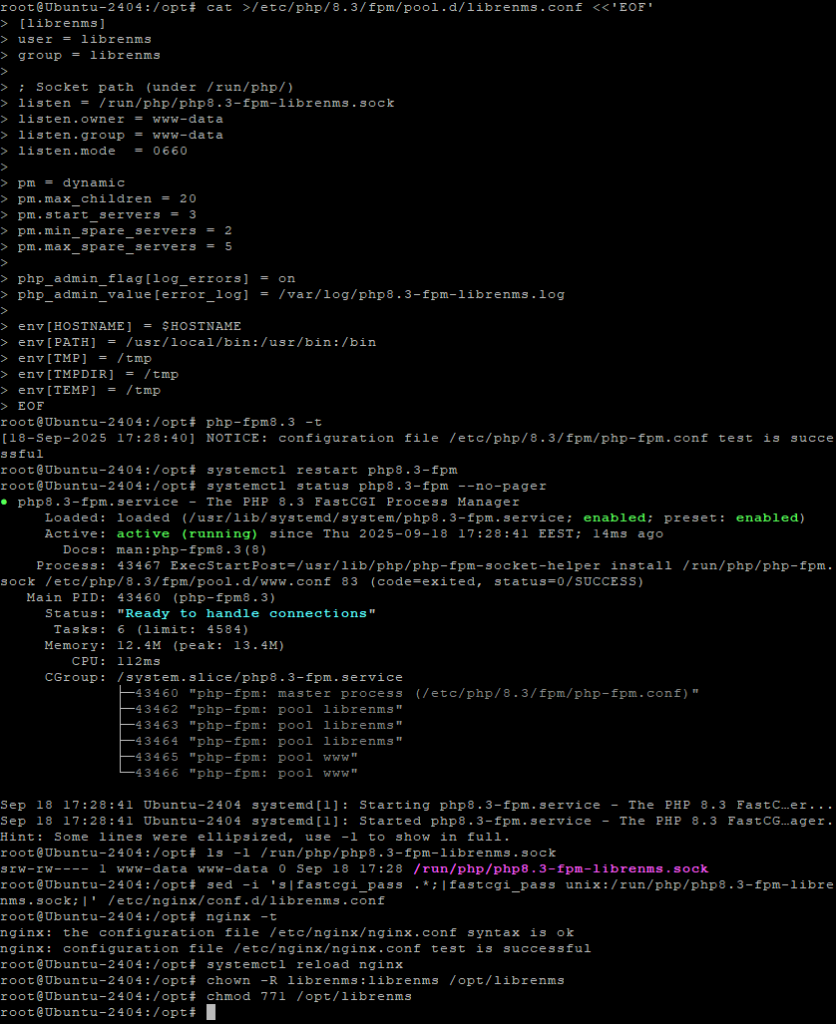
cat >/etc/php/8.3/fpm/pool.d/librenms.conf <<'EOF'
[librenms]
user = librenms
group = librenms

; Socket path (under /run/php/)
listen = /run/php/php8.3-fpm-librenms.sock
listen.owner = www-data
listen.group = www-data
listen.mode  = 0660

pm = dynamic
pm.max_children = 20
pm.start_servers = 3
pm.min_spare_servers = 2
pm.max_spare_servers = 5

php_admin_flag[log_errors] = on
php_admin_value[error_log] = /var/log/php8.3-fpm-librenms.log

env[HOSTNAME] = $HOSTNAME
env[PATH] = /usr/local/bin:/usr/bin:/bin
env[TMP] = /tmp
env[TMPDIR] = /tmp
env[TEMP] = /tmp
EOF
Test configuration and restart:
php-fpm8.3 -t
systemctl restart php8.3-fpm
systemctl status php8.3-fpm --no-pager
ls -l /run/php/php8.3-fpm-librenms.sock
Update Nginx to use new socket:
sed -i 's|fastcgi_pass .*;|fastcgi_pass unix:/run/php/php8.3-fpm-librenms.sock;|' /etc/nginx/conf.d/librenms.conf
nginx -t
systemctl reload nginx
Fix permissions again:
chown -R librenms:librenms /opt/librenms
chmod 771 /opt/librenms
Step 13: Access Web Installer
Open your browser and go to:
http://librenms.example.com/install
Follow the installation wizard to complete setup.
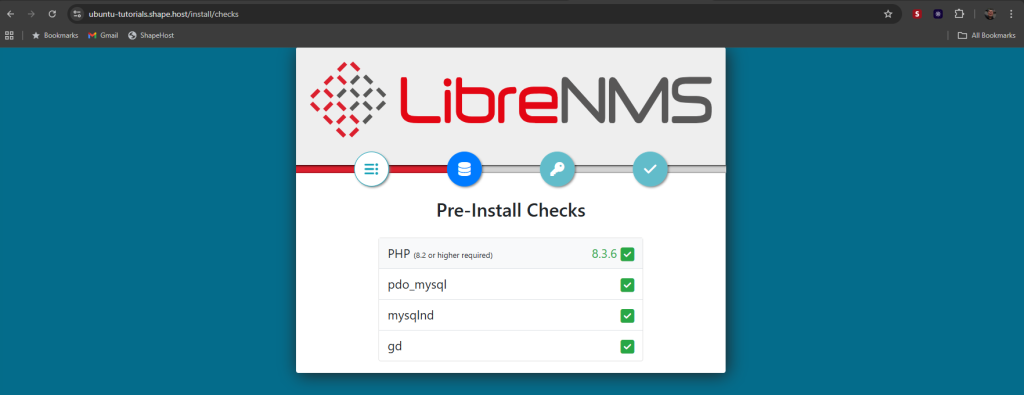
Pre-Install Checks – The installer verifies your PHP version and required extensions. All checks must show green before continuing.
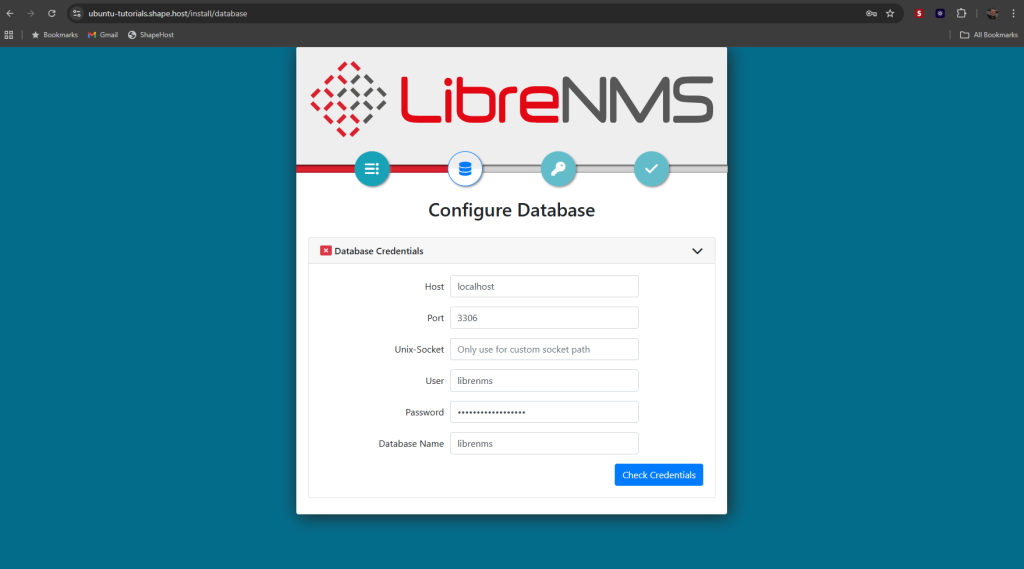
Database Configuration – Enter your database host, port (default 3306), username, password, and database name, then validate the credentials.
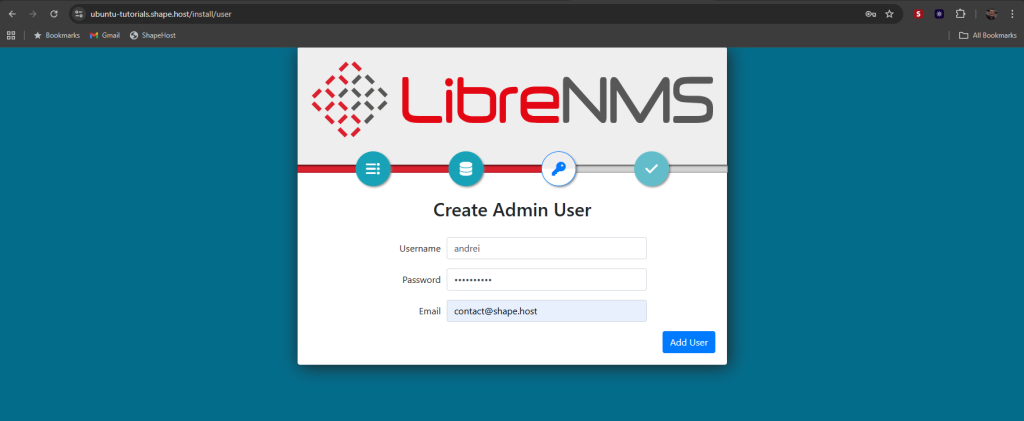
Create Admin User – Set up an administrator account with username, email, and password.
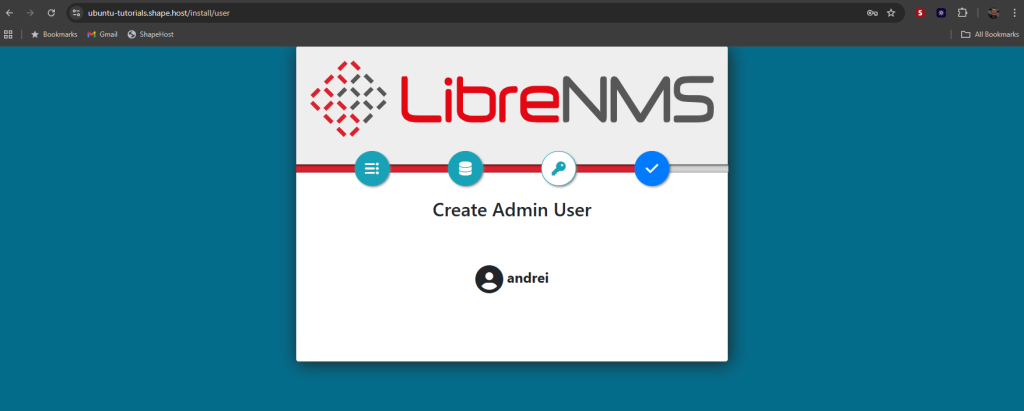
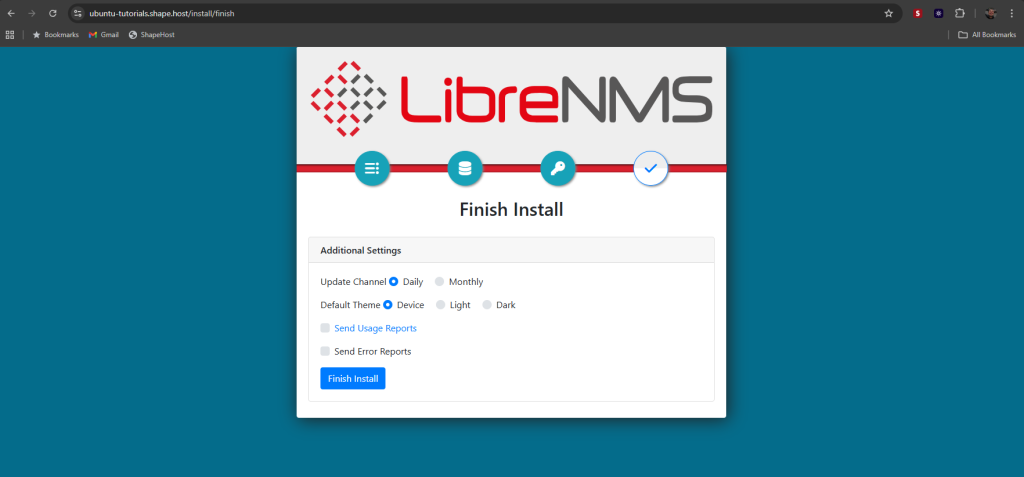
Finish Install – Choose update frequency, select a default theme, and finalize the setup.
Once completed, you can log in with your admin credentials and begin using LibreNMS.
http://librenms.example.com/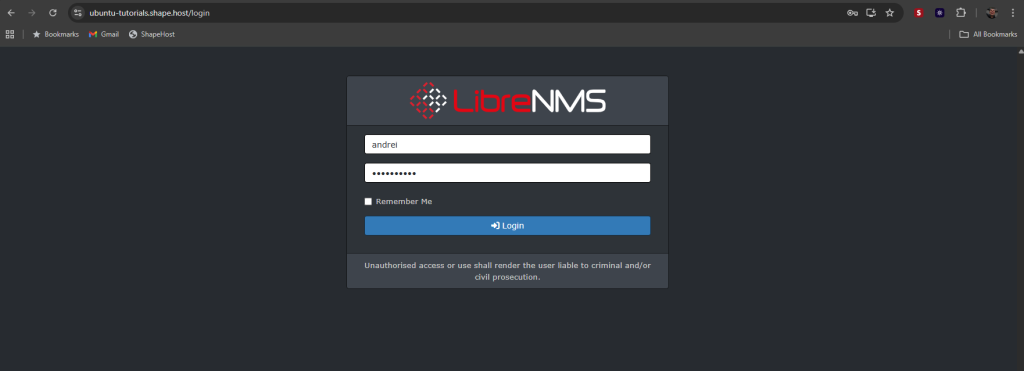
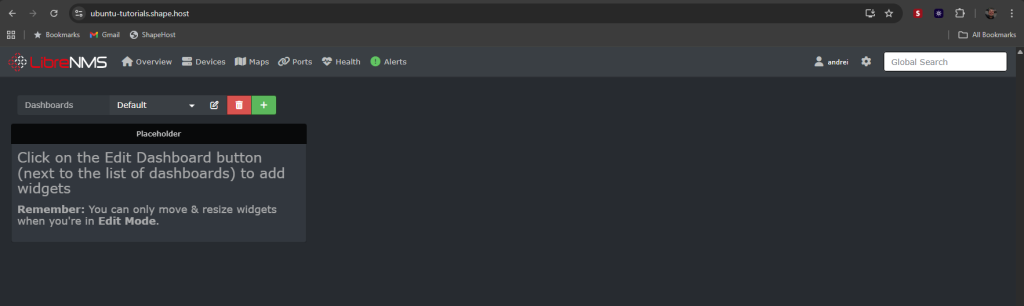
You have installed LibreNMS on Ubuntu 24.04 with Nginx and PHP-FPM. Your system is configured with MariaDB, SNMP, SSL, cron jobs, and PHP-FPM pools for performance.
For reliable and scalable cloud hosting, use Shape.Host Cloud VPS — optimized for monitoring and enterprise workloads.