Rust is a modern, open-source programming language known for its performance, safety, and concurrency. Designed by Graydon Hoare and first released in 2010, Rust is backed by Mozilla and maintained by the Rust Foundation. It has quickly become popular for systems programming, web development, and performance-critical applications due to its memory safety guarantees and zero-cost abstractions.
Key Features of Rust
- Memory Safety Without Garbage Collection
- Rust eliminates common programming errors like null pointer dereferencing and data races by enforcing strict memory management at compile time.
- Its ownership model ensures memory safety without requiring a garbage collector.
- High Performance
- Rust achieves performance comparable to C and C++ by compiling directly to machine code.
- Features like zero-cost abstractions and inline optimizations make it ideal for performance-critical applications.
- Concurrency and Thread Safety
- Rust’s ownership model prevents data races and ensures thread safety, making it a great choice for concurrent programming.
- Cross-Platform Support
- Rust compiles to multiple platforms, including Linux, Windows, macOS, and embedded systems.
- Modern Developer Tools
- Cargo, Rust’s package manager and build system, simplifies dependency management and project setup.
- Integrated documentation generation and testing frameworks enhance developer productivity.
- Rich Ecosystem and Libraries
- Rust has a vast ecosystem of crates (Rust libraries), available through crates.io, its official package registry.
- Expressive Syntax
- Rust offers a modern, expressive syntax that is beginner-friendly while being powerful enough for experienced developers.
- Built-in Error Handling
- Rust includes robust error handling mechanisms with enums like
ResultandOptionfor handling recoverable and non-recoverable errors.
- Rust includes robust error handling mechanisms with enums like
- Community and Support
- Rust has an active and welcoming community, extensive documentation, and tutorials that cater to both beginners and experienced developers.
Advantages of Rust
- Safety: Enforces memory safety at compile time, preventing crashes and vulnerabilities.
- Performance: Comparable to C and C++ without the pitfalls of manual memory management.
- Concurrency: Guarantees thread safety, making it ideal for multi-threaded applications.
- Modern Ecosystem: Includes tools like Cargo, crates.io, and Rustfmt for efficient development.
- Versatility: Suitable for a variety of domains, from low-level systems programming to web development.
What You Can Do with Rust
- Systems Programming
- Build low-level applications like operating systems, game engines, and device drivers.
- Web Development
- Frameworks like Rocket and Actix make Rust suitable for creating web servers and APIs.
- Game Development
- Rust is used in game engines and real-time applications where performance is critical.
- Command-Line Tools
- Rust’s fast startup time and low memory usage make it ideal for building CLI tools.
- Blockchain and Cryptography
- Rust’s performance and safety make it a popular choice in blockchain technology and cryptographic applications.
- Embedded Systems
- Rust supports embedded programming with frameworks like Embedded HAL for microcontrollers.
- Data Science and Machine Learning
- Emerging libraries like Polars and tch-rs make Rust suitable for data processing and ML workloads.
Popular Frameworks and Tools in Rust
- Cargo: Rust’s package manager and build tool.
- Rocket: A high-performance web framework for building APIs.
- Actix: A powerful actor-based web framework.
- Tokio: An asynchronous runtime for writing non-blocking applications.
- Serde: A serialization and deserialization library.
- Rustup: A toolchain installer for managing Rust versions and targets.
Rust vs. Other Languages
- Rust vs. C/C++:
Rust offers comparable performance while providing memory safety without a garbage collector, reducing bugs and vulnerabilities. - Rust vs. Go:
Go is simpler and faster for development, while Rust provides more control and better performance for systems-level programming. - Rust vs. Python:
Rust is significantly faster and suited for performance-critical applications, whereas Python is better for rapid prototyping and scripting.
Why Developers Choose Rust
- Reliable Safety Guarantees: Rust’s unique ownership model ensures safe and concurrent code without runtime overhead.
- High-Performance Applications: Developers use Rust for projects where speed and efficiency are critical.
- Growing Ecosystem: A rich library of tools and frameworks makes it versatile for various domains.
- Developer Satisfaction: Rust has consistently ranked as the most-loved programming language in the Stack Overflow Developer Survey.
Rust is shaping the future of systems programming, web development, and beyond with its unparalleled combination of safety, performance, and developer-friendly features.
Step 1: Set Up a Server Instance
To begin, you’ll need a server running Ubuntu 24.04. Here’s how to create one:
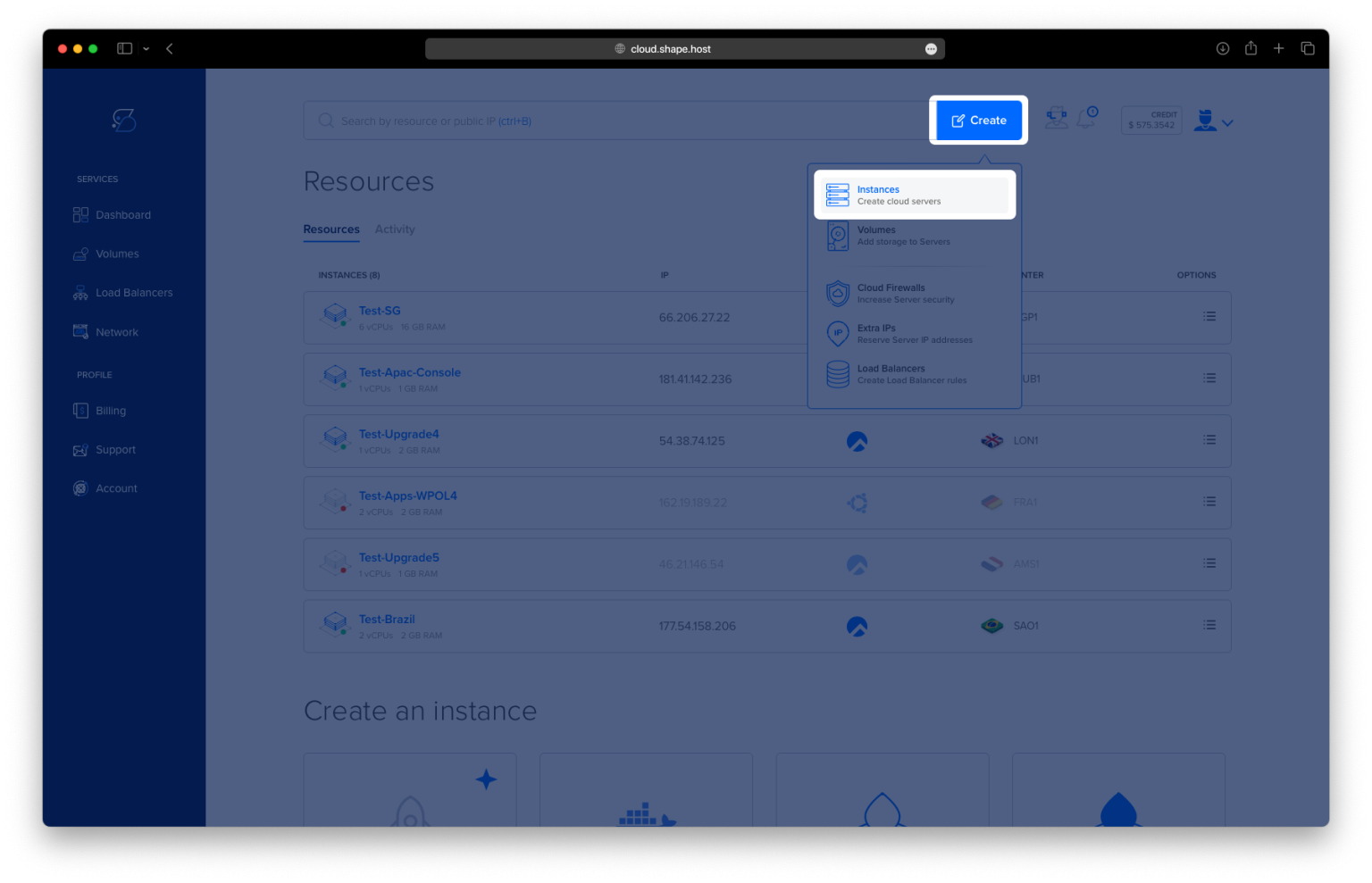
Access Shape.Host Dashboard: Log into your Shape.Host account and go to the Dashboard.
Start a New Instance: Click the “Create” button at the top-right corner to start the setup process.
Select Server Type: Choose “Instances” to begin configuring your server environment.
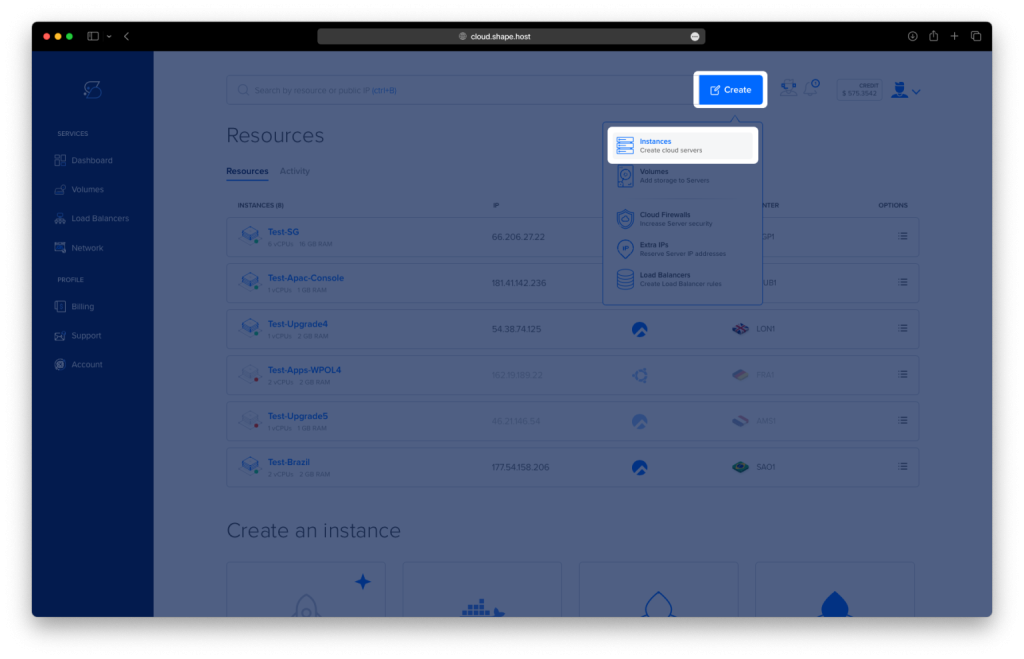
Pick the Right Data Center: Select a location nearest to your users for better performance and reduced latency.

Choose a Hosting Plan: Review the available hosting plans and pick the one that fits your project needs, whether Standard or CPU-Optimized.
Set Up the Operating System: Choose Ubuntu 24.04 as your server’s OS.
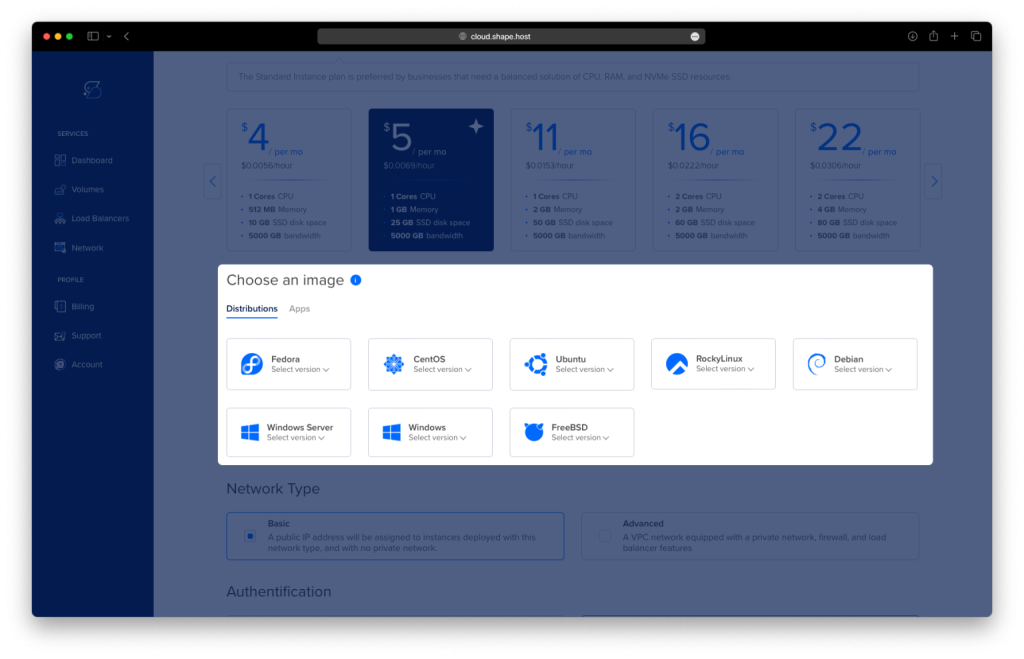
Complete the Configuration: Select your preferred authentication method (SSH keys or password) and click Create Instance to finalize the setup.

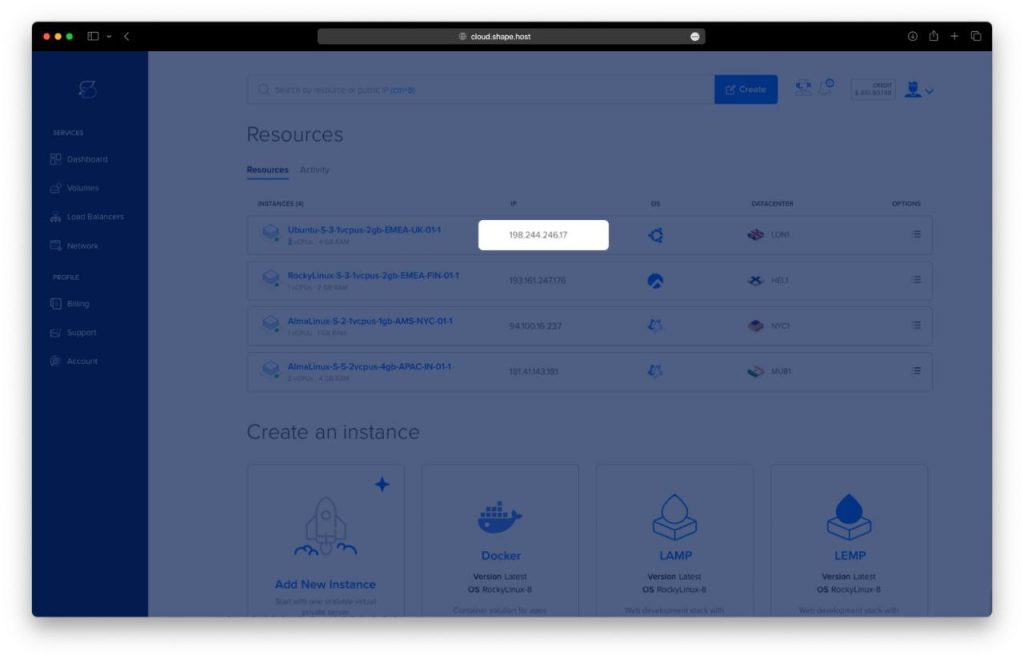
- Once your instance is created, return to the dashboard.
- Find your instance’s IP address under the Resources section and use it to access your server.
Step 2: Connect to Your Instance
Connect to your server using SSH:
- Linux/macOS:
ssh root@<your_server_ip> - Windows: Use PuTTY. Enter your server’s IP address, select SSH, and log in with your credentials.
Step 3: Install Rust
Step 3.1: Update the System
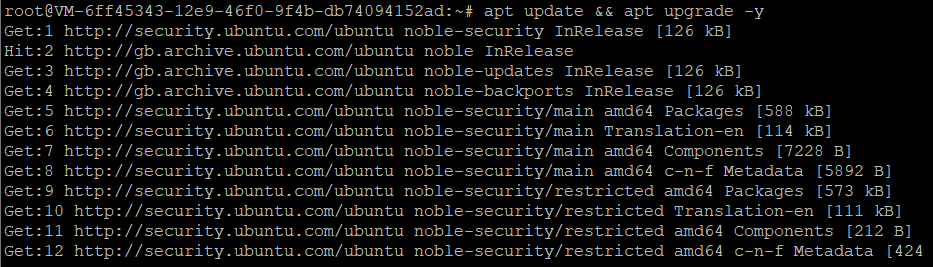
Start by updating your system to ensure all packages are up-to-date:
apt update && apt upgrade -y
Step 3.2: Install curl
Install curl to fetch Rust’s installation script:
apt install curl

Step 3.3: Download and Install Rust
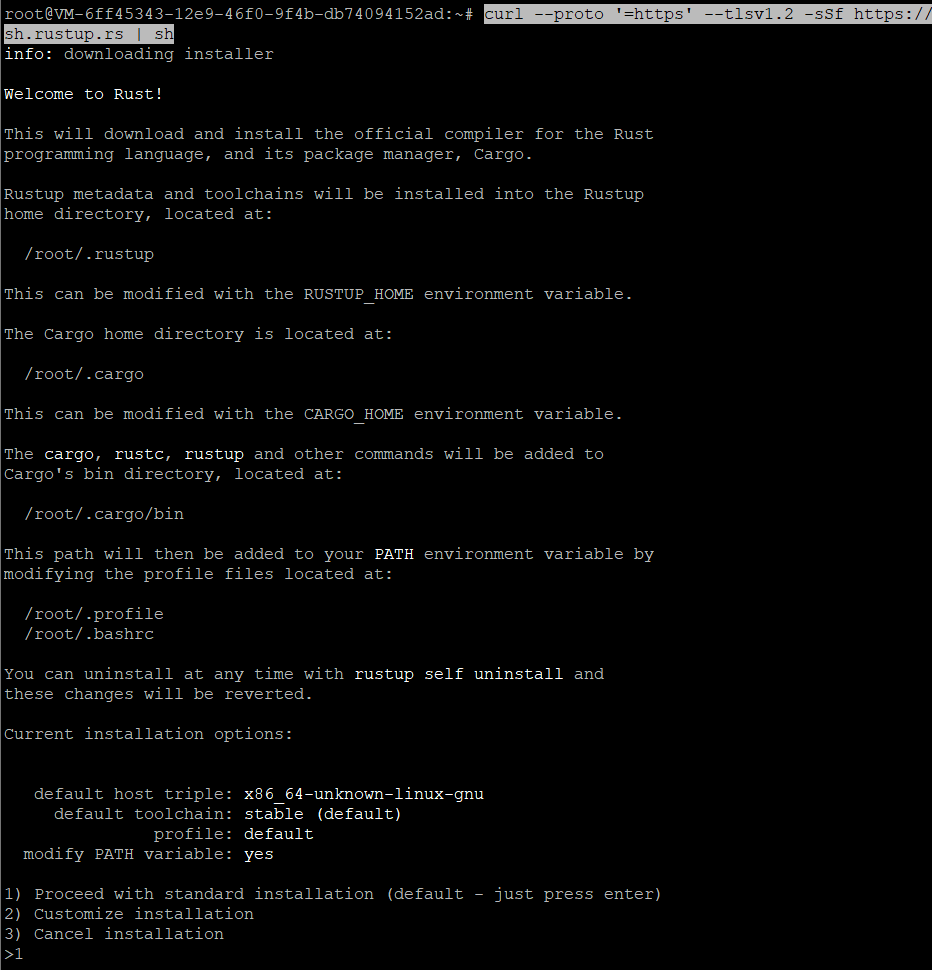
Run the following command to download and install Rust using rustup, Rust’s official installer and version manager:
curl --proto '=https' --tlsv1.2 -sSf https://sh.rustup.rs | sh
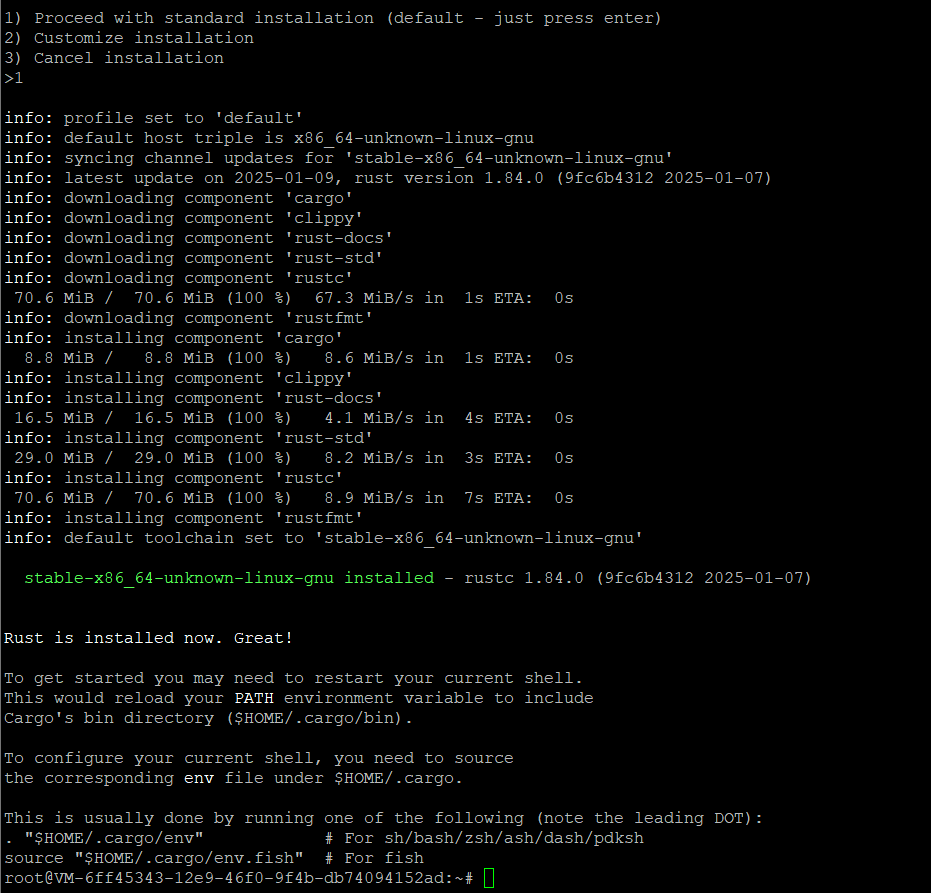
Follow the on-screen prompts to complete the installation.
Step 3.4: Configure Rust Environment
Load Rust into your current shell environment:
. "$HOME/.cargo/env"
Step 4: Verify Rust Installation
Check if Rust is installed correctly by verifying its version:
rustc --version
You should see output displaying the installed version of Rust.

Step 5: Uninstall Rust (Optional)
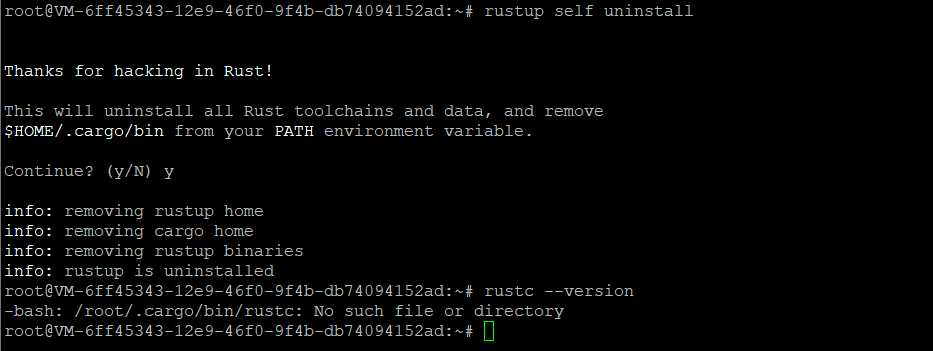
If you ever need to uninstall Rust, you can do so using the command below:
rustup self uninstall
Verify the uninstallation by checking the Rust version:
rustc --version
You have successfully installed and configured Rust on Ubuntu 24.04. Whether you’re building applications or experimenting with Rust’s features, your environment is now ready.
For reliable hosting tailored to developers, consider Shape.Host Cloud VPS, providing scalable and high-performance solutions for all your programming needs.