What is Adminer?
Adminer is a fast, lightweight, and open-source web-based database management tool written in PHP. Unlike phpMyAdmin, which requires many files and directories, Adminer consists of a single PHP file, making it simple to deploy and manage.
Version 5.3.0 is a stable release that supports various database systems including:
- MySQL / MariaDB
- PostgreSQL
- SQLite
- MS SQL
- Oracle
Adminer allows you to manage databases, users, and SQL queries through an easy-to-use browser interface.
Why Use Adminer on Rocky Linux 9?
Rocky Linux 9 is a community-driven enterprise operating system designed to be a drop-in replacement for CentOS. Built to match the stability of RHEL 9, it is ideal for production servers and secure hosting environments.
Running Adminer on Rocky Linux 9 offers:
- Stability and long-term support through 2032
- Compatibility with Apache, Nginx, PHP, and MariaDB
- Enhanced system security through SELinux
- Flexible integration with Remi and EPEL repositories for modern PHP support
- Ease of deployment for both development and production use
Key Features of Adminer 5.3.0
- Single-file deployment for quick setup
- Modern and responsive web interface
- Full support for CRUD operations and table structure management
- Import/export tools (SQL, CSV, XML, JSON)
- SQL editor with syntax highlighting
- User and privilege management
- Plugin system for extending functionality
- Custom themes and localization support
Common Use Cases
- Managing MySQL or MariaDB databases on Rocky Linux servers
- Lightweight replacement for phpMyAdmin on VPS and cloud environments
- Admin access to Docker-based databases
- On-demand database access in development and staging environments
- Emergency database recovery tool with minimal setup
Advantages Over phpMyAdmin
Adminer is often preferred over phpMyAdmin in minimalist or hardened server setups due to its:
- Simplicity (a single PHP file to upload)
- Faster performance with fewer dependencies
- Broader database support
- Smaller attack surface
- Easier maintenance and upgrades
Security Recommendations
For production environments, it is important to follow these best practices:
- Rename the Adminer file to a non-obvious name to reduce discoverability
- Protect access using HTTP authentication or IP restrictions
- Use HTTPS to encrypt all traffic to Adminer
- Limit Adminer availability to private or VPN-accessible networks
- Remove Adminer when not in use, especially in shared environments
- Use SELinux in enforcing mode with correct file contexts when serving Adminer via Apache or Nginx
PHP Compatibility on Rocky Linux 9
Rocky Linux 9 includes PHP 8.1 by default. Adminer 5.3.0 is fully compatible with PHP 8.1, and also works with newer versions such as PHP 8.3, which can be installed from the Remi repository.
You’ll also need to ensure the relevant PHP extensions for your database system are available (e.g., for MySQL, PostgreSQL, or SQLite).
Adminer 5.3.0 on Rocky Linux 9 is an efficient and secure tool for database administration, especially in environments where simplicity, speed, and minimal system footprint are critical.
By combining Adminer’s lightweight design with Rocky Linux’s enterprise-grade stability, system administrators and developers gain a reliable and easy-to-manage solution for database management across a wide range of use cases.
Step 1: Set Up a Server Instance on Shape.Host
To begin, deploy a Rocky Linux 9 VPS from Shape.Host:
Log in to your Shape.Host dashboard.
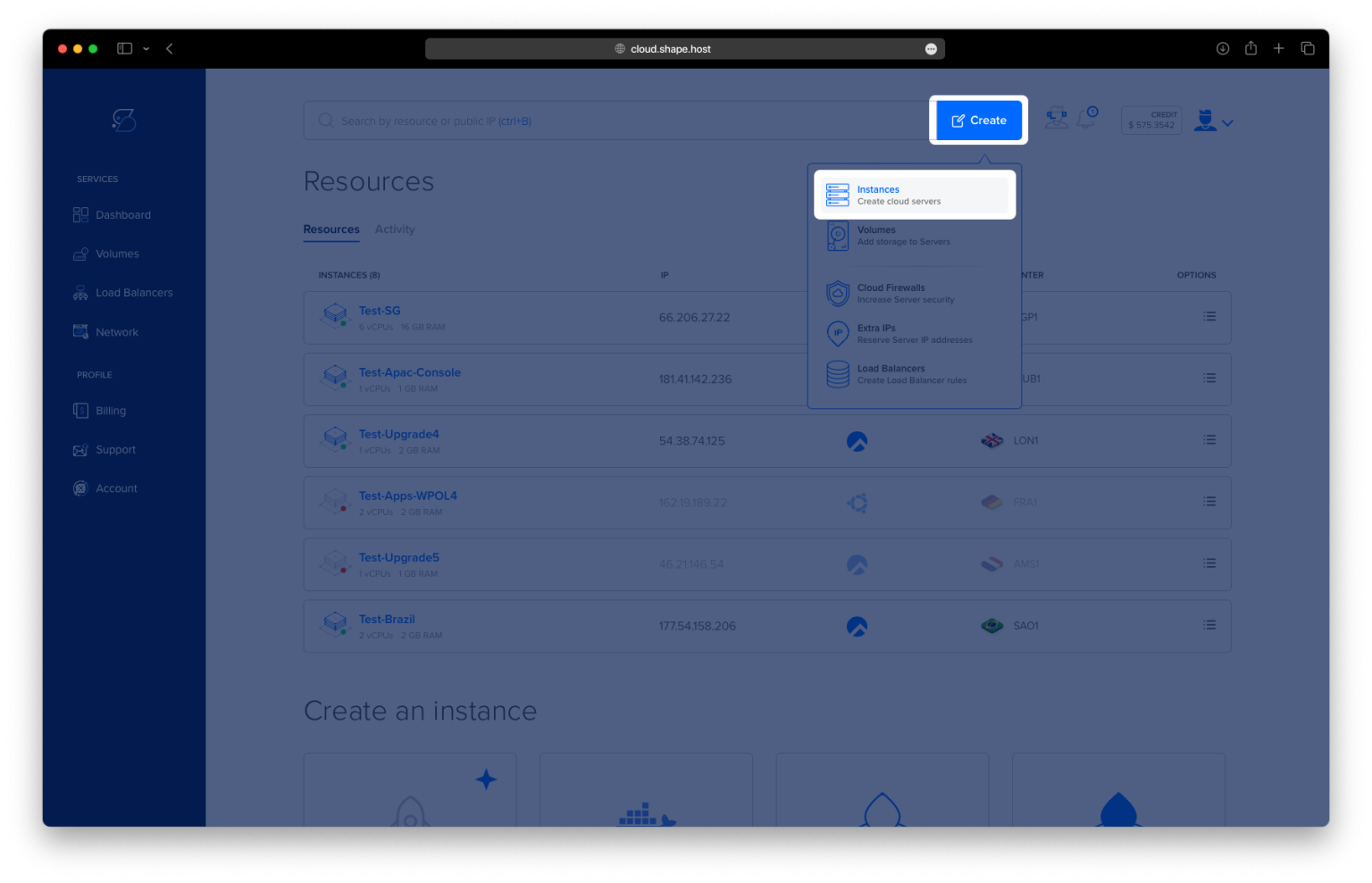
Click “Create” and choose “Instance”.

Pick a server region near your target audience.

Select Rocky Linux 9 (64-bit) as the operating system.
Choose a plan with at least 1 vCPU, 1 GB RAM, and 10 GB SSD.

Click Create Instance and wait for deployment.

Copy the server’s IP address for SSH access.

Step 2: Connect to the Server
On Linux/macOS:
ssh root@your_server_ip
On Windows:
Use PuTTY, enter your IP address, and log in as root.
Step 3: Install Adminer with Apache and PHP
1. Update System Packages
dnf update -y
🔹 Updates all packages to their latest versions.

2. Install Apache and PHP with Required Modules
dnf install httpd php php-mysqlnd php-pdo php-mbstring php-xml -y
🔹 Installs Apache, PHP, and the necessary PHP modules for MySQL and general web compatibility.

3. Install PostgreSQL Support (Optional)
dnf install php-pgsql -y🔹 Adds support for PostgreSQL databases in Adminer.

4. Enable and Start Apache
systemctl enable httpd
🔹 Ensures Apache starts automatically on boot.
systemctl start httpd
🔹 Starts the Apache web server immediately.
systemctl status httpd
🔹 Checks that Apache is running successfully.

5. Create Adminer Directory
mkdir -p /var/www/html/adminer
🔹 Creates a new directory under Apache’s document root for Adminer.
6. Navigate to Adminer Directory
cd /var/www/html/adminer
🔹 Moves into the new Adminer directory.
7. Download Adminer 5.3.0
wget https://github.com/vrana/adminer/releases/download/v5.3.0/adminer-5.3.0.php -O index.php
🔹 Downloads the Adminer 5.3.0 file and saves it as index.php for automatic loading in the browser.

8. Set Ownership and Permissions
chown -R apache:apache /var/www/html/adminer
🔹 Changes ownership to Apache’s system user.
chmod -R 755 /var/www/html/adminer
🔹 Grants read and execute permissions to all users, and write permission to the owner.

Step 4: Access Adminer in the Browser
Open your browser and go to:
http://your-server-ip/adminer/
You should see the Adminer login screen. Enter your database credentials to connect.

You have installed Adminer 5.3.0 on Rocky Linux 9 using Apache and PHP. Adminer is now accessible via your browser, allowing you to manage databases with a lightweight and powerful tool.
Looking for reliable VPS hosting for your web tools? Choose Shape.Host for fast, secure, and scalable Cloud VPS solutions — ideal for developers and sysadmins.