ionCube Loader on AlmaLinux 9 — Enterprise-Grade PHP Code Protection and Runtime Support
ionCube Loader is a proprietary PHP extension designed to execute encoded or obfuscated PHP code generated using the ionCube Encoder. It is commonly used for protecting commercial PHP applications and enforcing software licensing policies. On AlmaLinux 9, a binary-compatible clone of RHEL 9, ionCube Loader integrates securely with the PHP stack, making it ideal for enterprise-grade deployments.
What Does ionCube Loader Do?
ionCube Loader acts as a runtime decoder that allows the PHP engine to run .php or .inc files encrypted using ionCube Encoder. The loader is essential for executing:
- Commercial web applications (e.g., WHMCS, BoxBilling, ClientExec)
- Custom-built, encrypted PHP software
- Software licensed with domain, time, or IP restrictions
It operates entirely within memory, meaning the source code is never exposed on disk or to the end user.
Compatibility with AlmaLinux 9
AlmaLinux 9 provides a stable, long-term supported environment with modern tools, system security layers, and reliable package management. ionCube Loader works best with the following setup on AlmaLinux 9:
| Component | Compatibility Notes |
|---|---|
| PHP Versions | PHP 8.1 (default in AppStream), PHP 8.0+ via Remi repository |
| ionCube Support | Up to PHP 8.2 supported (as of mid-2025) |
| Web Servers | Fully compatible with Apache 2.4 and Nginx (via PHP-FPM) |
| OS Architecture | x86_64 (64-bit) only |
| Thread Safety | Separate builds for ZTS and non-ZTS PHP variants |
AlmaLinux supports system-wide PHP configurations using /etc/php.d/ and modular stream versions via DNF, which makes it easier to manage multiple PHP stacks for different applications.
Use Cases
- Commercial Hosting Platforms – Offering runtime support for licensed PHP applications
- Software Vendors – Distributing protected code to clients with built-in license management
- Internal Business Applications – Where intellectual property protection is necessary
- Multi-tenant SaaS Apps – Deploying protected code in a shared or isolated hosting setup
Technical Characteristics
- Performance Impact: Very low, typically negligible
- Execution: Code is decrypted in memory only, never to disk
- Licensing Features: Supports domain/IP/time-restricted licenses
- CLI Compatibility: Works with both web and command-line PHP (e.g., for cronjobs)
- Works with OPcache: Although OPcache doesn’t cache encoded files, both can coexist
ionCube Loader is designed to be transparent—it does not affect application logic and requires no code changes to the encrypted files.
Security Considerations
- SELinux Compatible: Can be configured to work in enforcing mode (with correct policies)
- AppArmor: Not default on RHEL-based systems, but optional with containers
- No Source Disclosure: Even during runtime, source code remains hidden
- File Integrity: Encoded files are harder to tamper with or reverse engineer
Using ionCube Loader adds a layer of IP protection, but it’s still important to secure the application stack using best practices (e.g., HTTPS, file permissions, proper firewalling).
Common Software Requiring ionCube Loader
| Software | Description |
|---|---|
| WHMCS | Web hosting billing and automation platform |
| Blesta | Modular client billing platform |
| BoxBilling | Lightweight billing system |
| ClientExec | Hosting automation platform |
| Proprietary Plugins | Some Joomla/WordPress modules |
Alternatives to ionCube Loader
| Feature | ionCube Loader | SourceGuardian | Zend Guard (EOL) |
|---|---|---|---|
| PHP Support | 5.6 – 8.2 | 5.6 – 8.2 | Up to 5.6 only |
| License Enforcement | Yes | Yes | Yes |
| Free Runtime Loader | Yes | Yes | Yes (unsupported) |
| Memory-Only Decode | Yes | Yes | Yes |
While SourceGuardian offers similar protection, ionCube remains the more widely adopted standard in the PHP commercial ecosystem.
Running ionCube Loader on AlmaLinux 9 gives you a secure, high-performance foundation for encrypted PHP software in a production-grade operating system. Benefits include:
- Compatibility with PHP 8.0–8.2 (ideal for current licensed apps)
- Seamless integration with Apache or Nginx + PHP-FPM
- Enterprise security via SELinux and robust package streams
- Long-term OS support through 2032 under AlmaLinux lifecycle
This makes AlmaLinux 9 an excellent choice for developers, hosting providers, and enterprises that need a reliable platform for encrypted PHP deployments.
Step 1: Deploy an AlmaLinux 9 Server on Shape.Host
To begin, you’ll need a fresh AlmaLinux 9 server. Follow these steps to launch a VPS on Shape.Host:
Go to https://shape.host and log in.
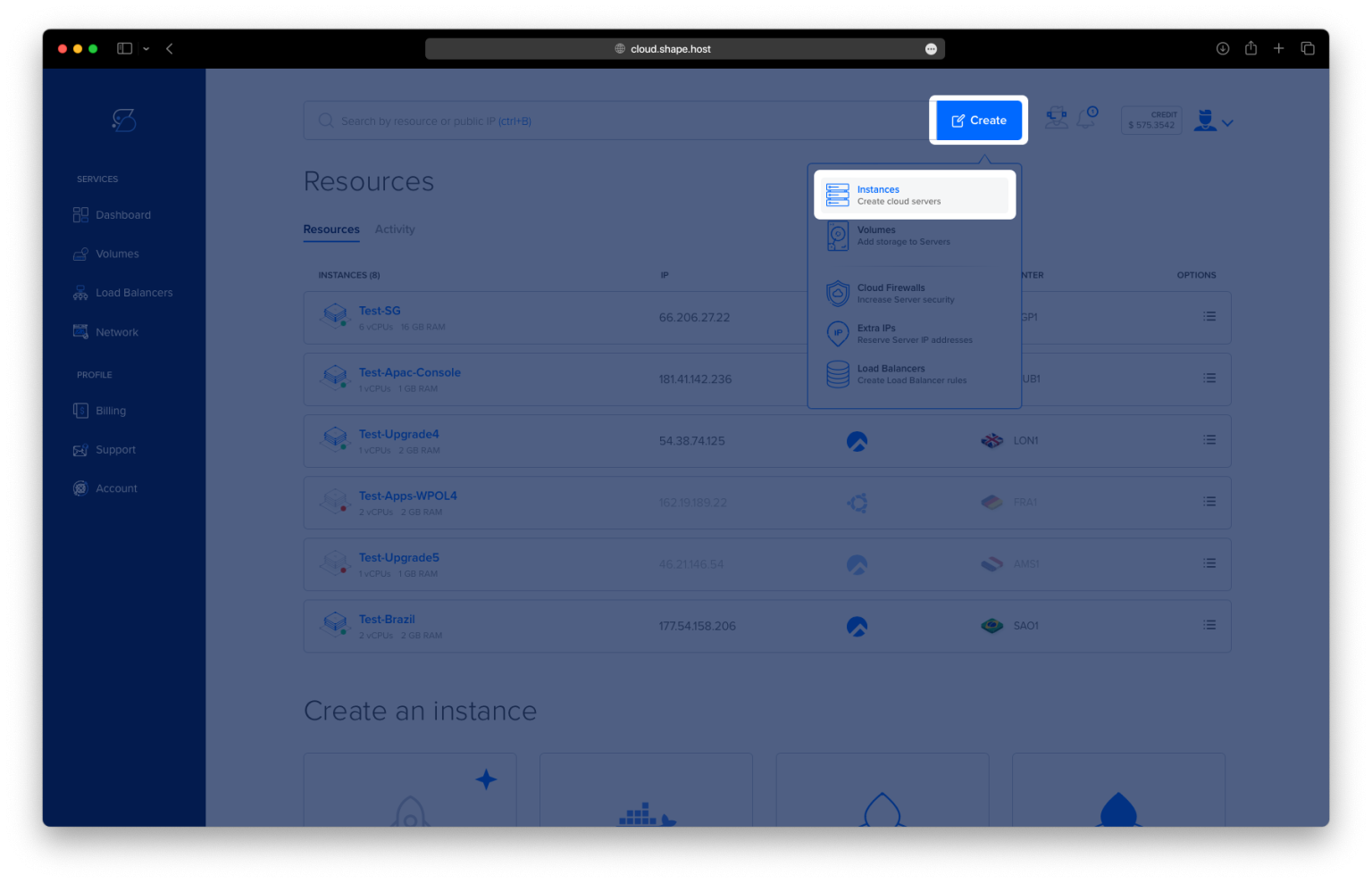
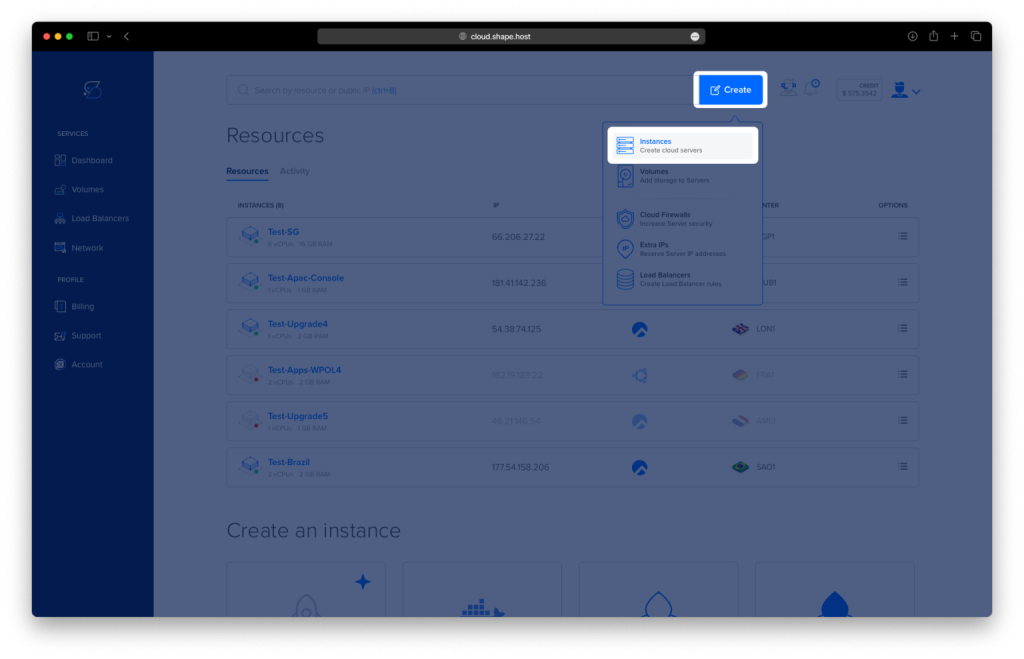
Click “Create” → “Instance”.
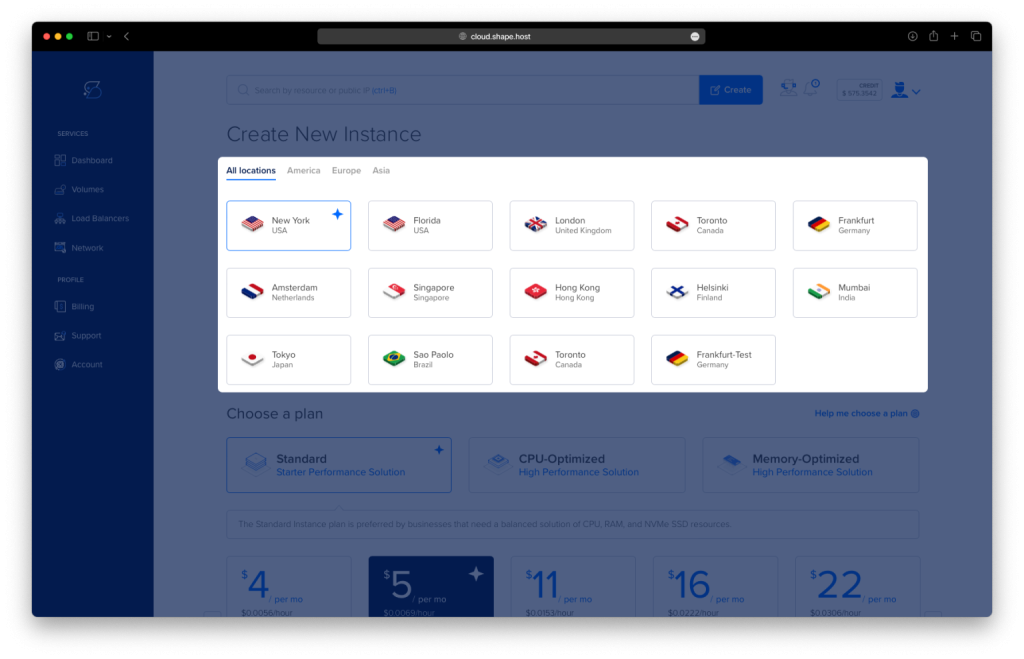
Choose a data center near your audience.
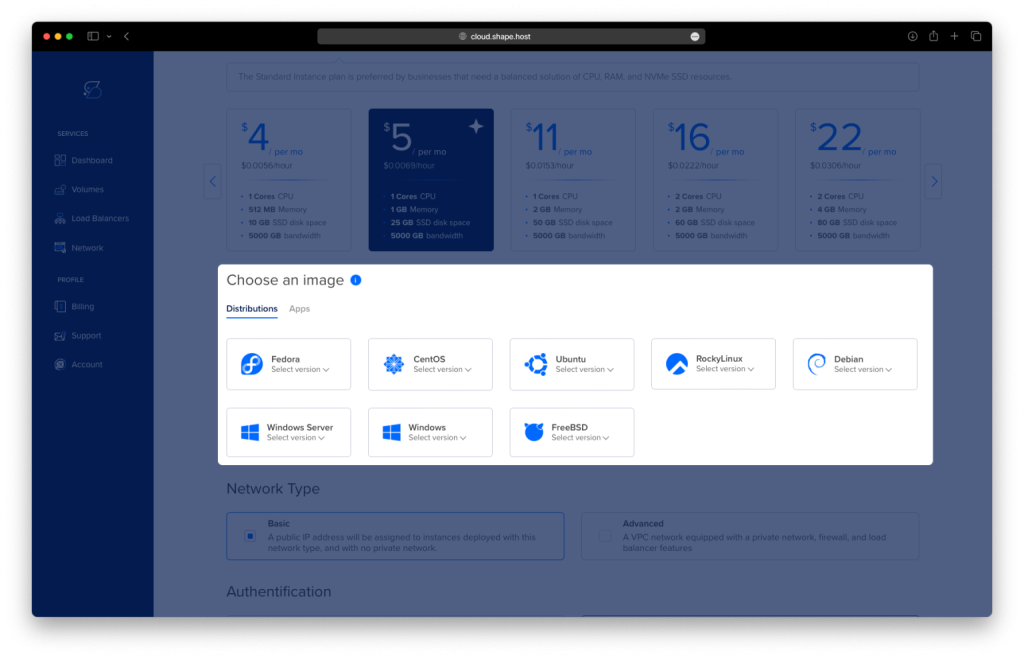
Select AlmaLinux 9 (64-bit) as your OS.
Pick a plan with at least 2 CPUs, 2 GB RAM, and 20 GB SSD.
Click “Create Instance”.
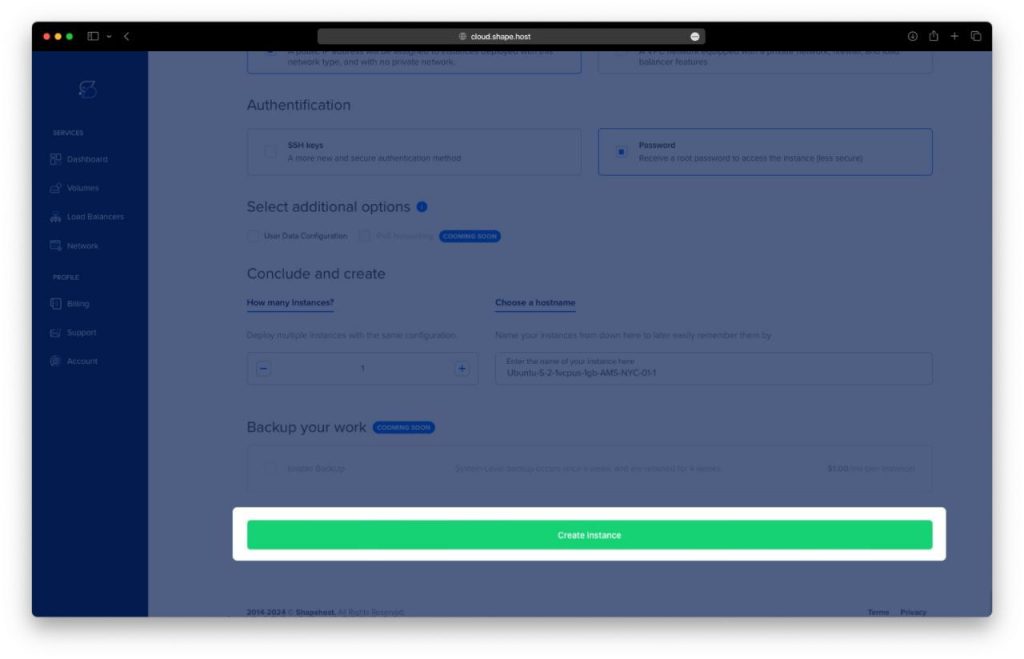
After provisioning, note your server’s IP address and credentials.
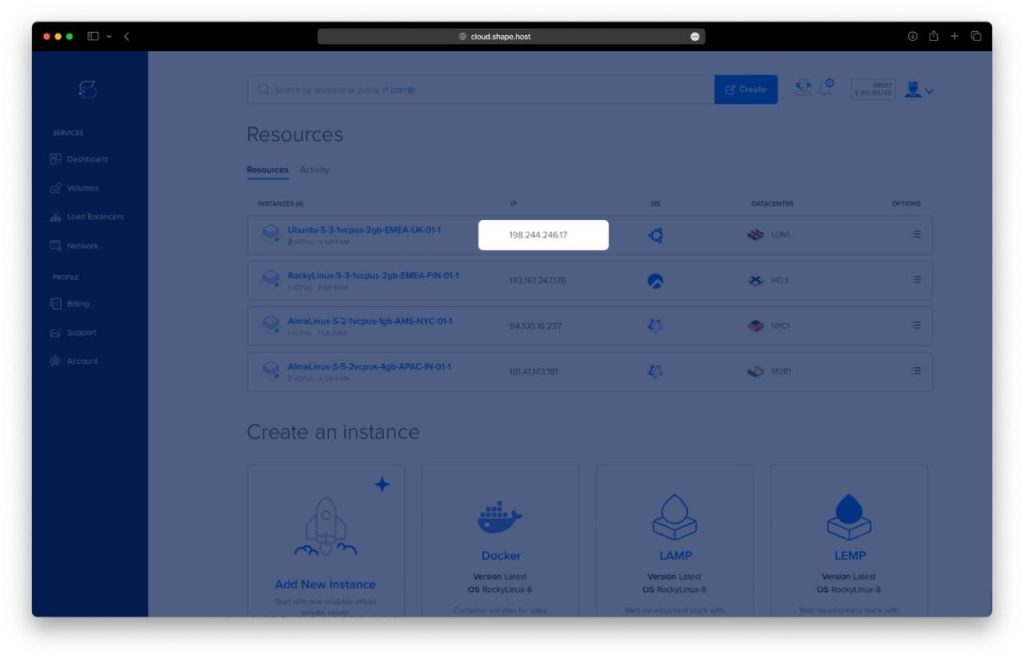
Step 2: Connect to Your Server
On Linux/macOS:
ssh root@your-server-ip
On Windows:
Use PuTTY, input root@your-server-ip, then click Open.
Replace your-server-ip with your actual server IP.
Step 3: Install PHP 8.1 and Apache
3.1 Update Your System
dnf update
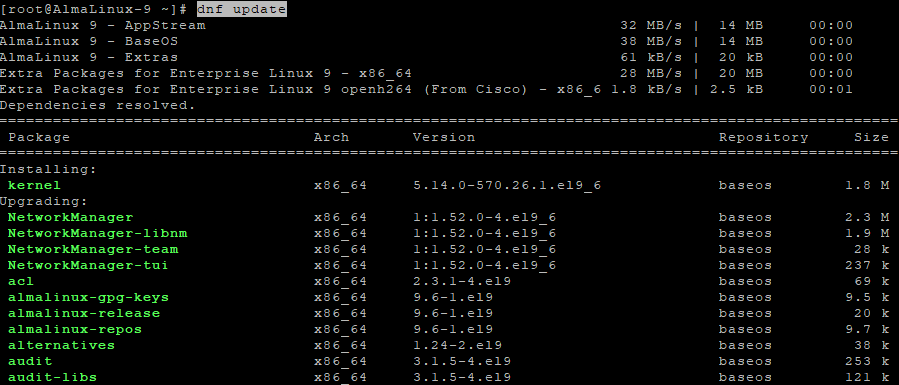
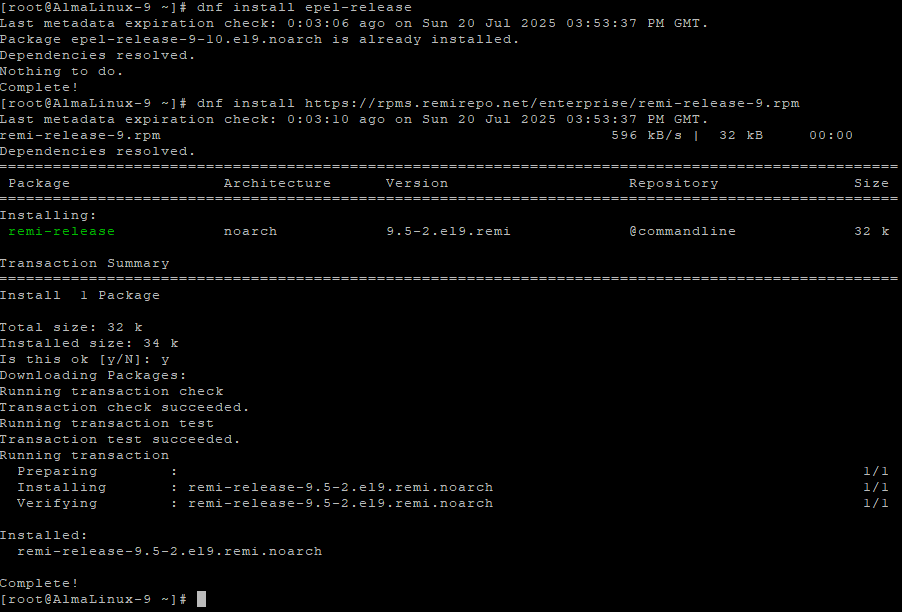
3.2 Add Required Repositories
dnf install epel-release
dnf install https://rpms.remirepo.net/enterprise/remi-release-9.rpm
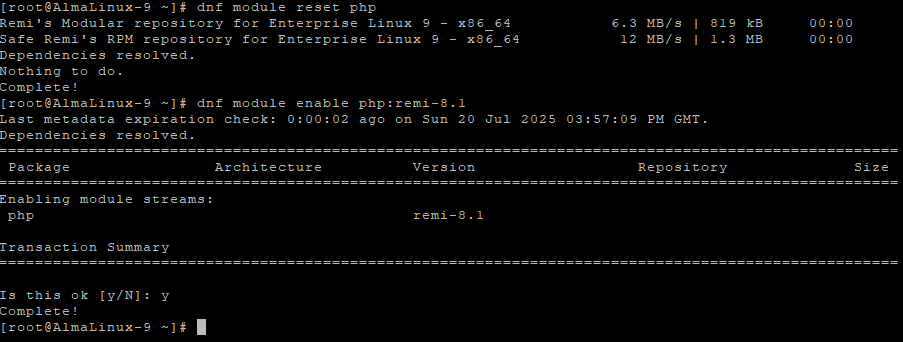
3.3 Enable PHP 8.1 from Remi
dnf module reset php
dnf module enable php:remi-8.1
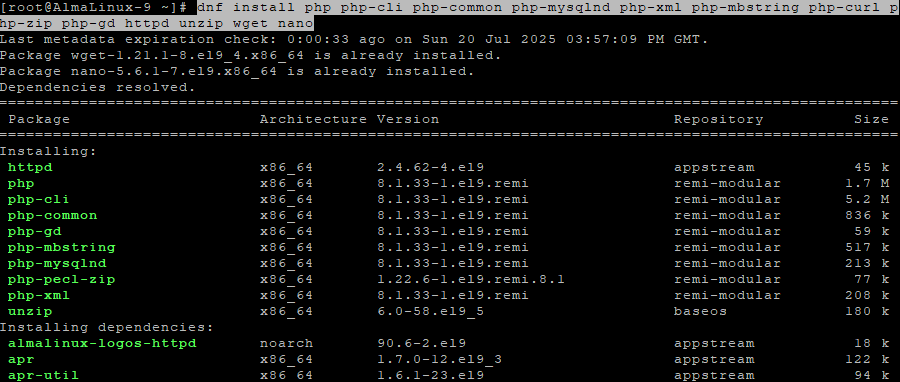
3.4 Install PHP 8.1, Apache, and Extensions
dnf install php php-cli php-common php-mysqlnd php-xml php-mbstring php-curl php-zip php-gd httpd unzip wget nano
3.5 Enable and Start Apache
systemctl enable httpd
systemctl start httpd

Step 4: Install ionCube Loader
4.1 Find PHP Extension Directory
php -i | grep extension_dir
Sample output:
/usr/lib64/php/modules

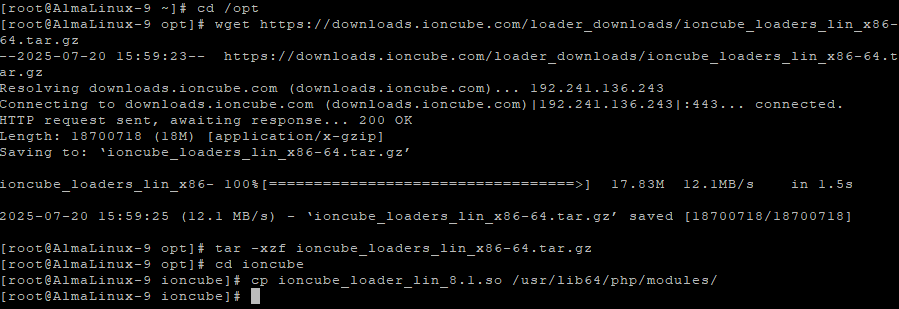
4.2 Download and Extract ionCube
cd /opt
wget https://downloads.ioncube.com/loader_downloads/ioncube_loaders_lin_x86-64.tar.gz
tar -xzf ioncube_loaders_lin_x86-64.tar.gz
cd ioncube
4.3 Copy the Loader File
cp ioncube_loader_lin_8.1.so /usr/lib64/php/modules/
4.4 Create the Configuration File
nano /etc/php.d/00-ioncube.ini
Paste this line:
zend_extension=/usr/lib64/php/modules/ioncube_loader_lin_8.1.so
Save and exit.

4.5 Restart Apache
systemctl restart httpd

Step 5: Verify the Installation
5.1 Check PHP Version and Confirm ionCube
php -v
This should include a line like:
with the ionCube PHP Loader (enabled) ...

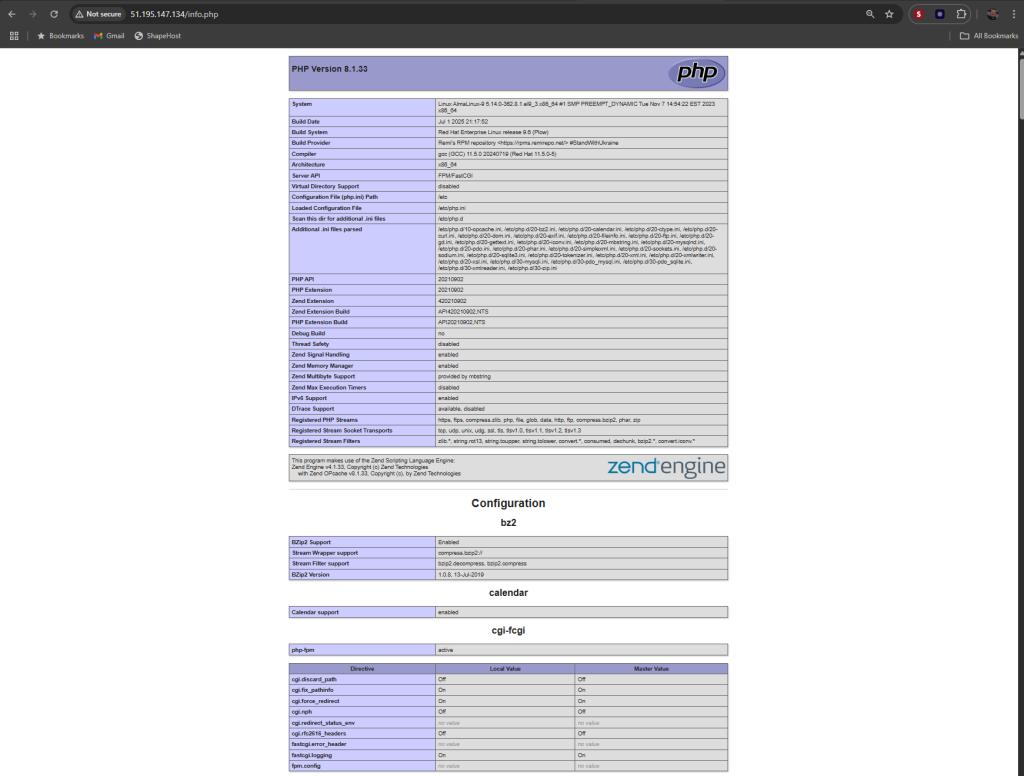
5.2 Create a PHP Info Page (Optional)
echo "<?php phpinfo(); ?>" > /var/www/html/info.php
Visit:
http://your-server-ip/info.php
Look for the ionCube section.
5.3 Clean Up
rm /var/www/html/info.php
rm -rf /opt/ioncube*

You’ve installed ionCube Loader on AlmaLinux 9 with PHP 8.1. Your system is now ready to host commercial PHP applications that require ionCube.
For reliable, high-speed Cloud Vps tailored for developers, consider using Shape.Host.
Deploy your PHP projects with Shape.Host — scalable, fast, and developer-friendly.