Strapi CMS on Debian 12 (PostgreSQL, PM2, Nginx, SSL)
Strapi is a leading open-source headless CMS built on Node.js, offering robust content management with customizable APIs (REST & GraphQL). It allows developers to quickly create structured content APIs for websites, mobile apps, and backend services.
When deployed on Debian 12 Bookworm, Strapi benefits from the OS’s stability, security updates until 2028, and strong compatibility with production-grade software stacks. Integrating PostgreSQL, PM2, Nginx, and SSL completes a hardened and scalable architecture.
Technology Stack Overview
| Component | Role |
|---|---|
| Debian 12 | Stable Linux OS with long-term support |
| Strapi CMS | Node.js-based CMS backend exposing REST/GraphQL APIs |
| PostgreSQL | Relational database for content and user data |
| PM2 | Node.js process manager for production lifecycle control |
| Nginx | Reverse proxy handling HTTPS, compression, and routing |
| SSL/TLS | Secure communication via Let’s Encrypt or custom certs |
PostgreSQL for Strapi on Debian 12
PostgreSQL is preferred over SQLite or MySQL for its:
- JSONB support for dynamic content structures
- High concurrency performance
- Advanced indexing and full-text search
- Rich role/permission management
- Built-in SSL and encryption options
Debian 12 includes PostgreSQL 15 via its main repository, making it easy to configure and maintain using systemd and pgAdmin or CLI tools.
PM2 – Managing Strapi as a Persistent Service
PM2 is a production-grade process manager designed for Node.js applications. With PM2, you gain:
- Daemonized Strapi instances that auto-restart on crashes
- Startup script generation for system reboots
- Real-time monitoring and logging
- Support for cluster mode to utilize multiple CPU cores
- Deployment configurations using ecosystem files
PM2 integrates well with systemd, allowing clean service integration within Debian’s native init system.
Nginx + SSL – Frontline Proxy and Encryption Layer
Nginx serves as a reverse proxy in front of Strapi (typically running on port 1337), providing:
- Public-facing HTTPS endpoint using Let’s Encrypt with Certbot or custom certificates
- HTTP/2 and gzip compression for optimized performance
- Path-based routing for API and static asset delivery
- Security headers and request filtering
- SSL termination and caching for load reduction
With Nginx on Debian 12, configuration is simple and resilient, thanks to native support for OpenSSL 3.0 and systemd-managed services.
Security Best Practices on Debian 12
Running Strapi securely involves a multi-layered approach:
- Enforce HTTPS-only access through Nginx
- Use firewall rules (e.g.,
ufwornftables) to expose only ports 80 and 443 - Restrict direct access to port 1337 (Strapi backend)
- Use
.envvariables to store secrets and database credentials securely - Enable role-based access control (RBAC) within the Strapi admin UI
- Regularly update Strapi and its plugins
- Use Fail2Ban to protect the Nginx login endpoints
Debian 12’s AppArmor support can also be used to sandbox Nginx and Node.js processes for added isolation.
Common Use Cases for This Stack
- Multi-channel content APIs for JAMstack apps (Next.js, Nuxt, Astro)
- CMS for mobile apps (Flutter, React Native) with GraphQL integration
- Corporate intranets and knowledge bases
- Digital product catalogs with custom roles and workflows
- Editorial platforms with multiple content types and authors
- eCommerce headless backends (with Snipcart, Stripe, or custom carts)
Strapi’s plugin system allows adding internationalization (i18n), media management, GraphQL, SSO, and workflows with ease.
Comparison: Strapi vs. Other Headless CMS Options
| Feature | Strapi | Directus | KeystoneJS | Payload CMS | Contentful (SaaS) |
|---|---|---|---|---|---|
| Self-hosted | ✅ | ✅ | ✅ | ✅ | ❌ |
| PostgreSQL Support | ✅ | ✅ | ✅ | ✅ | ❌ |
| Admin Panel | Built-in | Built-in | Built-in | Built-in | Web-based |
| GraphQL Support | Optional | Built-in | Built-in | Built-in | ✅ |
| Open Source | MIT License | GPL | MIT | MIT | ❌ Proprietary |
| Plugin Ecosystem | Mature | Growing | Limited | Limited | Proprietary |
Strapi offers the best balance between developer control, feature richness, and extensibility when self-hosting on Linux.
Running Strapi CMS on Debian 12 with PostgreSQL, PM2, Nginx, and SSL offers a secure, scalable, and production-ready platform for building modern content APIs.
Key advantages include:
- Full control over content structure and APIs
- PostgreSQL-backed scalability and performance
- Process resilience with PM2
- Secure, performant frontend via Nginx and HTTPS
- Long-term support and OS-level stability from Debian
This stack is well-suited for both small teams launching MVPs and enterprises managing high-traffic digital experiences.
Step 1: Create a Debian 12 VPS on Shape.Host
Go to https://shape.host and log in.
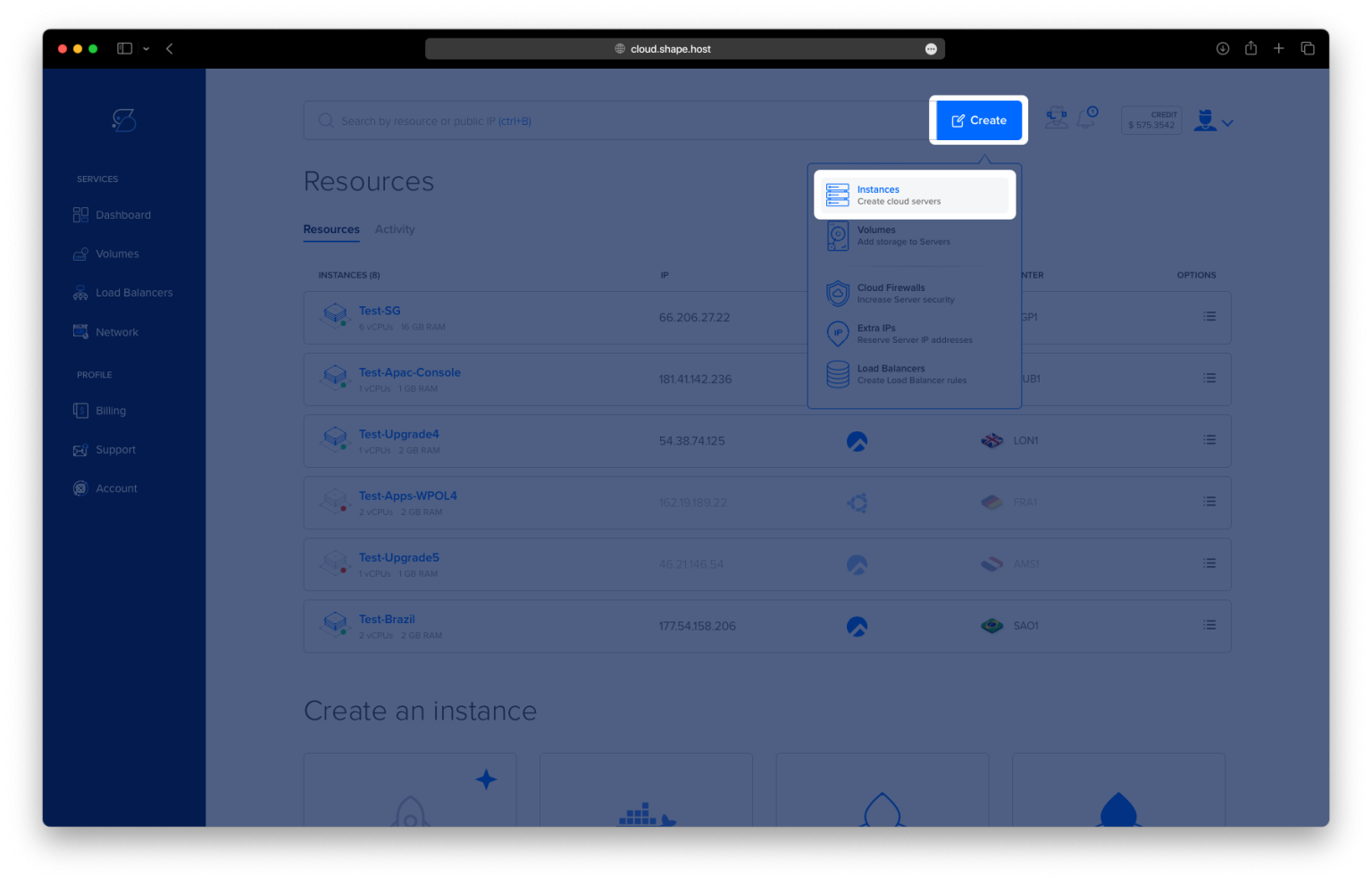
Click “Create”, then choose “Instance”.

Choose a server location closest to your users.

Select Debian 12 (64-bit) as the operating system.
Choose a plan with at least 2 CPUs, 4 GB RAM, and 20 GB SSD.

Click “Create Instance”.
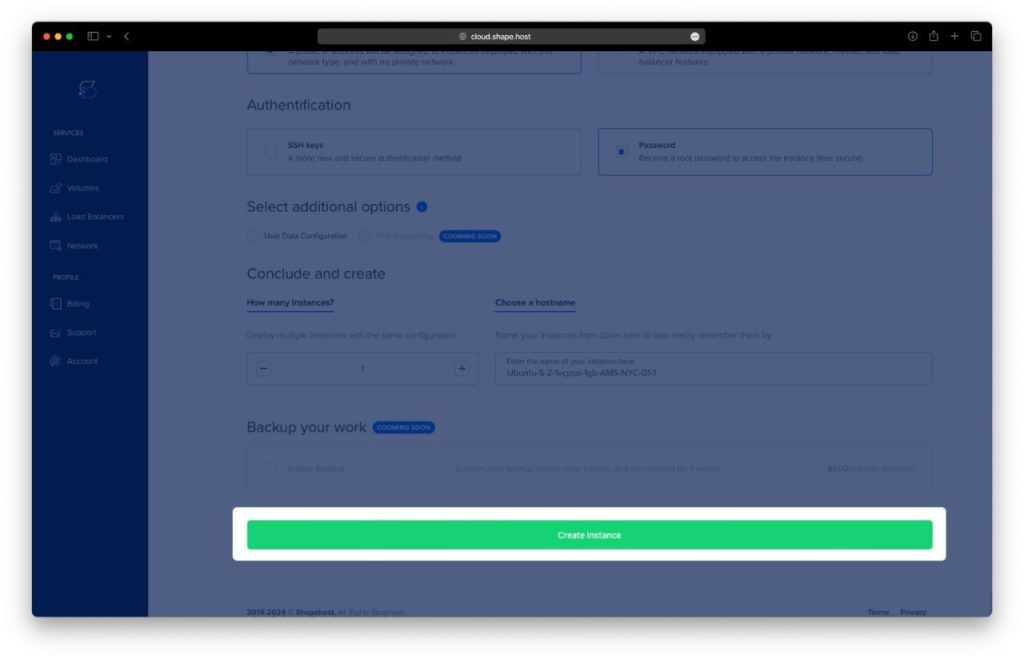
Copy the IP address from the “Resources” section.

Step 2: Connect to Your Server
ssh root@your-server-ip
Step 3: Install System Packages
apt update && apt upgrade -y
apt install curl wget nano gnupg2 ca-certificates lsb-release unzip software-properties-common


Step 4: Install and Configure PostgreSQL
apt install postgresql postgresql-contrib

Then run:
su - postgres -c psql
Inside the PostgreSQL prompt:
CREATE DATABASE strapidb;
CREATE USER strapiuser WITH ENCRYPTED PASSWORD 'YourStrongPassword';
ALTER DATABASE strapidb OWNER TO strapiuser;
\q

Step 5: Install Node.js 20 and NPM
curl -fsSL https://deb.nodesource.com/setup_20.x | bash -
apt install nodejs
node -v
npm -v
npm install -g npm@11.5.2


Step 6: Create and Build a Strapi Project
npm create strapi-app@latest my-project
cd my-project
NODE_ENV=production npm run build


Step 7: Install PM2 and PostgreSQL Client for Node.js
npm install -g pm2 pg

Step 8: Configure PM2 to Run Strapi
Create the ecosystem file:
nano ecosystem.config.js
Paste the following:
module.exports = {
  apps: [
    {
      name: 'strapi',
      cwd: '/root/my-project',
      script: 'npm',
      args: 'start',
      env: {
        NODE_ENV: 'production',
        HOST: '127.0.0.1',
        PORT: '1337',
        DATABASE_CLIENT: 'postgres',
        DATABASE_HOST: '127.0.0.1',
        DATABASE_PORT: '5432',
        DATABASE_NAME: 'strapidb',
        DATABASE_USERNAME: 'strapiuser',
        DATABASE_PASSWORD: 'YourStrongPassword'
      }
    }
  ]
};

Start and enable PM2:
pm2 start ecosystem.config.js
pm2 startup
pm2 save


Step 9: Install and Configure Nginx
apt install nginx

Create a config file:
nano /etc/nginx/sites-available/strapi
Paste the following:
server {
    listen 80;
    server_name your_domain.com;

    location / {
        proxy_pass http://127.0.0.1:1337;
        proxy_set_header Host $host;
        proxy_set_header X-Real-IP $remote_addr;
        proxy_http_version 1.1;
        proxy_set_header Upgrade $http_upgrade;
        proxy_set_header Connection 'upgrade';
        proxy_cache_bypass $http_upgrade;
    }
}

Enable the site and reload Nginx:
ln -s /etc/nginx/sites-available/strapi /etc/nginx/sites-enabled/
nginx -t && systemctl reload nginx

Step 10: Secure Your Domain with Let’s Encrypt SSL
apt install certbot python3-certbot-nginx
certbot --nginx -d debian-tutorials.shape.host -m contact@shape.host --agree-tos --no-eff-email


Your Strapi CMS is now live at:
https://debian-tutorials.shape.host


Use Shape.Host for fast and scalable Linux SSD VPS solutions for all your web projects